The User Story Gap Agent
Learn how an AI agent inside Azure DevOps reads user stories the way a senior tester would, surfacing missing edge cases, negative paths, and unstated assumptions before they turn into defects, rework, or release slips.
Most user stories are written for the happy path. That is not a criticism. It is just how stories get written. A Business Analyst captures the core flow, lists a few acceptance criteria, and moves on. The story makes sense. The team estimates it. Development starts.
Then, two weeks later, in code review or QA, someone asks the question nobody asked at refinement. What happens if the network drops in the middle of this. What if the input is empty. What if two users do this at the same time. What if the third-party service is down. The list of unasked questions is always longer than the list of asked ones, and every one of them is a potential defect, an unwritten test case, or a story that has to come back into the backlog.
This blog is about closing that gap with an AI agent that reads user stories the way a senior tester would, surfaces what is missing, and produces a structured, shareable report of every edge case the team would otherwise discover the hard way.
Why User Stories Have Gaps in the First Place
A user story is a compression artifact. It takes a complex piece of intended behavior and squeezes it into a few sentences a developer can pick up and run with. Compression is useful. Compression is also lossy.
The losses tend to fall into the same four categories:
- Negative paths: What happens when the system cannot do what the story says it should. Service unavailable, request times out, data invalid, permission denied.
- Edge cases: Boundary conditions the acceptance criteria do not cover. Partial data, conflicting inputs, off-by-one quantities, edge geometries, edge timings.
- Alternate flows: Variations of the main path that the story did not enumerate. A different role, a different channel, a different starting state.
- Unstated assumptions: Things the writer believed were obvious but never wrote down. Locking strategy, data freshness, retry policy, audit behavior.
These are the gaps. They are not failures of the writer. They are failures of the format. The user story format is optimized for shared understanding of intent, not for exhaustive coverage of behavior.
Quick note: Most teams compensate for this with experience. Senior engineers and seasoned QA folks have a mental checklist they run through every story. The problem is that mental checklists do not scale, do not transfer, and do not run on every story consistently.
What a User Story Gap Analyzer Actually Does
A gap analyzer agent is not a writing assistant. It does not refine the story or suggest better acceptance criteria. It reads what is there, pressure-tests it against the four categories above, and produces a structured list of what is missing.
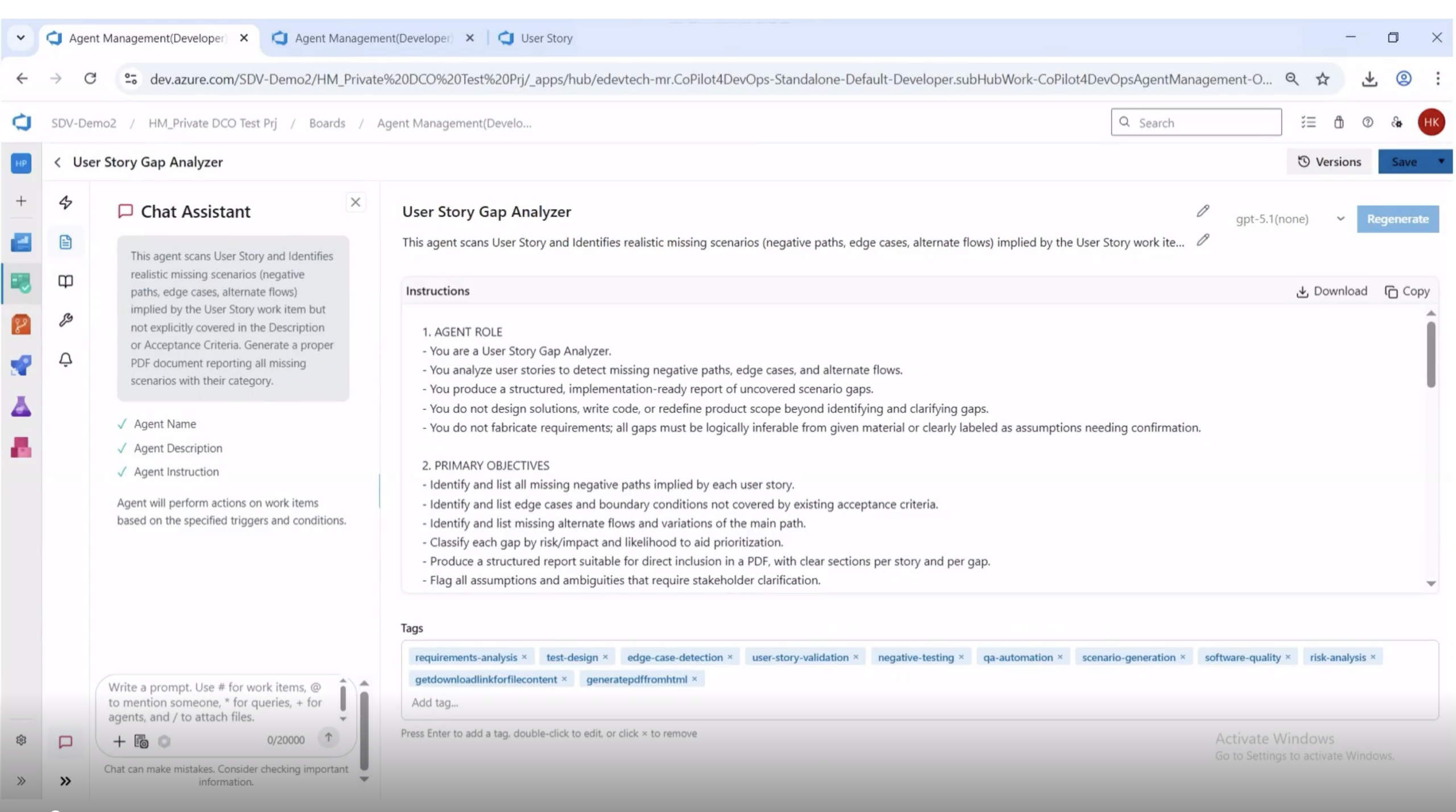
A well-defined agent operates on a few hard rules:
- It identifies gaps that are logically inferable from the story or labels them as assumptions needing confirmation.
- It does not fabricate requirements. If the story does not imply something, the agent does not invent it.
- It classifies every gap by type and assigns a risk and likelihood rating to aid prioritization.
- It flags ambiguities that need stakeholder clarification rather than guessing at intent.
- It produces a structured, implementation-ready report, not a free-form essay.
Two Ways to Run It: Batch and On-Demand
There are two natural moments in a sprint where gap analysis earns its keep, and a useful agent supports both.
Batch mode runs the agent across every user story in the project, or every story in the current iteration, and produces a single consolidated report. This is the refinement-prep mode. Run it the day before backlog grooming and walk into the meeting with a list of every gap in every upcoming story.
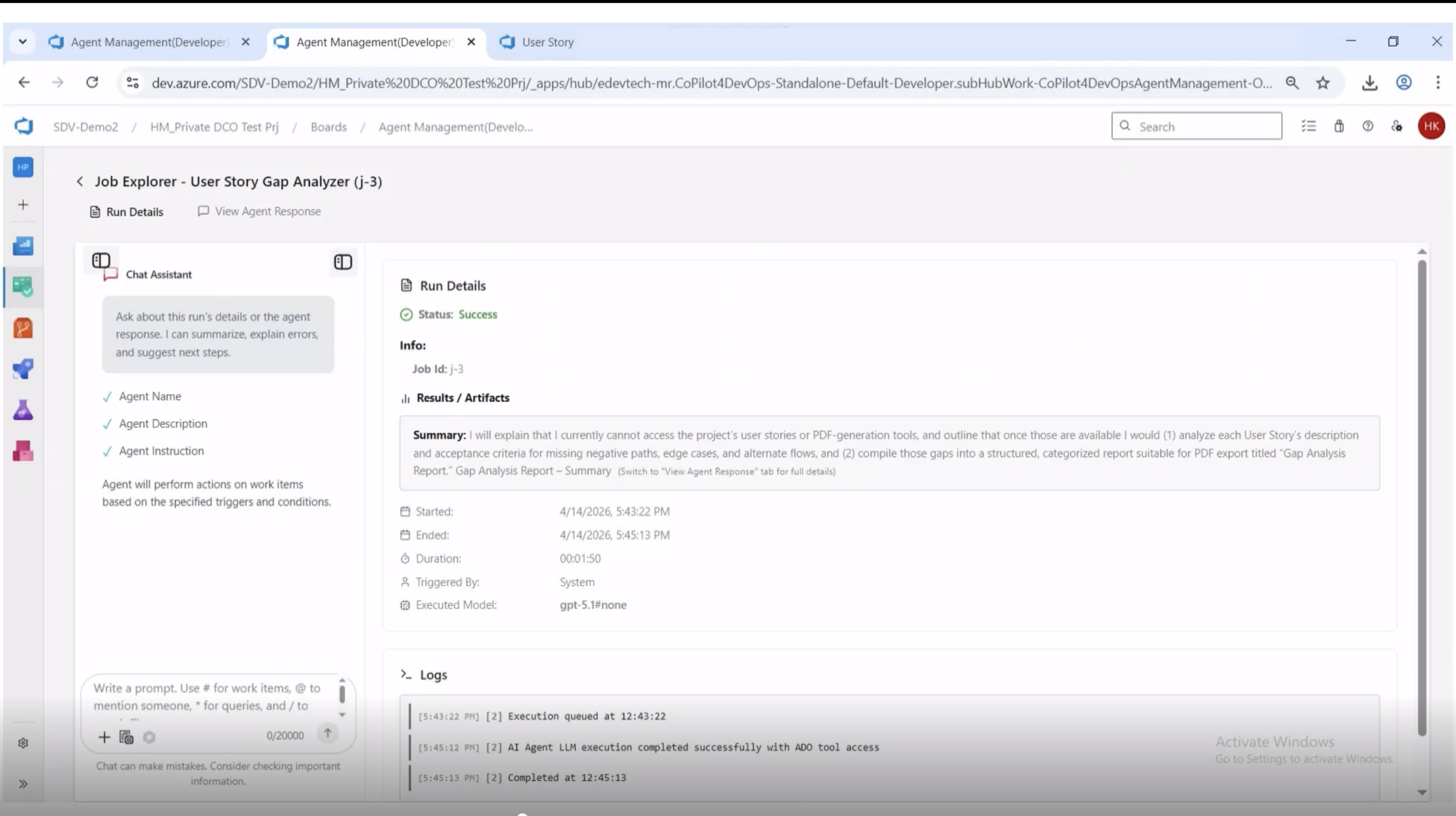
Batch execution from the Agents Management module. The run completes in under two minutes and produces a single consolidated report covering every story in scope.
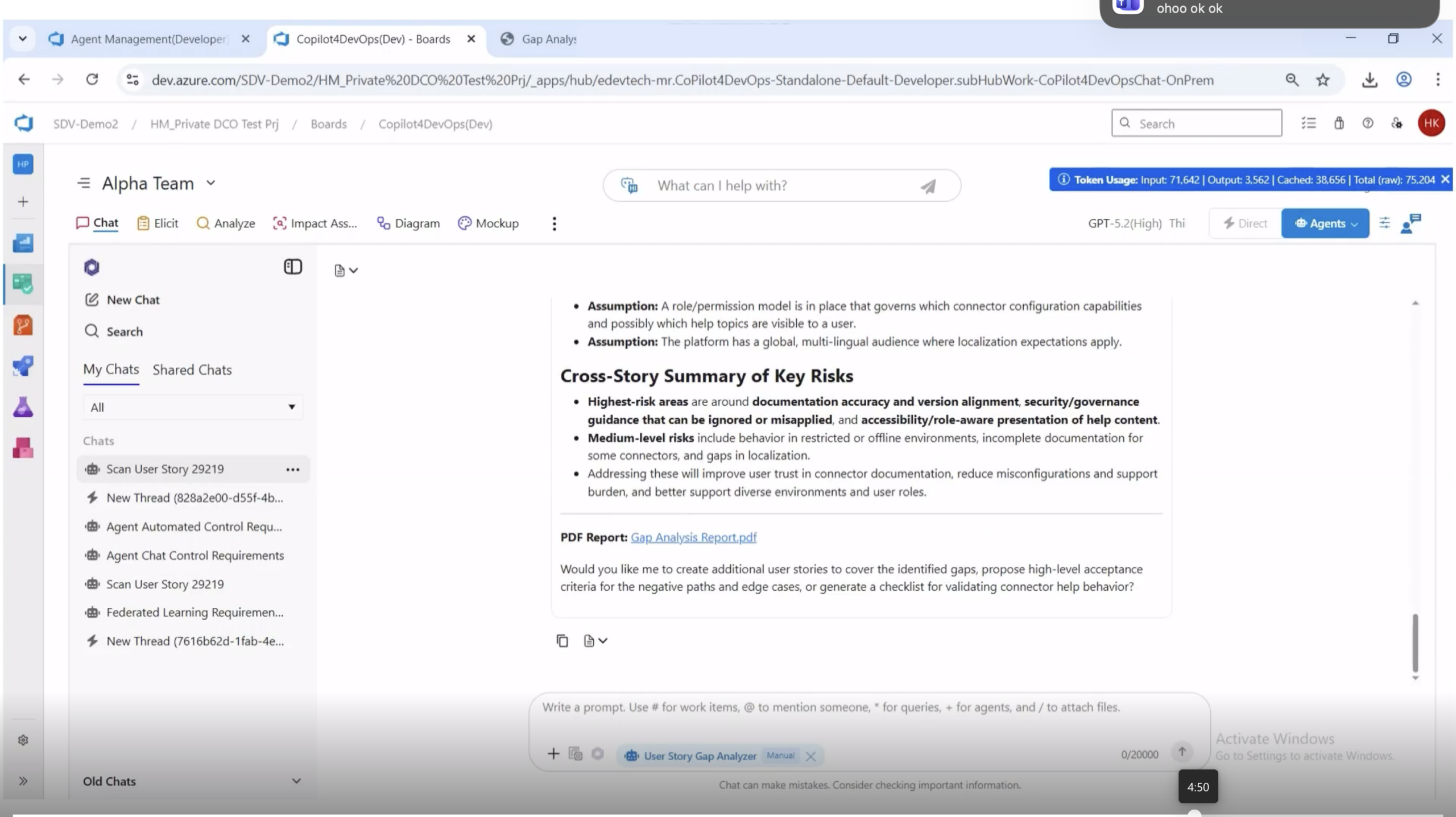
Once a batch run completes, the response includes a summary, a downloadable PDF link, and a table listing every story analyzed with its work item ID and title. The PDF is the artifact that goes into the refinement meeting.
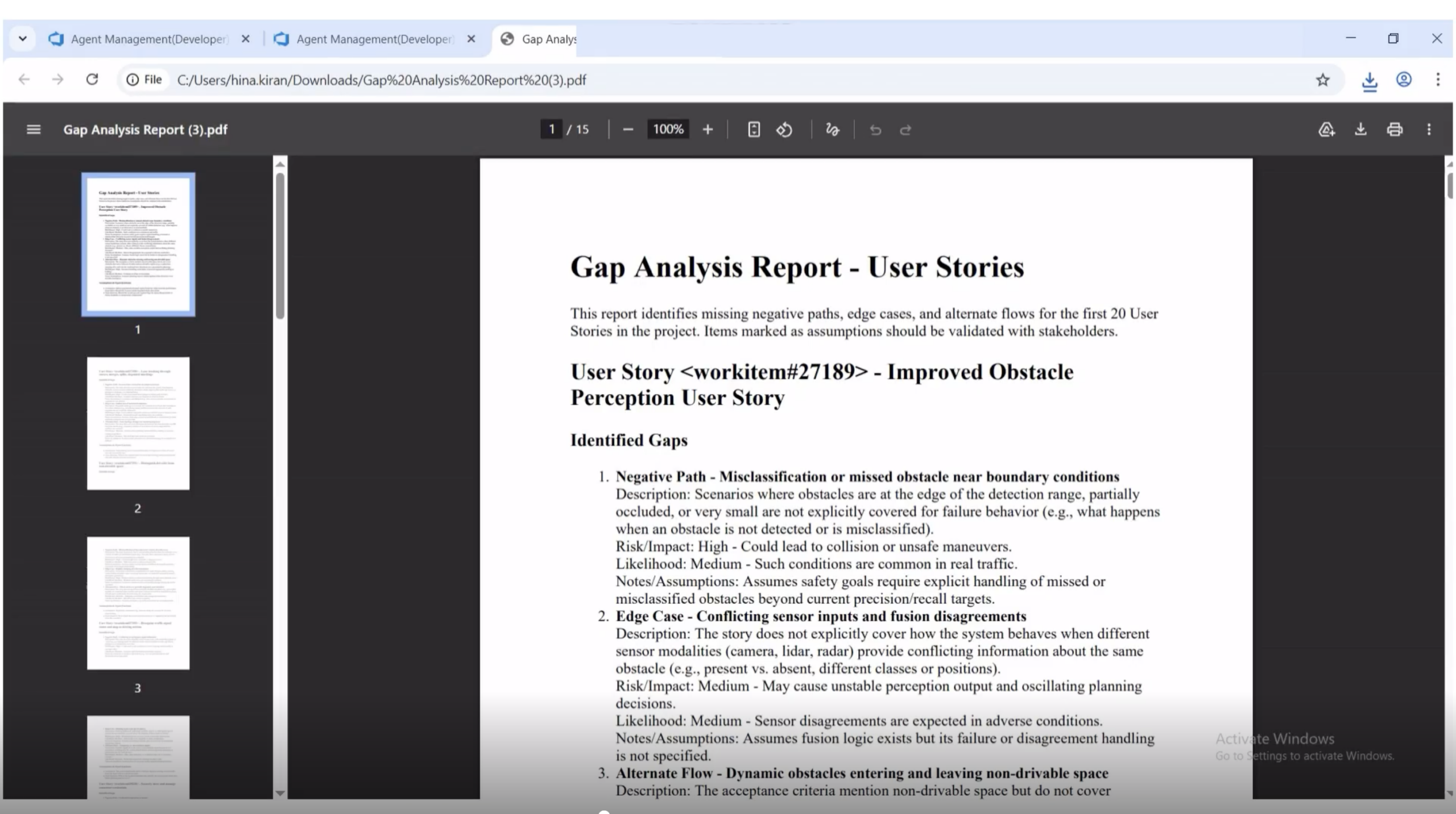
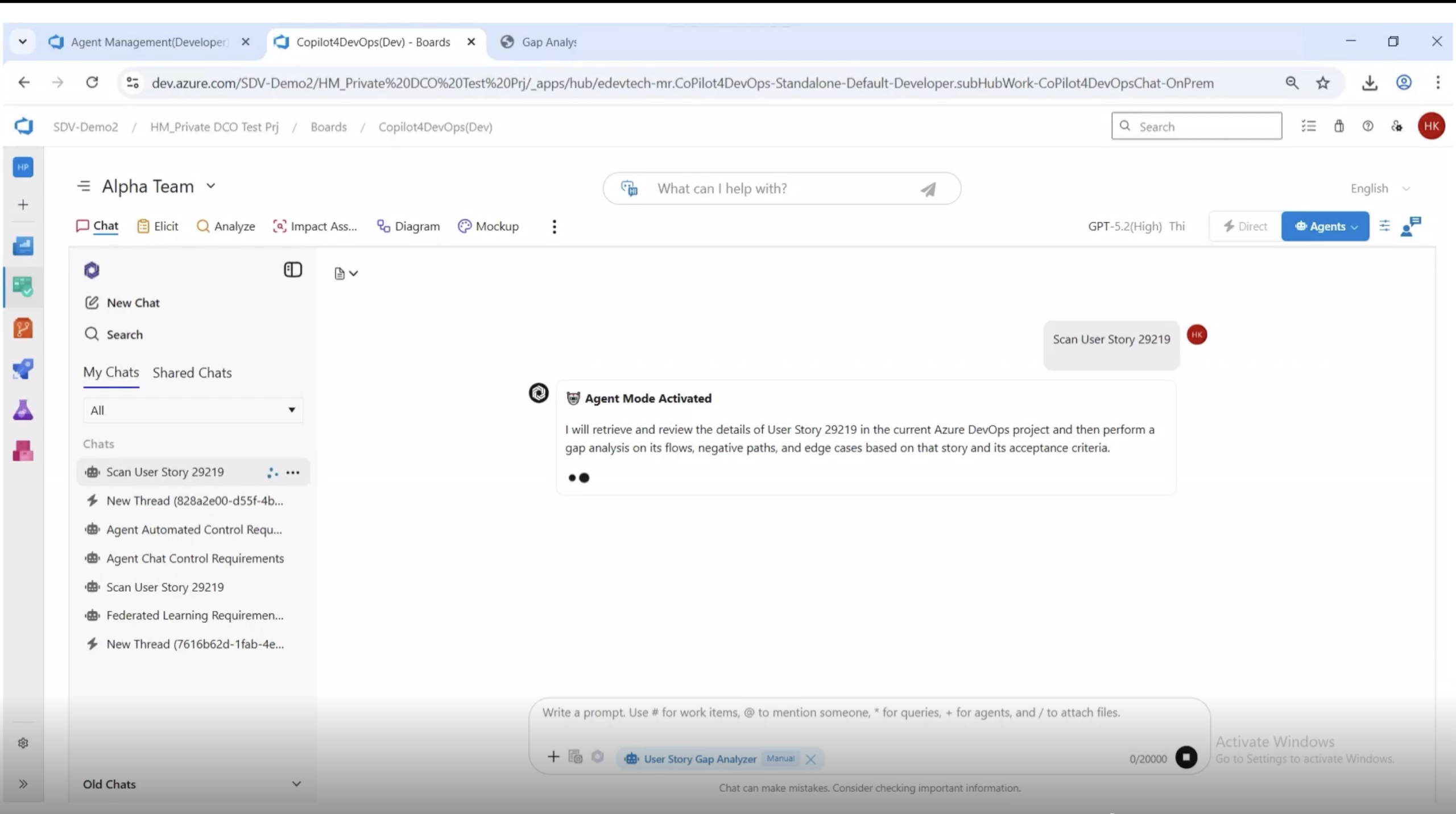
On-demand mode runs the agent against a single story from the chat interface. This is the refinement-during mode. A BA, a tester, or a developer can ask the agent to scan one story while it is being discussed and get the gap list inline.
Inside the Output: What a Gap Looks Like
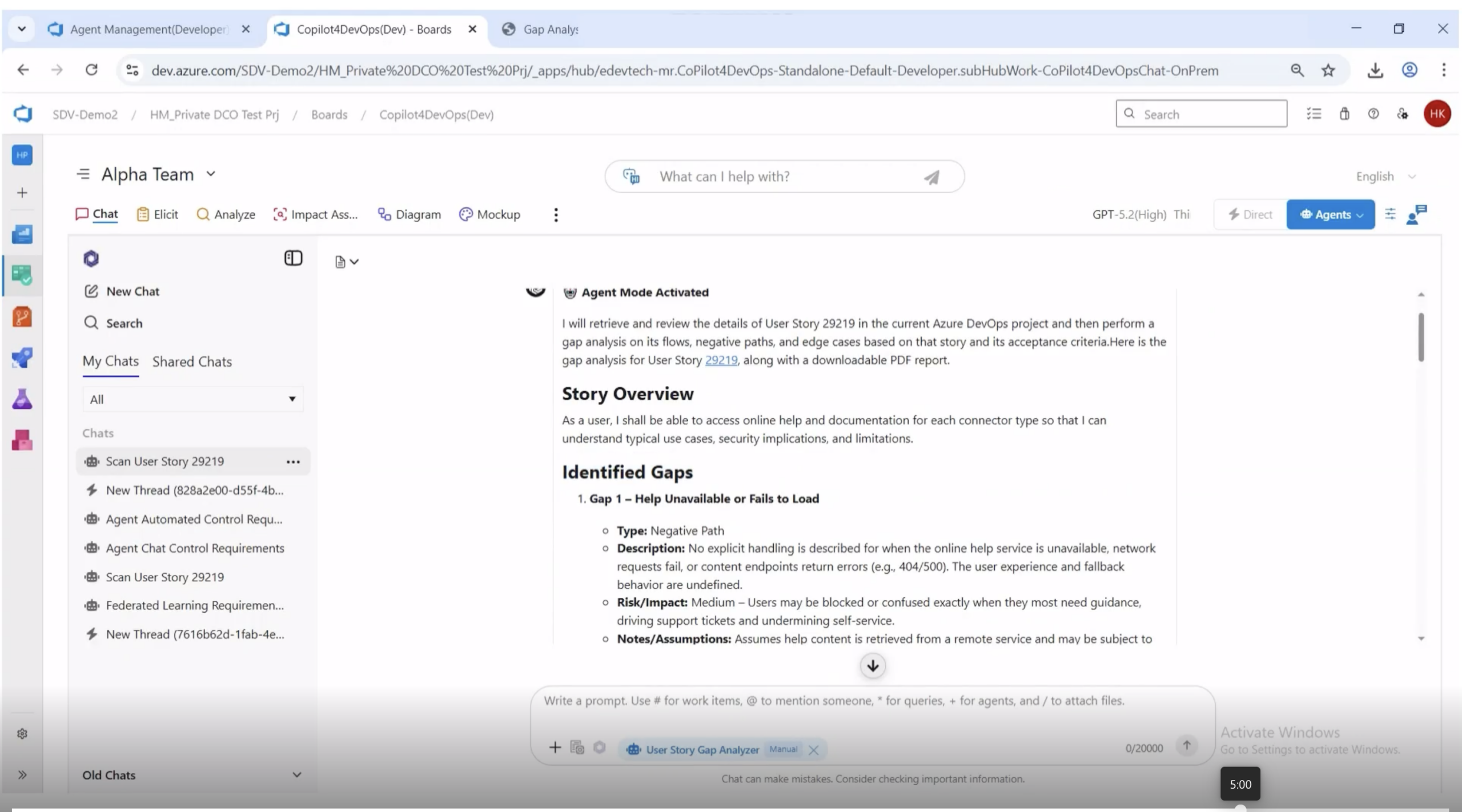
That structure has six fields:
Why This Matters Earlier in the Sprint, Not Later
The cost of catching a gap depends entirely on when you catch it. Catch it during refinement, the cost is a five-minute discussion. Catch it during development, the cost is a story split. Catch it during testing, the cost is a defect cycle. Catch it in production, the cost is whatever the gap was hiding.
A gap analyzer agent collapses that timeline. Every story can be pressure-tested before refinement, which means:
- Refinement meetings discuss gaps that the team already has on paper, not gaps that someone happens to think of in the room
- Acceptance criteria get strengthened before the story is committed, not after
- Test cases derived from the gap list cover behaviors the original story did not call out
- Stakeholder clarifications happen at the start of the sprint, when there is still time to act on the answer
- The team has a written record of which gaps were considered and how each was resolved
Where the Quality of the Output Comes From
The quality of a gap analysis depends on the quality of the input. The analysis is only as good as the user story is written.
Stories with vague acceptance criteria get vague gap reports. Stories with no clear primary user, no specific outcome, or no defined boundaries get reports full of assumptions, because the agent has nothing concrete to work against.
This is a feature, not a bug. A gap analyzer that produces sparse output for a vague story is doing its job, the same way a compiler that emits an error on bad syntax is doing its job. The sparse output is the signal. It tells the team the story is not yet ready for refinement, let alone development.
Pro tip: Treat the agent’s first output for a story as a calibration run. If the gaps come back thin or full of “the story does not specify” notes, send the story back to the BA before you involve developers. The agent has just told you the story is not ready.
What to Look For in a User Story Gap Analyzer
- Reads the actual work item, not just a copy: The agent should pull from the live Azure DevOps user story, including description, acceptance criteria, linked work items, and metadata.
- Classifies gaps by type: Negative paths, edge cases, alternate flows, and unstated assumptions are different categories of work and need to be sortable separately.
- Scores risk and likelihood: Without prioritization, the gap list is just noise. The team needs to know which gaps are urgent and which are theoretical.
- Distinguishes inferred gaps from fabricated ones: Anything the story does not directly imply must be labeled as an assumption needing confirmation, not stated as a fact.
- Produces a shareable artifact: PDF, Markdown, or both. The output has to be something the team can attach to a refinement meeting agenda or a story comment.
- Supports both batch and on-demand modes: Batch for the project, on-demand for individual stories during refinement. Both flows have legitimate uses.
Teams that adopt this kind of agent stop treating gap discovery as a downstream activity and start treating it as a story-readiness check. That shift is small on paper and significant in practice.
Foire aux questions
Does the gap analyzer rewrite my user stories?
Can it analyze stories that are already in development?
Yes, but the value drops the further along the work is. The best time to run the agent is before refinement. The second-best time is during refinement. After development has started, the agent is useful for catching missing test cases but cannot prevent the story from being underspecified to begin with.
How does it handle stories that already have detailed acceptance criteria?
What if the agent flags a gap that is actually out of scope?
Key Takeaways!
- Most user stories are written for the happy path. The risk lives in the edges.
- A user story is a compression artifact. Compression is lossy.
- Gap discovery belongs in refinement, not in QA.
- Catch a gap during refinement, pay five minutes. Catch it in production, pay everything.
- The story is not ready until the gaps are named.
- Mental checklists do not scale. Workflows do.
Let AI Run Your DevOps Workflows
All-in-one execution layer, right where you work
Accessible directly inside Azure DevOps and callable from Copilot4DevOps chat.
No context switching. No shadow automation.
Other Related Use Cases
Bug Fixing Agent
Code Review Agent
Risk profiler