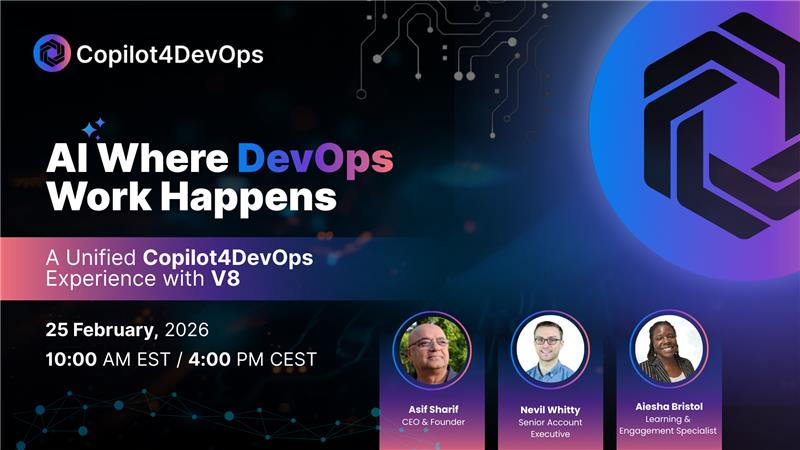
Rediffusion du webinaire à la demande
In this session, the team walks through Copilot4DevOps Version 8—focused on reducing context switching, improving work item quality, enabling team collaboration in AI, and grounding outputs using attachments / files / BYOD.
Pourquoi cette session est-elle importante ?
Most teams adopting AI in DevOps still hit the same barriers:
- AI doesn’t have enough context (docs, attachments, decisions in comments)
- Governance & confidence gaps (readiness, risk, “is this ready to ship?”)
- Friction + context switching (AI outside the place work happens)
- Collaboration problems (AI output lives in silos)
V8 directly targets those adoption blockers by embedding Copilot4DevOps inside Azure DevOps boards + work items, and making AI outputs more repeatable, visible, and team-ready.
What we shipped in V8: practical AI where DevOps work happens
1) Copilot access from Boards + inside the Work Item editor
V8 adds two high-adoption entry points:
- Launch Copilot directly from the board side panel
- Open Copilot in a dedicated work item tab (so quality improvements happen where the work is authored)
This keeps users in-flow and reduces “jump out to chat / copy-paste” behavior.
2) Work Item Insights: readiness + risk, automatically
V8 introduces Work Item Insights that grade and summarize readiness signals like:
- priority signals / blockers
- traceability
- effort / completion
- quality + testing coverage
…and provides views like compact report and cards for deeper detail.
Positioning: less “tribal knowledge,” more consistent, repeatable decision confidence.
3) Shared AI Chats that teams can actually collaborate in
Shared chats move from read-only to interactive collaboration, where:
- chats can be moved into shared
- multiple users can participate (with a clear “active user” control)
This makes AI outputs auditable and team-aligned instead of personal/hidden. (Transcript)
4) File + link upload everywhere (including Dynamic Prompt)
V8 expands “context injection” broadly:
- upload from local device
- pull work item attachments
- use BYOD library
- add web links
…and this now includes Dynamic Prompt, which was heavily requested.
Supported file types called out in Q&A include PDF, DOC, PPT, Excel/CSV, JSON, YAML, XML, etc.
5) A redesigned dashboard that’s customizable + usage-driven
V8 refreshes the UI so teams can:
- favorite/rearrange tools
- see most-used tools float to the top
- access grouped tool categories (Elicit/Analyze/Convert + visualization + advanced tools)
Goal: faster access and better adoption across roles.
6) Simplified model selection (choose by outcome: speed vs depth)
Instead of exposing technical model naming, V8 presents model choices in a more outcome-oriented way (speed vs depth), lowering the barrier for non-technical users.
7) BYOD moves to the project level (with team-level options discussed)
V8 shifts Bring Your Own Data so it can be configured per project, aligning context + governance to the team doing the work (instead of one org-wide bucket).
What’s ahead
From the transcript Q&A:
- V9 is positioned as the release that introduces skills + agents support (more control, more extensibility), with talk of additional visibility into what the system is doing and broader artifact access.
(If you want, paste the exact “agents/skills” section you want emphasized and I’ll turn it into a tighter “What’s next” block.)
Qui devrait regarder cette rediffusion ?
This session is especially useful for teams who:
- use Azure DevOps and want AI embedded into boards/work items (not separate tools)
- need readiness/risk signals and more consistent work item quality
- want collaborative AI (shared chats, reusable instructions/text blocks)
- need AI grounded in attachments, docs, BYOD, and links for better outputs