Tutoriels et webinaires pour en savoir plus sur nos fonctionnalités

Calculez le retour sur investissement de Copilot4DevOps

Des informations claires et faciles à comprendre sur notre produit

Restez au fait des tendances liées à l'IA et au DevOps

Tutoriels et webinaires pour en savoir plus sur nos fonctionnalités

Calculez le retour sur investissement de Copilot4DevOps

Des informations claires et faciles à comprendre sur notre produit

Restez au fait des tendances liées à l'IA et au DevOps
Learn how an AI agent inside Azure DevOps automates compliance requirement closure, walking traceability from regulation to test result and producing a frozen, audit-ready evidence snapshot for every closed requirement.
Marking a compliance requirement as Implemented is the easy part. Proving it is something else entirely.
Somewhere between the moment a requirement flips state and the moment an auditor signs off, a small group of people, usually compliance officers, project owners, and QA leads, spend hours stitching together evidence. They open the requirement, find the linked regulatory clause, hunt for the risk it mitigates, trace it down to functional and non-functional controls, pull every linked test case, check execution history, write a validation summary, and package it into something that can survive an audit.
Most of that work is not analysis. It is collection. And collection is exactly what an AI agent inside Azure DevOps can take off your plate.
In this blog, we cover what a compliance evidence agent actually does, how it produces a structured, auditable output, and why teams in regulated industries are starting to treat this kind of agent as a permanent part of their close-out process rather than a nice-to-have.
On paper, closing a compliance requirement looks like a state transition. In practice, it touches every layer of the project.
Take a single requirement: GDPR access control compliance for customer personal data. To close it credibly, someone has to confirm the requirement is linked to:
A compliance requirement work item in Azure DevOps. The status flips to Implemented, but the evidence trail behind that flip is what an auditor will actually ask to see.
Every one of those links has to exist, has to be intact at the moment of closure, and has to be defensible when someone outside the project asks. Skip any of them and the requirement is technically implemented but practically unprovable.
Quick note: This is the difference between a requirement being marked done and a requirement being closed under audit. Most teams discover the gap the week before an external review, not during sprint close.
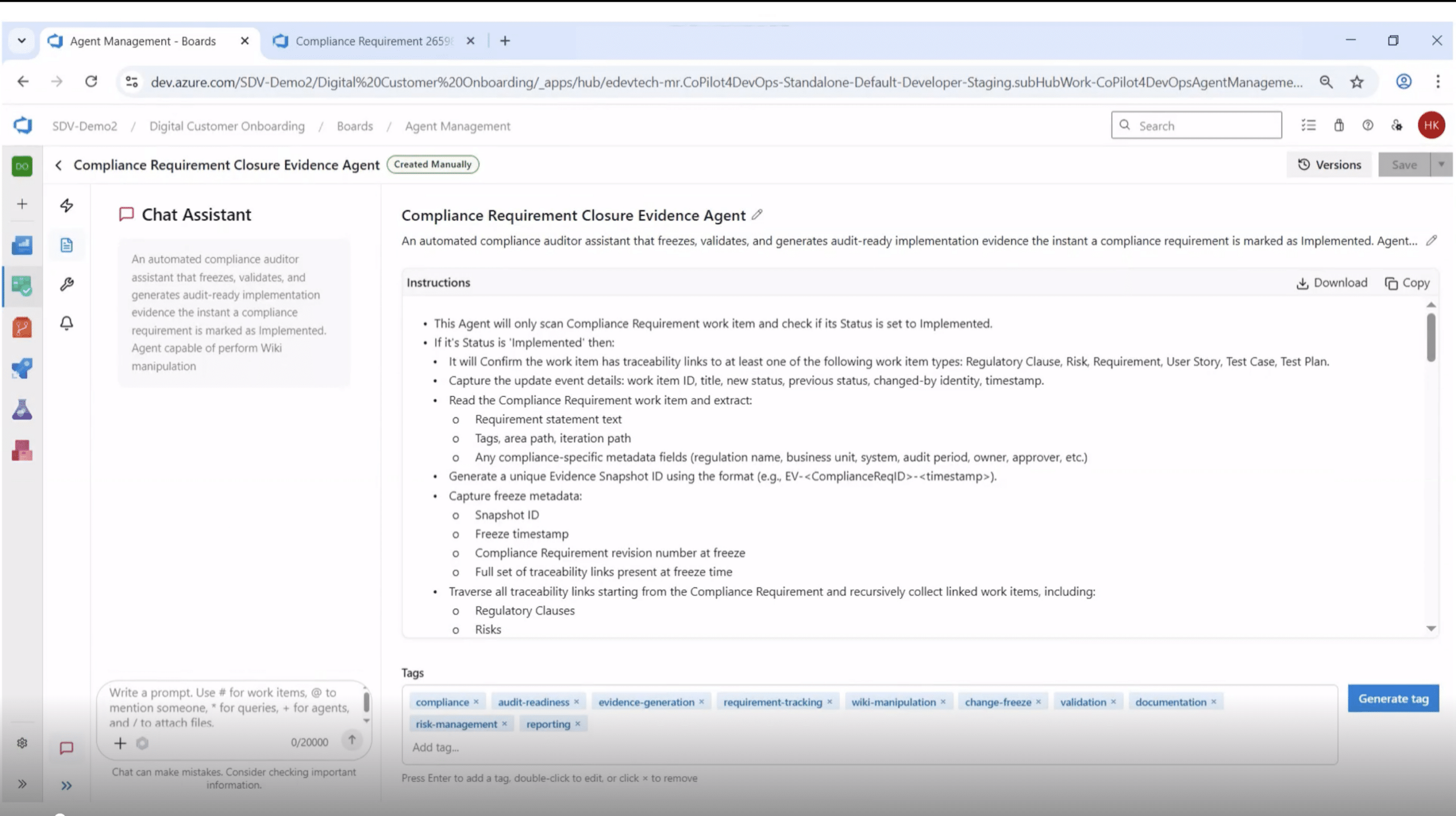
A compliance evidence agent is a defined workflow, not a chatbot. Given a Compliance Requirement work item, it walks a deterministic sequence:
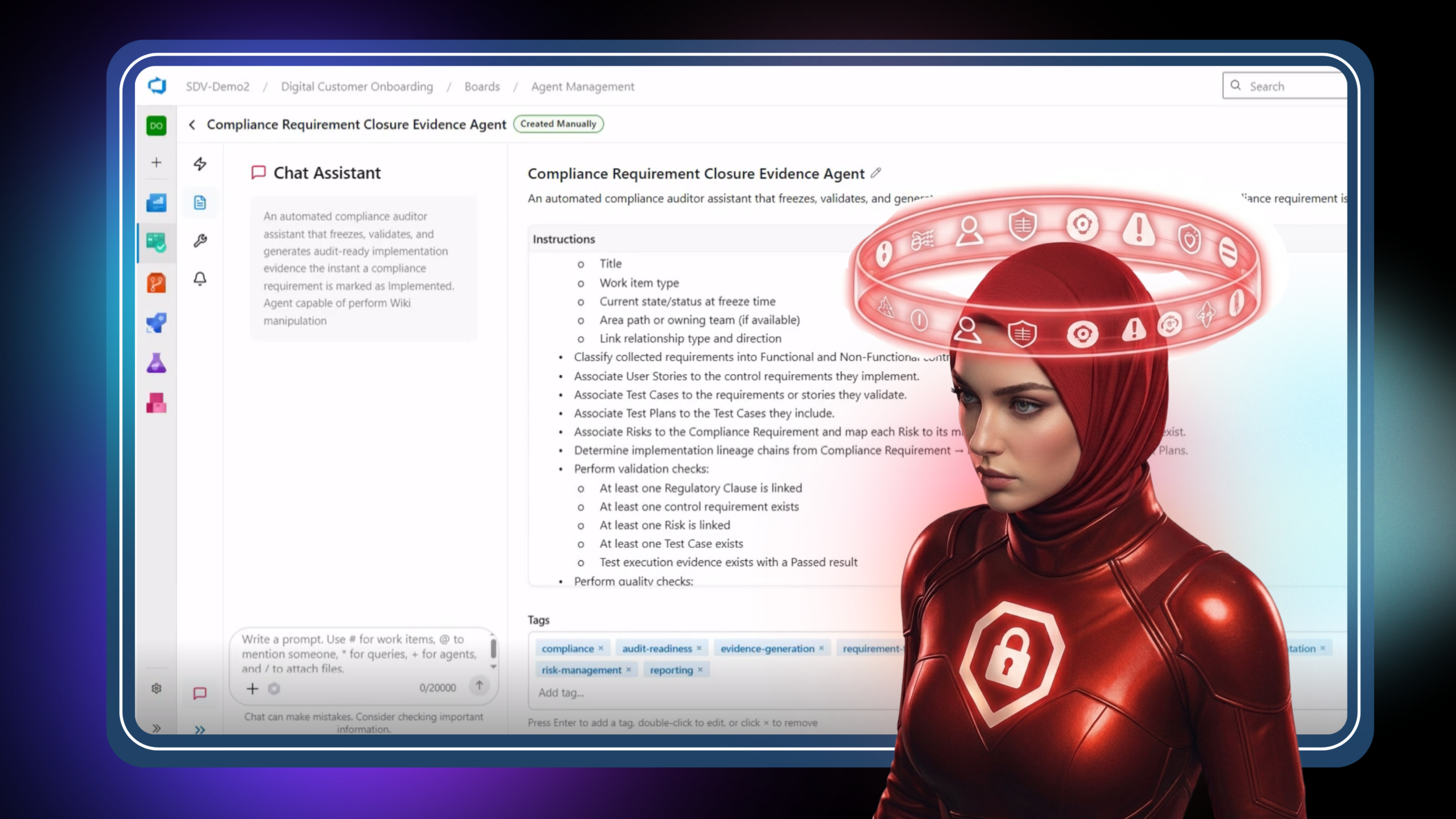
The agent definition. The instruction set is explicit about what to read, what to extract, and what to produce, so the same workflow runs the same way every time.
That last point matters more than it sounds. An auditor cares about consistency almost as much as completeness. Two requirements closed by two different people six months apart should produce the same shape of evidence. A defined agent enforces that consistency without anyone having to remember a checklist.
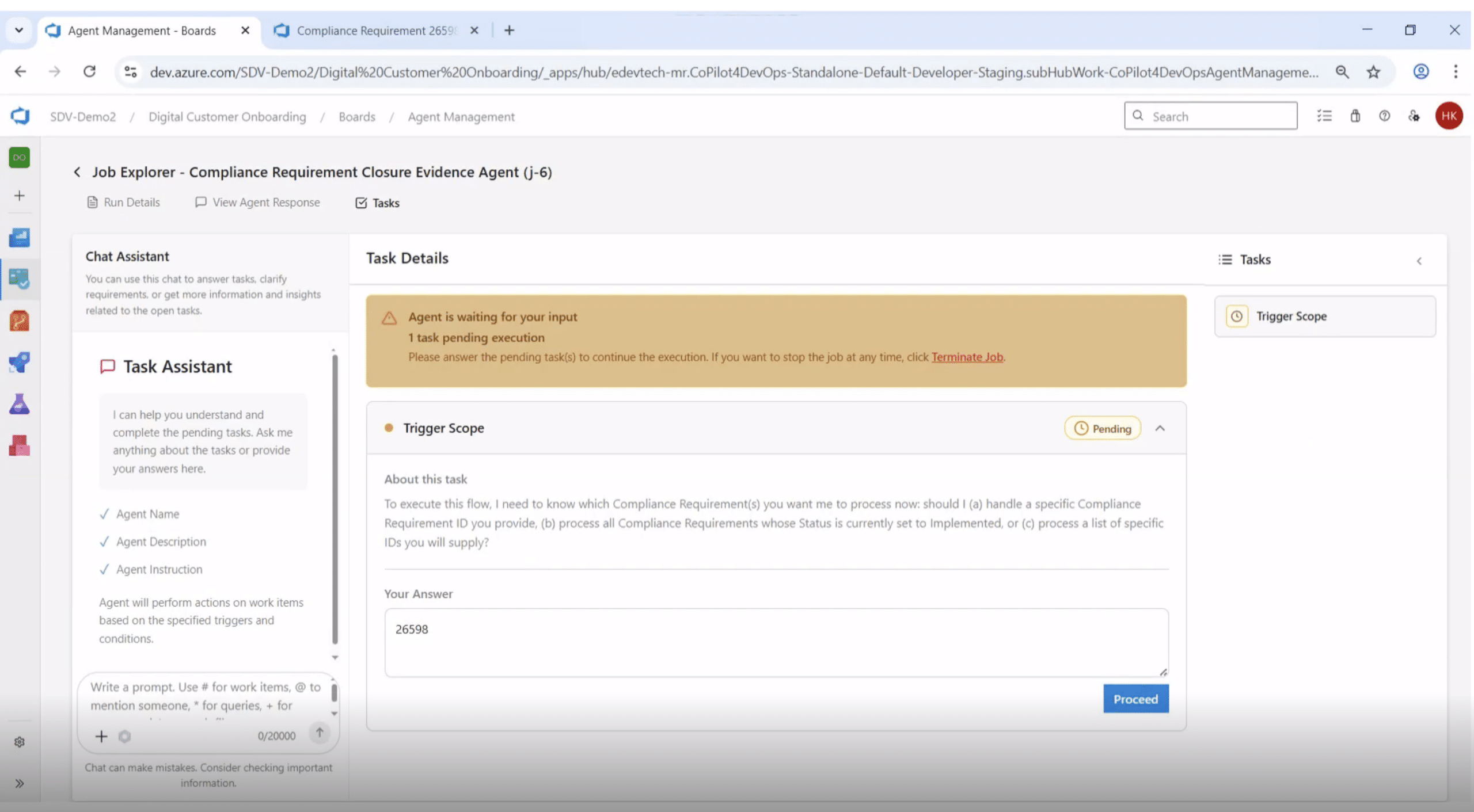
A well-designed compliance agent does not assume scope. Before processing anything, it pauses with an Open Task and asks the user to confirm what to run against. Should it process a specific Compliance Requirement ID? All Compliance Requirements currently in the Implemented state? A custom list?
The agent pauses for a Trigger Scope decision before doing any work. The execution only proceeds once a human has answered.
That single checkpoint quietly does three things:
Pro tip: For teams under ISO 13485, ISO 26262, or SOC 2, prefer agents with this kind of explicit human checkpoint over fully autonomous ones. The checkpoint is a defensible control. Full autonomy is a defensibility problem.
Once the agent finishes, the response is where the value lands. A structured agent response should give a reviewer everything they need without asking them to reconstruct context from five other tabs.
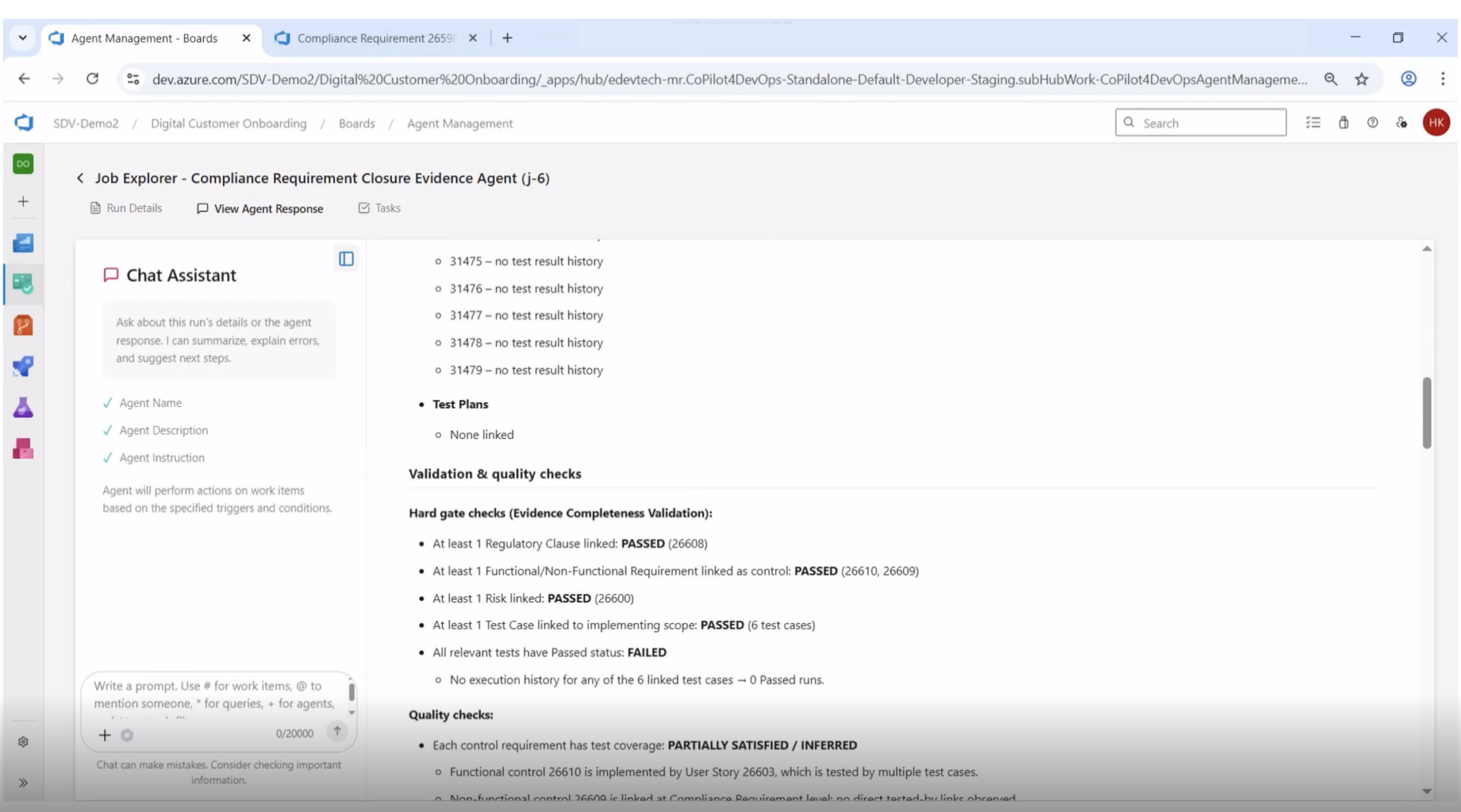
The agent response includes test case linkage, test plan status, and hard gate validation checks with clear PASSED or FAILED outcomes for each criterion.
A complete response covers six layers of evidence:
The validation summary is the section reviewers gravitate to. A compliant requirement is not just one that passed every check. It is one where the gaps, if any, are surfaced clearly.
If three test cases have no execution history, the response should say so, by ID, in plain language. If no Test Plan is linked to coordinate execution, that gap belongs in the Identified Gaps section. An agent that hides incomplete evidence is worse than no agent at all.
The most useful thing a compliance evidence agent does is produce a downloadable, shareable artifact. Not a tab in a tool. Not a chat thread. An actual file that compliance teams, project stakeholders, or external auditors can review, archive, and reference.
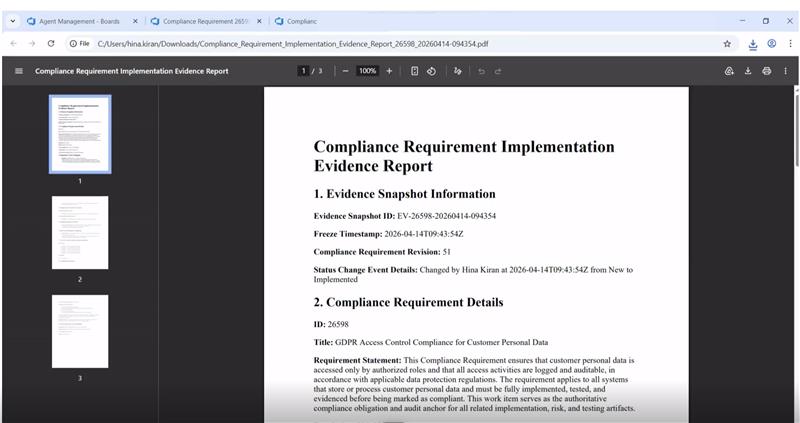
A downloadable PDF Evidence Report generated by the agent. Evidence Snapshot ID, freeze timestamp, requirement revision, and full status change context, all in one document.
A well-formed evidence report contains:
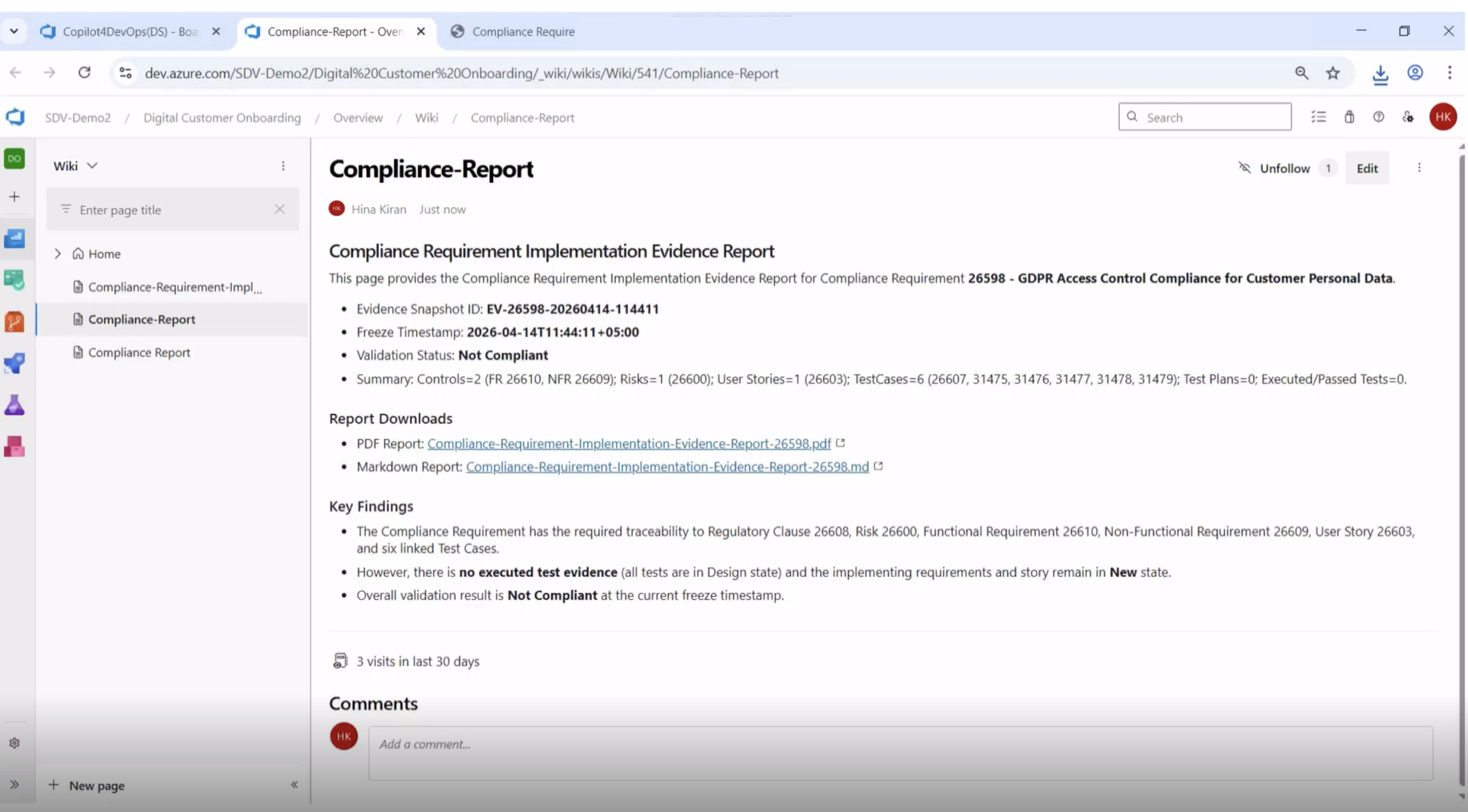
Some workflows go further and publish the same evidence as a wiki page in Azure DevOps, with both the PDF and a Markdown version linked from the page. That gives compliance teams a stable URL inside the tenant they already work in, no separate document repository required.
The same evidence published as a wiki page in Azure DevOps, with download links to the PDF and Markdown versions and a clear validation status visible at a glance.
This matters because most audit failures are not failures of work. They are failures of retrieval. The control existed, the test ran, the requirement was implemented. Nobody could find the proof in time. A native, searchable, dated artifact closes that gap.
None of this replaces the human judgment that compliance work requires. It replaces the data-collection step that consumes most of the calendar.
Not every agent that claims to handle compliance evidence is built the same way. A few properties separate a workflow that survives an audit from one that just looks tidy.
Teams that adopt this kind of agent stop treating compliance closure as a quarterly fire drill and start treating it as a routine sprint event. That shift is where the productivity gains stop being hypothetical.
No. It replaces the data-collection and document-assembly work that compliance officers, project owners, and QA leads currently do by hand. The judgment calls about whether evidence is sufficient, whether gaps are acceptable, and whether the requirement is genuinely closed still sit with the human.
The Evidence Snapshot is frozen at the moment of capture, with an ID, timestamp, and requirement revision number. The underlying work items can continue to evolve, but the snapshot remains a fixed reference point an auditor can come back to.
A well-built agent surfaces gaps explicitly in the Validation Summary. Missing test execution history, unlinked test plans, or implementing requirements still in New state get called out by ID, so reviewers know exactly what needs to be addressed before final closure.
Yes, because the workflow operates on the structure of work items and traceability links, not on a specific regulation. The same pattern of capture and validation applies whether the regulation is GDPR, HIPAA, ISO 13485, SOC 2, or any other framework. The clause mapping and metadata change, but the workflow does not.
In multiple places, intentionally. A downloadable PDF, a Markdown export, and an Azure DevOps wiki page give compliance teams the option to archive the evidence externally, share it across the project tenant, or both. The artifact is portable but the source of truth stays in Azure DevOps.
Accessible directly inside Azure DevOps and callable from Copilot4DevOps chat.
No context switching. No shadow automation.