Your development team has prepared 25 new user stories for the current sprint. Then, your QA team reads each story and manually drafts test scenarios. Three hours later, they’ve only covered five stories, and all test cases are missing edge cases. Does this sound like your team?
We also often hear from our customers that their testing teams burn roughly 50-70% of their time just documenting test cases.
But what if user stories could be automatically converted into test cases? What if acceptance criteria automatically transformed into executable test scenarios?
Yes, you heard it right! Modern AI tools like Copilot4DevOps can be used within Azure DevOps that read existing user stories and produce test cases.
In this guide, we will help you to understand why manual test case generation is really challenging and how AI test case generation tools can boost the productivity of QA teams.
The Challenge: Manual Test Case Creation
For years, QA and testers have followed the same traditional approach to create test cases for each user story and faced the challenges below:
- Time drain on every sprint: As discussed in the introduction, writing test cases manually burns 50 to 70% of the team’s time. This time can be spent on exploring edge cases or finding gaps. Also, this slows down the product delivery.
- Inconsistent coverage across the team: Each QA can use different test-writing styles. So, one QA covers any scenario in broad terms, and another might write minimally. This inconsistent test structure reduces test quality and might open the doors for bugs.
- Missed edge cases: While manually writing test cases, teams can’t cover all edge cases and often miss a few scenarios. These introduce bugs in the system, and they might affect production.
- Missed compliance: When teams manually draft compliance tests, there is a 90% chance they miss some rules, which can lead to hefty penalties from regulatory bodies.
- Difficult to scale with growing backlogs: As backlog size increases, test creation time also increases exponentially. Hiring more testers isn’t always feasible, and even when it is, onboarding takes months before they’re productive.
- Poor traceability and maintenance: User stories always evolve, and keeping test cases synchronized with user stories manually is a real challenge.
What If AI Could Turn User Stories into Test Cases Automatically?
Now, set aside a traditional approach for test case generation for a while and think about using AI for the same.
AI tools can analyze user stories, identify the core feature being requested, and prepare test steps based on that. It can suggest normal flows, invalid inputs, boundary checks, and role-based behavior. This gives testers a working base within minutes.
Also, a core advantage of AI test case generation is that it considers all acceptance criteria and generates different test flows and test steps based on that. With this, AI catches all scenarios a tired tester might overlook on a Friday afternoon.
The real benefit of using AI isn’t just speed, though it can generate 100s of tests in a minute, but it’s consistency. It generates all test cases in the same format.
With this, the role of QA isn’t shrinking, but it’s evolving. Testers can focus on reviewing AI-generated test cases, adjusting them for business rules, and adding product-specific cases that tools cannot fully understand.
How Copilot4DevOps Automates Test Case Generation within Azure DevOps
Copilot4DevOps brings AI-powered test generation capability directly into your Azure DevOps workspace. It takes existing user stories and external documents as references, analyzes their content in real-time, and produces ready-to-use test artifacts that also contain edge cases. Beyond individual test cases, it can also generate entire test suites or test plans.
Generated test cases can be directly mapped to existing ADO user stories, and it helps in keeping traceability intact. So, teams don’t need to do context-switching or copy-pasting between multiple platforms.
What makes Copilot4DevOps different from generic AI tools is that it is built for use in regulated industries. It is also SOC 2 compliant, so it doesn’t use users’ data to train models or share with third-party tools.
The best part is that Copilot4DevOps operates within your Azure DevOps permissions model. Testers see only what they’re authorized to access, and all generated content respects your organization’s access controls and audit requirements.
Whether you’re generating five test cases for a small bug fix or building comprehensive test coverage for a major feature release, the process stays consistent and predictable.
Also read: AI User Story Generator
Step-by-Step Guide to Create Test Cases from User Stories Using Copilot4DevOps
Let’s start!
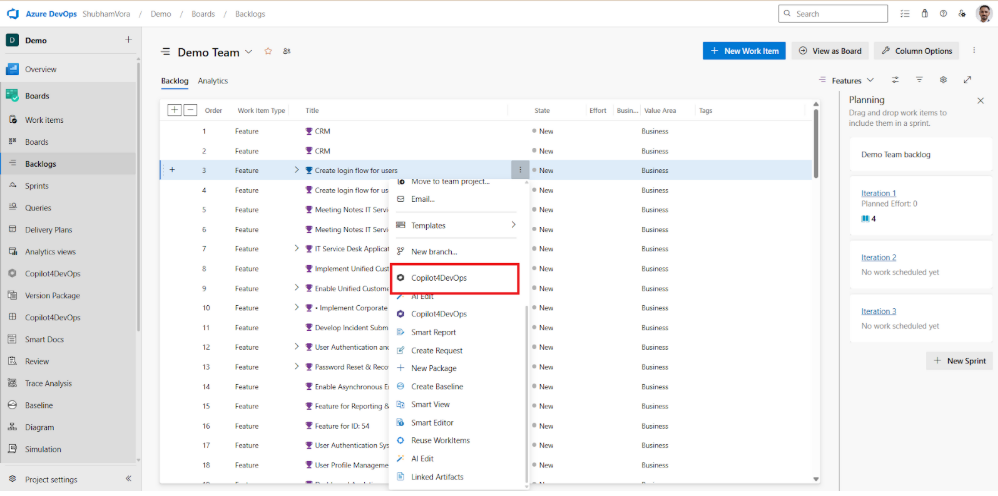
Step 1: Open Copilot4DevOps directly from any existing ADO work item that might be a user story, feature, bug, etc.
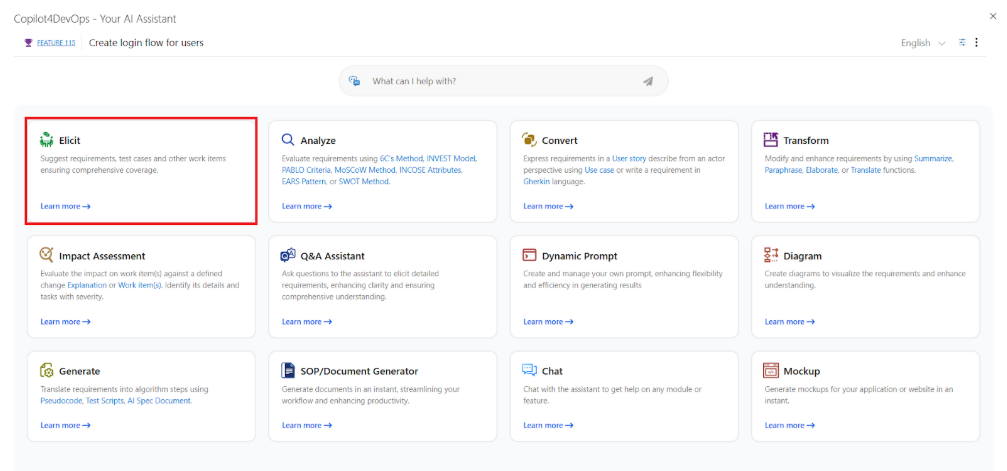
Step 2: Choose the Elicit module.
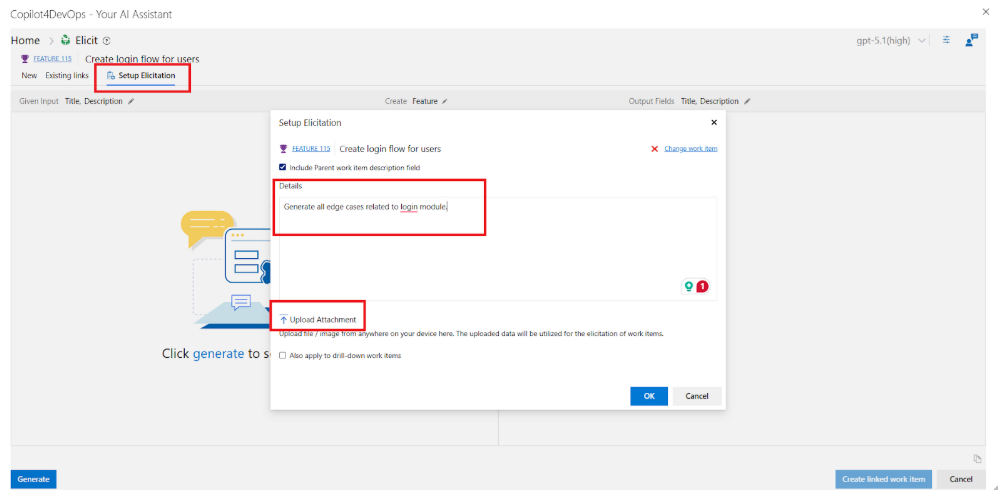
Step 3: Next, you can set up elicitation to provide any additional content or external documents as context. For example, if you are working in the healthcare industry, you can mention preparing test cases according to HIPAA rules.
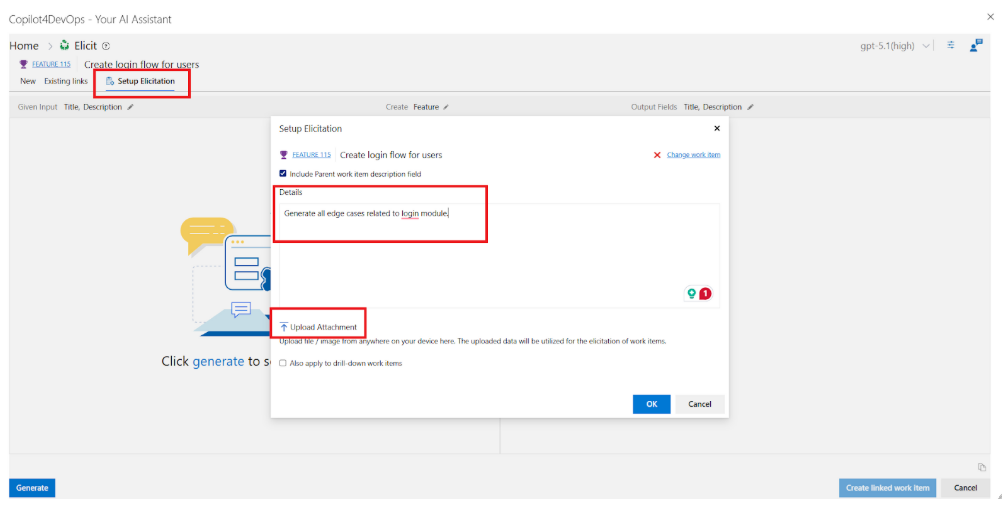
Step 4: Next, you can select the language in which you want to generate test cases. It allows the generation of test cases in 45+ languages. After that, you can also provide instructions about the format of the test case title and description.
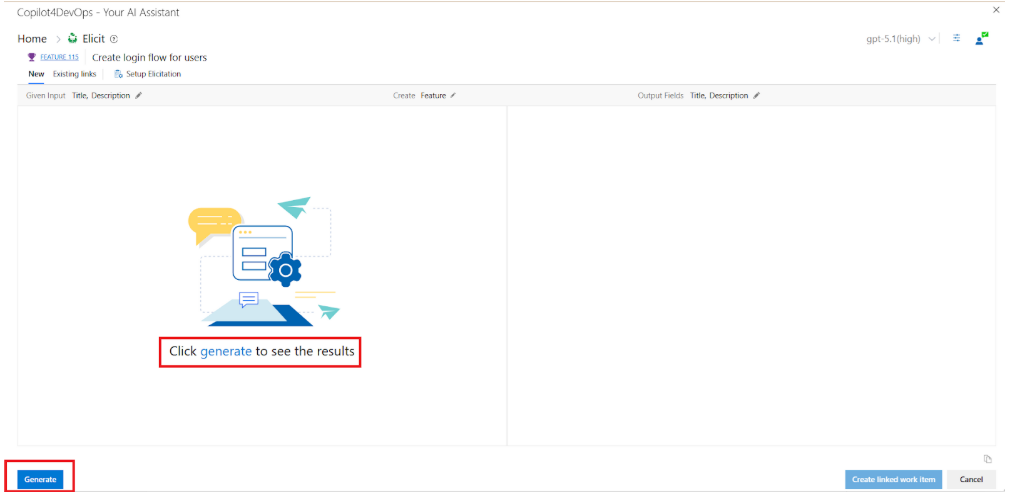
Step 5: Once all setup is done, simply press the “Generate” button.
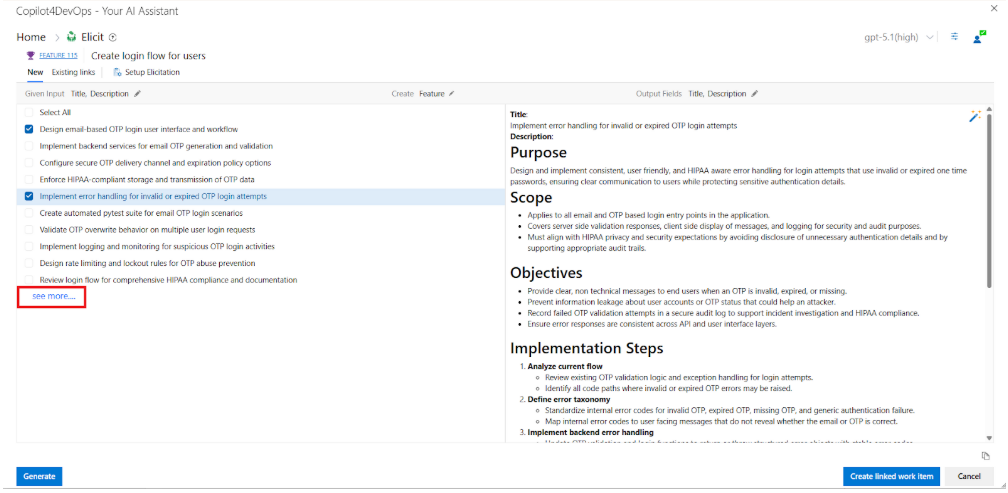
Step 6: Within a few seconds, it suggests multiple test cases. You can select a few or all test cases, and it generates a description and ready-to-use steps on the right side. If you need to generate more test cases, click on the “See More” option on the left side.
Step 7: If you need to edit a generated test case, use the AI edit feature. With that, you can provide natural language instructions to edit test cases, and AI makes changes within a few seconds. Furthermore, you can also ask questions here if you have any doubts.
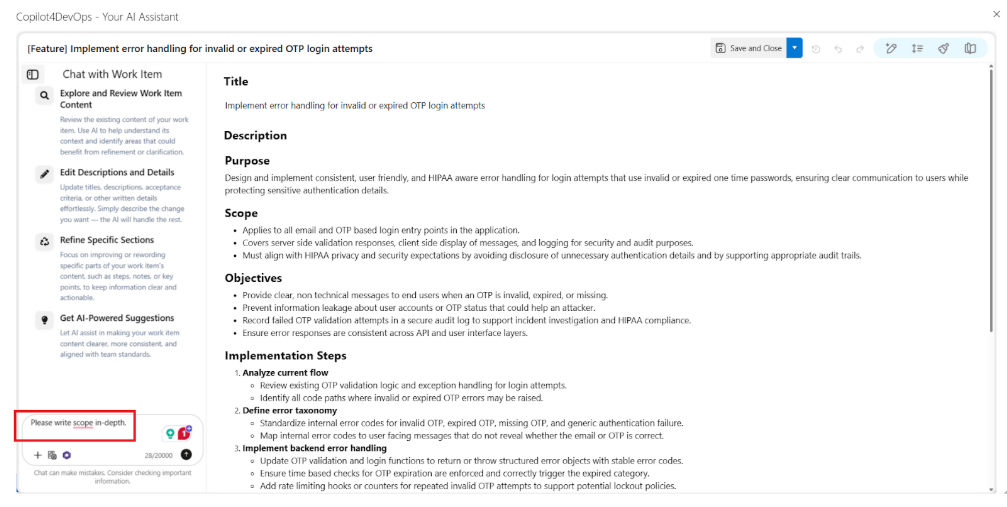
Step 8: Once final edits are done, you can publish test cases within ADO and map them with the existing user story.
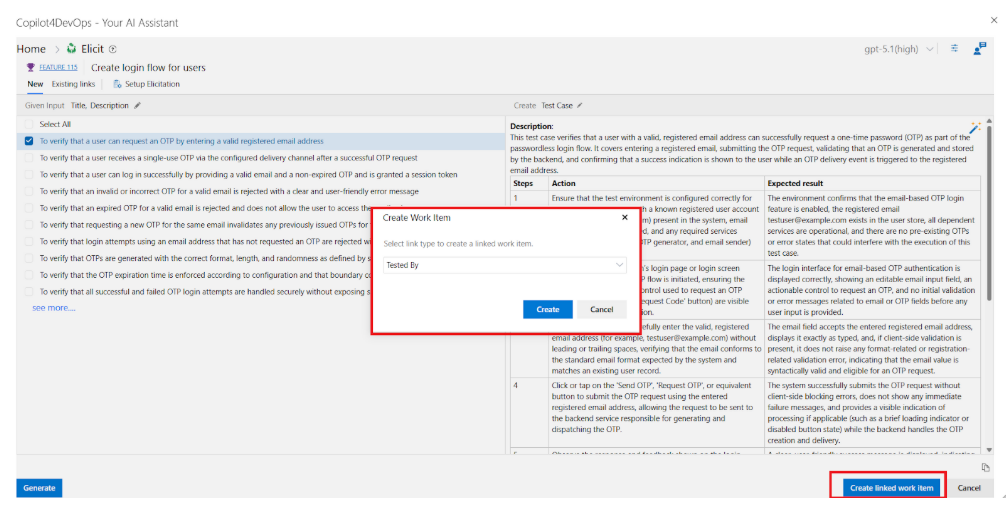
This way, you can generate test cases or test suites for multiple user stories within a few minutes and add them directly to the ADO workspace.
Ready to Speed Up Your Testing Workflow With AI?
Your QA team shouldn’t spend half their sprint documenting tests. They should be testing.
Also, instead of writing every test case from scratch, the QA team should prepare a first draft using an AI, review it, and execute it. This approach speeds up testing and improves test quality. Even with this, test cases become more consistent, coverage extends beyond simple paths, and validation stays aligned with requirements.
If your team works in Azure DevOps, Copilot4DevOps can help turn stories into structured test cases while keeping everything connected. With this, the results will be better coverage, clearer traceability, and more confident releases.
Essayez-le vous-même
Prêt à transformer votre DevOps avec Copilot4DevOps ?
Profitez dès aujourd'hui d'un essai gratuit.