A product requirements document (PRD) is the backbone of product development. It covers product features, the product’s purpose, its target audience, and the expected outcomes. In simple terms, it works as an agreement between multiple teams, keeping them aligned throughout the development process.
Usually, the responsibility of writing the PRD falls on product managers or product owners. At Modern Requirements, every day we meet many product managers struggling with drafting PRDs. They spend hours and sometimes days drafting PRDs, yet still end up preparing PRDs that miss the scope or contain errors.
As a solution, we have created this blog for teams who are struggling to write accurate PRDs and introduce them to an AI PRD generator. Here, we will show how you can move from long manual writing to a faster way of creating PRDs with AI.
What is an AI Product Requirements Document Generator?
An AI product requirements document generator is a tool that automatically creates well-structured PRDs using Artificial Intelligence and helps teams in reducing back-and-forth.
The AI PRD generator accepts details such as raw requirements, meeting notes, key features, acceptance criteria, and outcomes as input. These inputs can be in plain language. Then, it utilizes generative AI to convert raw input into PRDs that contain:
- Product goals and objectives
- Target users or customer segments
- Key features and functional requirements
- Acceptance criteria and dependencies
- Product release timeline
- Expected outcomes
- Diagrams (Only some tools can generate PRD with diagrams)
These tools are most useful for product managers, product owners, business analysts, and DevOps teams who need quick drafts without losing clarity or structure.
Why Product Requirements Documents Matter in Product Development?
A product requirements document is more than just paperwork. It helps teams set clear expectations for what they need to develop. Without it, conversations get repeated, priorities shift, and important details fall through the cracks.
Here are a few reasons why PRD matters in modern product development:
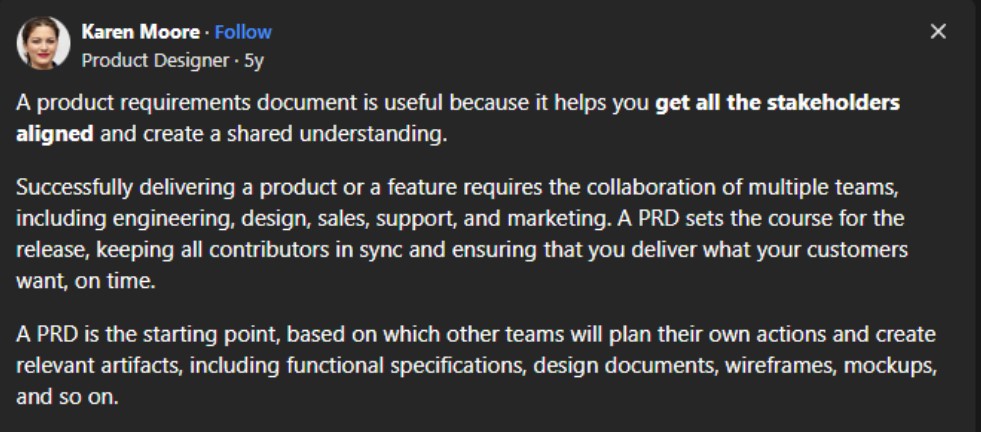
Alignment and shared understanding: As Karen Moore, a product designer, has shared on Quora, PRD helps to keep all stakeholders aligned and create shared understanding. She also mentioned that PRD is a starting point for product development, and based on that, other teams plan their own actions.
- Reduces the scope creep: By clearly defining what needs to be developed, it prevents scope creep.
- Minimizes risks and saves resources: A well-defined PRD contains all product requirements and reduces the likelihood of errors and rework. This saves a significant amount of resources for organizations in terms of money and time.
- Reference point for new team members: Whenever a new member joins the team, you can provide the PRD as a reference point, which helps them to understand the product in a better way.
This way, PRD plays a crucial role in product development.
Best AI PRD Generator: Step-by-Step Guide to Writing PRDs Using Copilot4DevOps
Copilot4DevOps is an AI PRD generator that allows users to write PRDs within seconds. It directly works inside Azure DevOps, a project management tool, as an extension and takes Azure work items as a reference or input, and generates PRDs based on the work item fields.
Here is a step-by-step guide on how you can use Copilot4DevOps to write PRDs:
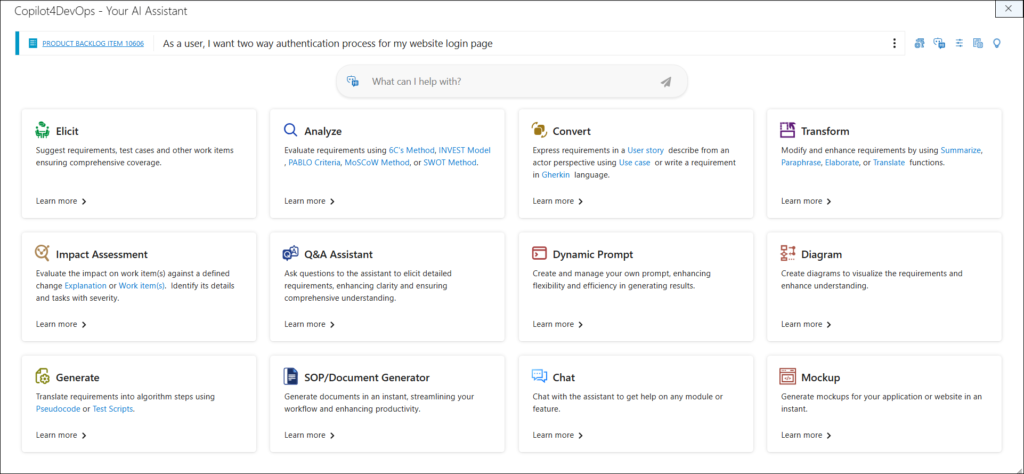
Step 1: Copilot4DevOps offers multiple AI features for requirements management. To generate a PRD, select “SOP/Document Generator.”
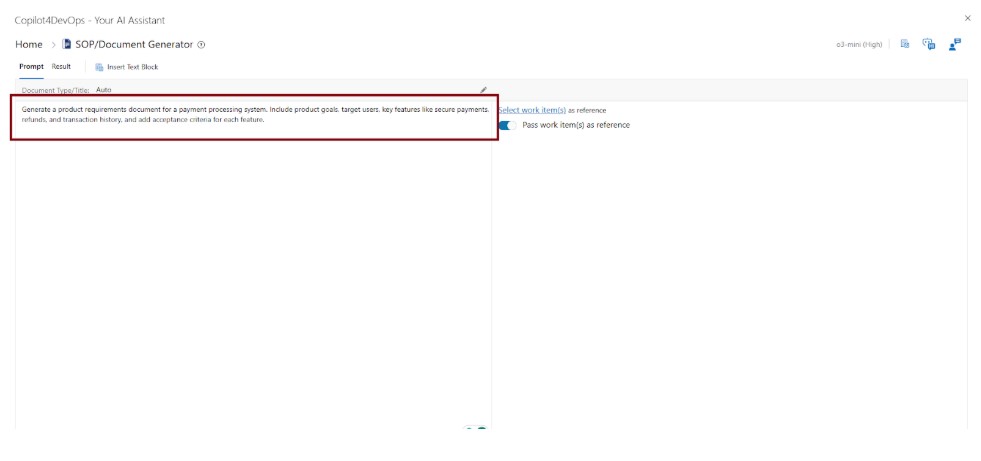
Step 2: Provide the simple instructions in the prompt area. Here, we have provided the prompt to create the PRD for the payment processing system.
Step 3 (Optional): Click on the “Rewrite Prompt” at the bottom if you want to enhance the instructions you have provided using an AI. A better prompt can help you generate better results. In the image below, you can see the comprehensive prompt.
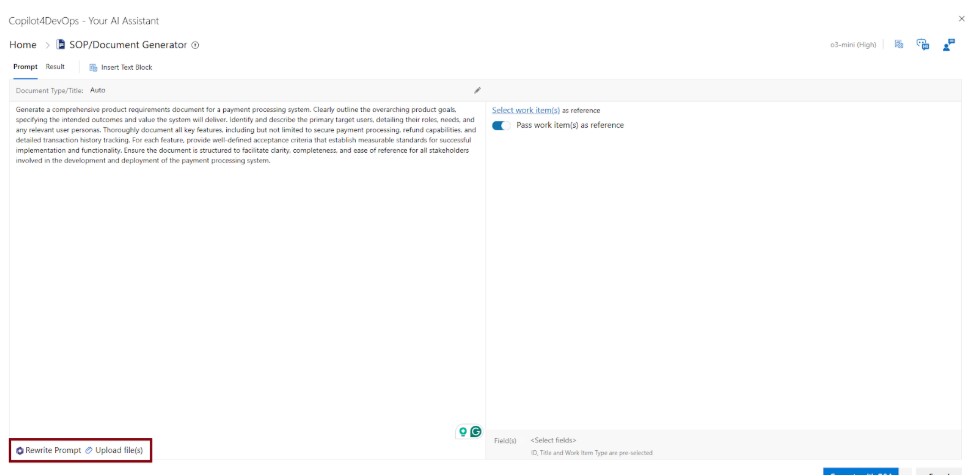
Note: If required, you can also attach documents using the “Upload file” option at the bottom.
Step 4 (Optional): You can also pass Azure work items as a reference. For that, you need to toggle on the “Pass work items as reference” button.
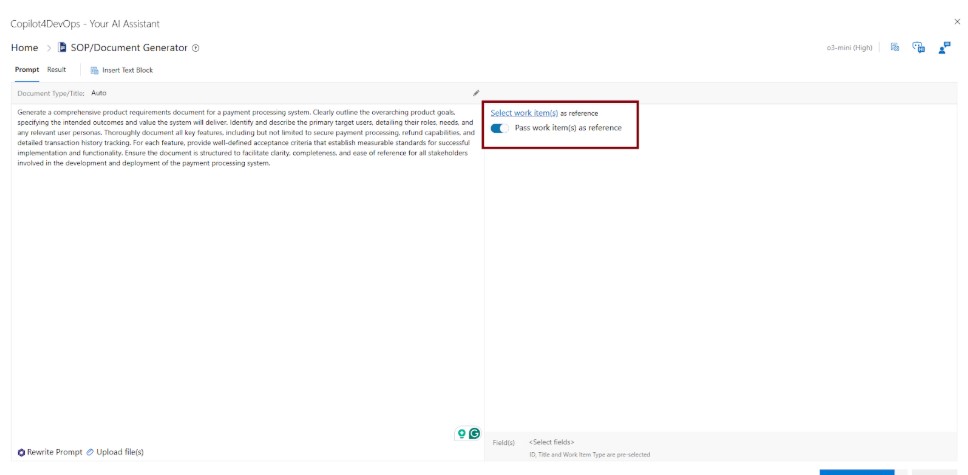
Step 4.1: Click on the “Select Work items” text to select work items, and then select the work items that you want to pass as a reference. Copilot4DevOps will analyze the content of the reference work item and generate a document.
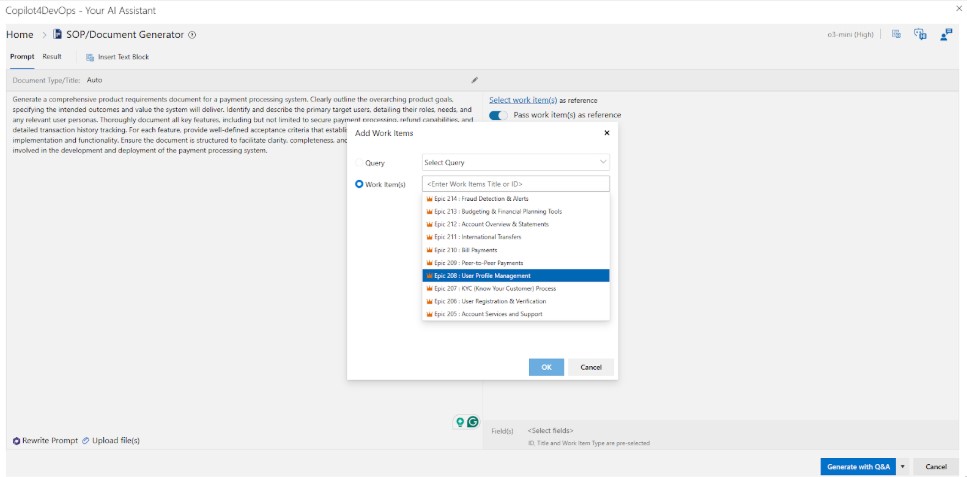
Step 5: Click generate.

Step 6: In a few seconds, your PRD will be ready, which you can export as a Microsoft Word or PDF from the bottom right corner. You can observe that PRD also contains workflow diagrams.

This way, teams can use Copilot4DevOps to write PRDs without putting in much effort and can save a lot of time.
Why Copilot4DevOps Stands Out
There are multiple Generative AI tools, such as ChatGPT, Gemini, Claude, etc., available in the market that can write PRD documents. But these platforms are designed for broad use, not for the specific needs of product teams. Copilot4DevOps, on the other hand, is built for one clear purpose, which is to help teams write product requirement documents directly inside Azure DevOps.
Where Copilot4DevOps really steps ahead:
- Work item integration: While using Copilot4DevOps, teams can directly pass Azure work items as input. On the other hand, when using other AI tools, teams need to copy-paste the content of every work item to provide as input.
- Interactive UI and diagrams: Copilot4DevOps also adds different types of requirements diagrams and interactive UI in PRD, which other tools don’t offer.
- Security focus: Copilot4DevOps ensures the security of your data. Your data is not used to train AI models or exposed to other customers. It is also SOC Type II Certified, which ensures customers’ data is protected in any case.
- No prompt skills required: While using other generative AI tools to generate well-structured PRDs, you need high-level prompting skills; otherwise, AI tools generate fluff content. But with Copilot4DevOps, users can write simple instructions, use the “Rewrite Prompt” feature, and get ready-to-use PRD.
Why Teams Are Moving To AI PRD Generator
Product managers regularly spend around 10-15 hours per week just drafting and updating PRDs. But if AI tools are used to write PRDs, product managers and other team members can invest this time into talking to users, mapping out strategy, or polishing designs.
Key reasons teams are adopting AI PRD generators include:
- Speed: Teams can quickly prepare the first draft of the PRD using an AI. Later, they can give a human touch to it and optimize further.
- Consistency: Documents follow the same structure across projects.
- Alignment: Stakeholders see requirements in a clear, shared format.
- Scalability: Large or complex projects can maintain documentation without extra overhead.
The push is clear: teams want less time buried in document work and more time doing what matters, that is, building and delivering value.
Frequently Asked Questions (FAQs)
1. What is a product requirements document?
2. How to generate a product requirements document using AI?
3. Does my data remain secure while using AI to generate PRDs?
Try it Yourself
Ready to transform your DevOps with Copilot4DevOps?
Get a free trial today.