
Copilot4DevOps AI for Business Analysts in Azure DevOps: What to Automate and What to Keep

If you are a business analyst (BA) working in Azure DevOps, you might spend hours manually gathering information, understanding stakeholder requirements, writing user stories or acceptance criteria, etc. It is also possible that you may use AI to complete a few of these tasks. If not, the question is where AI for business analysts can help without changing what a requirement means.

Furthermore, IIBA’s 2026 Global State of Business Analysis report finds that 69% of business analysts say AI is having a positive impact on their careers. That is encouraging, but a polished draft is not proof that a requirement is correct.

Many BA teams still use Azure DevOps for managing requirements, but use separate AI tools, such as ChatGPT, Claude, etc., for generating requirements that never follow templates defined by the organization, and teams manually copy and paste information between Azure DevOps and external tools.

In this blog, we will look at how Copilot4DevOps, Azure-native AI, works on the work items themselves. Also, we will learn what tasks and workflows BAs can automate with it using Azure DevOps.

Meet Copilot4DevOps: Azure-Native AI for Business Analysts

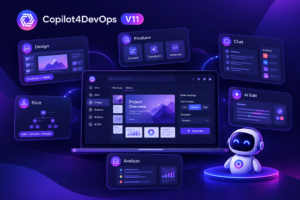
Copilot4DevOps is a requirements management assistant that works natively inside Azure DevOps. It helps business analysts with drafting requirements from raw documents or meeting notes, analyzing them, generating workflow diagrams and mockups, and updating Azure work items without managing a single task manually. Furthermore, developers also work from the same work items and directly generate pseudocode or API spec documents for work items. Similarly, testers generate automation scripts. So, it allows everyone to work in one place and collaborate with different teams.

Let’s first look at how each feature of Copilot4DevOps can help business analysts.

How Copilot4DevOps supports every BA job stage

Here is how each stage of a business analyst's work maps to a Copilot4DevOps feature, and what that feature helps you do.

BA job stage BA activity Copilot4DevOps feature Purpose of the feature
Preparation BA activity Gathering stakeholder needs Copilot4DevOps feature
Elicit Q&A Assistant
Purpose of the feature
  • Generate requirements from existing requirements, raw documents, meeting notes, etc.
  • Generate questions and answers to discover business requirements.
Analyze requirements BA activity Examine requirements for gaps and ambiguity Copilot4DevOps feature
Analyze AI Chat
Purpose of the feature
  • Analyze ADO work items against the 6C’s method, INVEST criteria, PABLO framework, EARS pattern, etc.
  • Find any ambiguity or gaps in analysis or summaries.
Define and refine BA activity Create/improve the requirement or user story Copilot4DevOps feature
Convert Transform AI Edit
Purpose of the feature
  • Convert can make requirement text into structured user stories, Gherkin scenarios, or use cases.
  • Transform can expand, summarize, or translate ADO work items into any language.
  • AI Edit can be used to improve work items without opening Copilot4DevOps.
Model and communicate BA activity Explain workflow and proposed interfaces Copilot4DevOps feature
Diagram Mockup tool
Purpose of the feature
  • Diagrams help visualize workflow and system behaviours.
  • A mockup tool can create a user interface based on workflows defined in specific requirements.
Manage changes BA activity Evaluate the proposed requirement changes Copilot4DevOps feature
Impact assessment
Purpose of the feature
  • Impact assessment identifies affected requirements due to proposed changes before they are implemented.
Document and maintain BA activity Prepare supporting documentation Copilot4DevOps feature
SOP/Document generator
Purpose of the feature
  • SOP/Document generator creates professional documents, including functional requirements, non-functional requirements, etc.

Human in the loop: What Copilot4DevOps AI Handles and What the Business Analyst Keeps

AI in business analysis works faster and best when it handles routine drafting and repetitive work. Teams should use AI to accelerate their workflows, but all AI-generated output should be checked before it enters the backlog. A Stack Overflow 2026 survey reports that 24% of respondents said their organizations provide approved AI tools and guidance.

Copilot4DevOps can assist with drafts and flag issues; still, a business analyst must review and validate the final output. Here is how a division of work should be:

Copilot4DevOps drafts. The BA decides.

Here is how the work splits between Copilot4DevOps and the business analyst at each step.

What Copilot4DevOps handles What the Business Analyst keeps
Copilot4DevOps handles

Drafting interview questions for stakeholders

The Business Analyst keeps

Reviewing the questions with stakeholders for answers

Copilot4DevOps handles

Drafting user stories, acceptance criteria, and test cases

The Business Analyst keeps

Checking each output against the original request

Copilot4DevOps handles

Flagging unclear or ambiguous requirements or work items

The Business Analyst keeps

Deciding which work items need more clarity, completion, and clarification

Copilot4DevOps handles

Listing impacted work items

The Business Analyst keeps

Confirming intended scopes and approving changes

Copilot4DevOps handles

Drafting flowcharts and user interface mockups

The Business Analyst keeps

Validating business rules and confirming stakeholders' intentions or requests

Copilot4DevOps handles

Making bulk updates to work items

The Business Analyst keeps

Reviewing and approving changes, and giving formal sign-off

A well-structured AI requirement or draft may look complete and organized, but it doesn’t mean it completes a business need. IIBA’s guidance on the future of the business analyst says that AI puts pressure on BAs with limited skills, but it won’t replace them. For any business analysis workflows, a named person must remain responsible for the final decisions.

When formal approval is required, Modern Requirements4DevOps’s Review Management lets reviewers comment, and approvers accept or reject work items inside Azure DevOps. It can also record electronic signatures when configured and generate approval audit reports. AI drafts; a named person signs.

Four Copilot4DevOps Workflows Business Analysts Can Run in Azure DevOps 

The real benefit of Copilot4DevOps is AI information gathering without leaving the Azure DevOps interface. It can work as chained workflows, with various features of Copilot4DevOps making one feature’s output the next feature’s input. Copilot4DevOps cuts down a business analyst’s repetitive work and saves time. However, every output must be validated with a human checkpoint before using it as input for the next step. 

Workflow 1: From a stakeholder request to approved functional specification

Situation: The customer should be able to request a return and refund without contacting customer support.

The Workflow: 

  • Step 1: Use the Q&A Assistant feature to generate the interview questions with suggested answers for the situation.
  • Step 2: Conduct a workshop with stakeholders to clarify the request and take notes or record a transcript. 
  • Step 3: Enter workshop notes or transcript into Elicit to draft AI user stories, features, acceptance criteria, and edge cases, and create linked work items. 
  • Step 4: Use Analyse to check user stories against INVEST and address flagged issues.
  • Step 5: Use the SOP/Document Generator to export the functional specification in a Word or PDF file. 

Results: A completely linked backlog with specification drafts from the same work items.

Human Checkpoint: Business Analysts validate each user story against stakeholder notes and submit the specification draft for approval through Review Management.

Workflow 2: Making thin stories sprint-ready 

Situation: An e-commerce company is adding a feature to cancel orders, but business analysts find many related user stories without acceptance criteria or details. 

The Workflow: 

  • Step 1: In the AI chat feature, enter simple commands such as “list user stories for the next sprint that have no acceptance criteria or limited details, with work item ID, title, and missing information.”
  • Step 2: Use Transform to improve user stories for the listed work items.
  • Step 3: Use Convert to draft testable acceptance criteria for the work items. 
  • Step 4: Analyze can check the quality of the AI user stories against INVEST and 6Cs.

Results: Sprint-ready refined user stories with AI acceptance criteria and details.

Human Checkpoint: Business analyst ensures that AI has not changed or intervened with the intended business purpose.

Workflow 3: Handling a mid-sprint request 

Situation: An e-commerce website allows customers to cancel an order until dispatch, but midway through a sprint, a new rule is added: “the customer is not allowed to cancel an order after a warehouse starts packaging.” 

The Workflow:

  • Step 1: Enter simple instructions in the Impact Assessment feature, such as: Now customers can only cancel orders before the packaging starts, and give me work items and test cases affected by this rule with an explanation. 
  • Step 2: Review the affected work items with the product owner and help analyze the implications and record decisions. The business analyst must confirm that the summary meets the approved decisions.
  • Step 3: Use the Transform feature to prepare a summary for the stakeholders and translate the requirements into suitable languages for different teams. 
  • Step 4: AI chat can help update affected work items in bulk. A must check proposed edits before applying them.

Results: Complete impact assessment document and a recorded scope decision with approved changes.

Human Checkpoint: The business analyst must verify bulk edits and approve scope with the product owner. 

Workflow 4: Showing stakeholders the process and the screens before a build

Situation: A stakeholder has a requirement: “a customer can select an ordered product and request a return and provide a reason.” But the stakeholder is unable to visualise the whole process.

The Workflow:

  • Step 1: Use the Diagram feature to visualise the customer journey by selecting appropriate user stories and making a flowchart or diagram. The business analyst should add written notes for stakeholders for better understanding. 
  • Step 2: The Mockup feature can propose multi-page mockups with structured layouts from related work items.
  • Step 3: The business analyst will walk through the visuals with stakeholders, using relevant work items, and record any feedback or decisions. 
  • Step 4: Once a behaviour is agreed, use the Convert feature to create use cases.

Results: Stakeholders can review the proposed flows and screens and reduce discovering workflow gaps during UTA. 

Human Checkpoint: The business analyst and stakeholders validate the whole process and required fields.

A Business Analyst can pave many workflows as process demands with Copilot4DevOps within Azure DevOps. Run Workflow 1 on your backlog and start your free Copilot4DevOps trial. 

Conclusion 

Copilot4DevOps is azure-native AI working within Azure DevOps, relieving heavy copy-and-paste work from one AI tool to another or importing content from Excel or PDF into AI tools. It accelerates repetitive work, analysis, assessment, and documentation. With AI in business analysis, a business analyst can focus more on refining and identifying real business requirements, problem framing, and making clear and accurate decisions. 

Well-structured requirements with human review in AI business analysis deliver quality work items. As work items are constantly being used by coding agents, teams can adopt Copilot4DevOps workflows to create quality work items. See these workflows on your Azure DevOps project: book a Copilot4DevOps demo. 


FAQs 

How is Copilot4DevOps different from external AI tools?

Copilot4DevOps is designed to work within Azure DevOps workflows, whereas external AI tools require users to transfer content between applications.

Yes, AI-generated requirements can be approved in Azure DevOps within the Review Management process; the business analyst and reviewer must approve and make the required decision.

No, AI Copilot4DevOps assists a business analyst in drafting requirements, analyzing user stories, and documentation, but a business analyst should understand stakeholder needs and validate AI-generated drafts, ensuring appropriate approval. 

Copilot4DevOps assists with improving requirements and work item quality, while Modern Requirements4DevOps Review Management provides a named person sign-off approval. Together, they make AI-drafted requirements into reviewed and approved content.

Probieren Sie es selbst aus

Bereit, Ihr DevOps mit Copilot4DevOps zu transformieren?

Holen Sie sich noch heute eine kostenlose Testversion.
Inhaltsverzeichnis

Inhaltsverzeichnis

If you are a business analyst (BA) working in Azure DevOps, you might spend hours manually gathering information, understanding stakeholder requirements, writing user stories or acceptance criteria, etc. It is also possible that you may use AI to complete a few of these tasks. If not, the question is where AI for business analysts can help without changing what a requirement means.

Furthermore, IIBA’s 2026 Global State of Business Analysis report finds that 69% of business analysts say AI is having a positive impact on their careers. That is encouraging, but a polished draft is not proof that a requirement is correct.

Many BA teams still use Azure DevOps for managing requirements, but use separate AI tools, such as ChatGPT, Claude, etc., for generating requirements that never follow templates defined by the organization, and teams manually copy and paste information between Azure DevOps and external tools.

In this blog, we will look at how Copilot4DevOps, Azure-native AI, works on the work items themselves. Also, we will learn what tasks and workflows BAs can automate with it using Azure DevOps.

Meet Copilot4DevOps: Azure-Native AI for Business Analysts

Copilot4DevOps is a requirements management assistant that works natively inside Azure DevOps. It helps business analysts with drafting requirements from raw documents or meeting notes, analyzing them, generating workflow diagrams and mockups, and updating Azure work items without managing a single task manually. Furthermore, developers also work from the same work items and directly generate pseudocode or API spec documents for work items. Similarly, testers generate automation scripts. So, it allows everyone to work in one place and collaborate with different teams.

Let’s first look at how each feature of Copilot4DevOps can help business analysts.

How Copilot4DevOps supports every BA job stage

Here is how each stage of a business analyst's work maps to a Copilot4DevOps feature, and what that feature helps you do.

BA job stage BA activity Copilot4DevOps feature Purpose of the feature
Preparation BA activity Gathering stakeholder needs Copilot4DevOps feature
Elicit Q&A Assistant
Purpose of the feature
  • Generate requirements from existing requirements, raw documents, meeting notes, etc.
  • Generate questions and answers to discover business requirements.
Analyze requirements BA activity Examine requirements for gaps and ambiguity Copilot4DevOps feature
Analyze AI Chat
Purpose of the feature
  • Analyze ADO work items against the 6C’s method, INVEST criteria, PABLO framework, EARS pattern, etc.
  • Find any ambiguity or gaps in analysis or summaries.
Define and refine BA activity Create/improve the requirement or user story Copilot4DevOps feature
Convert Transform AI Edit
Purpose of the feature
  • Convert can make requirement text into structured user stories, Gherkin scenarios, or use cases.
  • Transform can expand, summarize, or translate ADO work items into any language.
  • AI Edit can be used to improve work items without opening Copilot4DevOps.
Model and communicate BA activity Explain workflow and proposed interfaces Copilot4DevOps feature
Diagram Mockup tool
Purpose of the feature
  • Diagrams help visualize workflow and system behaviours.
  • A mockup tool can create a user interface based on workflows defined in specific requirements.
Manage changes BA activity Evaluate the proposed requirement changes Copilot4DevOps feature
Impact assessment
Purpose of the feature
  • Impact assessment identifies affected requirements due to proposed changes before they are implemented.
Document and maintain BA activity Prepare supporting documentation Copilot4DevOps feature
SOP/Document generator
Purpose of the feature
  • SOP/Document generator creates professional documents, including functional requirements, non-functional requirements, etc.

Human in the loop: What Copilot4DevOps AI Handles and What the Business Analyst Keeps

AI in business analysis works faster and best when it handles routine drafting and repetitive work. Teams should use AI to accelerate their workflows, but all AI-generated output should be checked before it enters the backlog. A Stack Overflow 2026 survey reports that 24% of respondents said their organizations provide approved AI tools and guidance.

Copilot4DevOps can assist with drafts and flag issues; still, a business analyst must review and validate the final output. Here is how a division of work should be:

Copilot4DevOps drafts. The BA decides.

Here is how the work splits between Copilot4DevOps and the business analyst at each step.

What Copilot4DevOps handles What the Business Analyst keeps
Copilot4DevOps handles

Drafting interview questions for stakeholders

The Business Analyst keeps

Reviewing the questions with stakeholders for answers

Copilot4DevOps handles

Drafting user stories, acceptance criteria, and test cases

The Business Analyst keeps

Checking each output against the original request

Copilot4DevOps handles

Flagging unclear or ambiguous requirements or work items

The Business Analyst keeps

Deciding which work items need more clarity, completion, and clarification

Copilot4DevOps handles

Listing impacted work items

The Business Analyst keeps

Confirming intended scopes and approving changes

Copilot4DevOps handles

Drafting flowcharts and user interface mockups

The Business Analyst keeps

Validating business rules and confirming stakeholders' intentions or requests

Copilot4DevOps handles

Making bulk updates to work items

The Business Analyst keeps

Reviewing and approving changes, and giving formal sign-off

A well-structured AI requirement or draft may look complete and organized, but it doesn’t mean it completes a business need. IIBA’s guidance on the future of the business analyst says that AI puts pressure on BAs with limited skills, but it won’t replace them. For any business analysis workflows, a named person must remain responsible for the final decisions.

When formal approval is required, Modern Requirements4DevOps’s Review Management lets reviewers comment, and approvers accept or reject work items inside Azure DevOps. It can also record electronic signatures when configured and generate approval audit reports. AI drafts; a named person signs.

Four Copilot4DevOps Workflows Business Analysts Can Run in Azure DevOps 

The real benefit of Copilot4DevOps is AI information gathering without leaving the Azure DevOps interface. It can work as chained workflows, with various features of Copilot4DevOps making one feature’s output the next feature’s input. Copilot4DevOps cuts down a business analyst’s repetitive work and saves time. However, every output must be validated with a human checkpoint before using it as input for the next step. 

Workflow 1: From a stakeholder request to approved functional specification

Situation: The customer should be able to request a return and refund without contacting customer support.

The Workflow: 

  • Step 1: Use the Q&A Assistant feature to generate the interview questions with suggested answers for the situation.
  • Step 2: Conduct a workshop with stakeholders to clarify the request and take notes or record a transcript. 
  • Step 3: Enter workshop notes or transcript into Elicit to draft AI user stories, features, acceptance criteria, and edge cases, and create linked work items. 
  • Step 4: Use Analyse to check user stories against INVEST and address flagged issues.
  • Step 5: Use the SOP/Document Generator to export the functional specification in a Word or PDF file. 

Results: A completely linked backlog with specification drafts from the same work items.

Human Checkpoint: Business Analysts validate each user story against stakeholder notes and submit the specification draft for approval through Review Management.

Workflow 2: Making thin stories sprint-ready 

Situation: An e-commerce company is adding a feature to cancel orders, but business analysts find many related user stories without acceptance criteria or details. 

The Workflow: 

  • Step 1: In the AI chat feature, enter simple commands such as “list user stories for the next sprint that have no acceptance criteria or limited details, with work item ID, title, and missing information.”
  • Step 2: Use Transform to improve user stories for the listed work items.
  • Step 3: Use Convert to draft testable acceptance criteria for the work items. 
  • Step 4: Analyze can check the quality of the AI user stories against INVEST and 6Cs.

Results: Sprint-ready refined user stories with AI acceptance criteria and details.

Human Checkpoint: Business analyst ensures that AI has not changed or intervened with the intended business purpose.

Workflow 3: Handling a mid-sprint request 

Situation: An e-commerce website allows customers to cancel an order until dispatch, but midway through a sprint, a new rule is added: “the customer is not allowed to cancel an order after a warehouse starts packaging.” 

The Workflow:

  • Step 1: Enter simple instructions in the Impact Assessment feature, such as: Now customers can only cancel orders before the packaging starts, and give me work items and test cases affected by this rule with an explanation. 
  • Step 2: Review the affected work items with the product owner and help analyze the implications and record decisions. The business analyst must confirm that the summary meets the approved decisions.
  • Step 3: Use the Transform feature to prepare a summary for the stakeholders and translate the requirements into suitable languages for different teams. 
  • Step 4: AI chat can help update affected work items in bulk. A must check proposed edits before applying them.

Results: Complete impact assessment document and a recorded scope decision with approved changes.

Human Checkpoint: The business analyst must verify bulk edits and approve scope with the product owner. 

Workflow 4: Showing stakeholders the process and the screens before a build

Situation: A stakeholder has a requirement: “a customer can select an ordered product and request a return and provide a reason.” But the stakeholder is unable to visualise the whole process.

The Workflow:

  • Step 1: Use the Diagram feature to visualise the customer journey by selecting appropriate user stories and making a flowchart or diagram. The business analyst should add written notes for stakeholders for better understanding. 
  • Step 2: The Mockup feature can propose multi-page mockups with structured layouts from related work items.
  • Step 3: The business analyst will walk through the visuals with stakeholders, using relevant work items, and record any feedback or decisions. 
  • Step 4: Once a behaviour is agreed, use the Convert feature to create use cases.

Results: Stakeholders can review the proposed flows and screens and reduce discovering workflow gaps during UTA. 

Human Checkpoint: The business analyst and stakeholders validate the whole process and required fields.

A Business Analyst can pave many workflows as process demands with Copilot4DevOps within Azure DevOps. Run Workflow 1 on your backlog and start your free Copilot4DevOps trial. 

Conclusion 

Copilot4DevOps is azure-native AI working within Azure DevOps, relieving heavy copy-and-paste work from one AI tool to another or importing content from Excel or PDF into AI tools. It accelerates repetitive work, analysis, assessment, and documentation. With AI in business analysis, a business analyst can focus more on refining and identifying real business requirements, problem framing, and making clear and accurate decisions. 

Well-structured requirements with human review in AI business analysis deliver quality work items. As work items are constantly being used by coding agents, teams can adopt Copilot4DevOps workflows to create quality work items. See these workflows on your Azure DevOps project: book a Copilot4DevOps demo. 


FAQs 

How is Copilot4DevOps different from external AI tools?

Copilot4DevOps is designed to work within Azure DevOps workflows, whereas external AI tools require users to transfer content between applications.

Yes, AI-generated requirements can be approved in Azure DevOps within the Review Management process; the business analyst and reviewer must approve and make the required decision.

No, AI Copilot4DevOps assists a business analyst in drafting requirements, analyzing user stories, and documentation, but a business analyst should understand stakeholder needs and validate AI-generated drafts, ensuring appropriate approval. 

Copilot4DevOps assists with improving requirements and work item quality, while Modern Requirements4DevOps Review Management provides a named person sign-off approval. Together, they make AI-drafted requirements into reviewed and approved content.

Probieren Sie es selbst aus

Bereit, Ihr DevOps mit Copilot4DevOps zu transformieren?

Holen Sie sich noch heute eine kostenlose Testversion.
Demo Kostenlose Testversion