

AI-Powered Document Creation within Azure DevOps
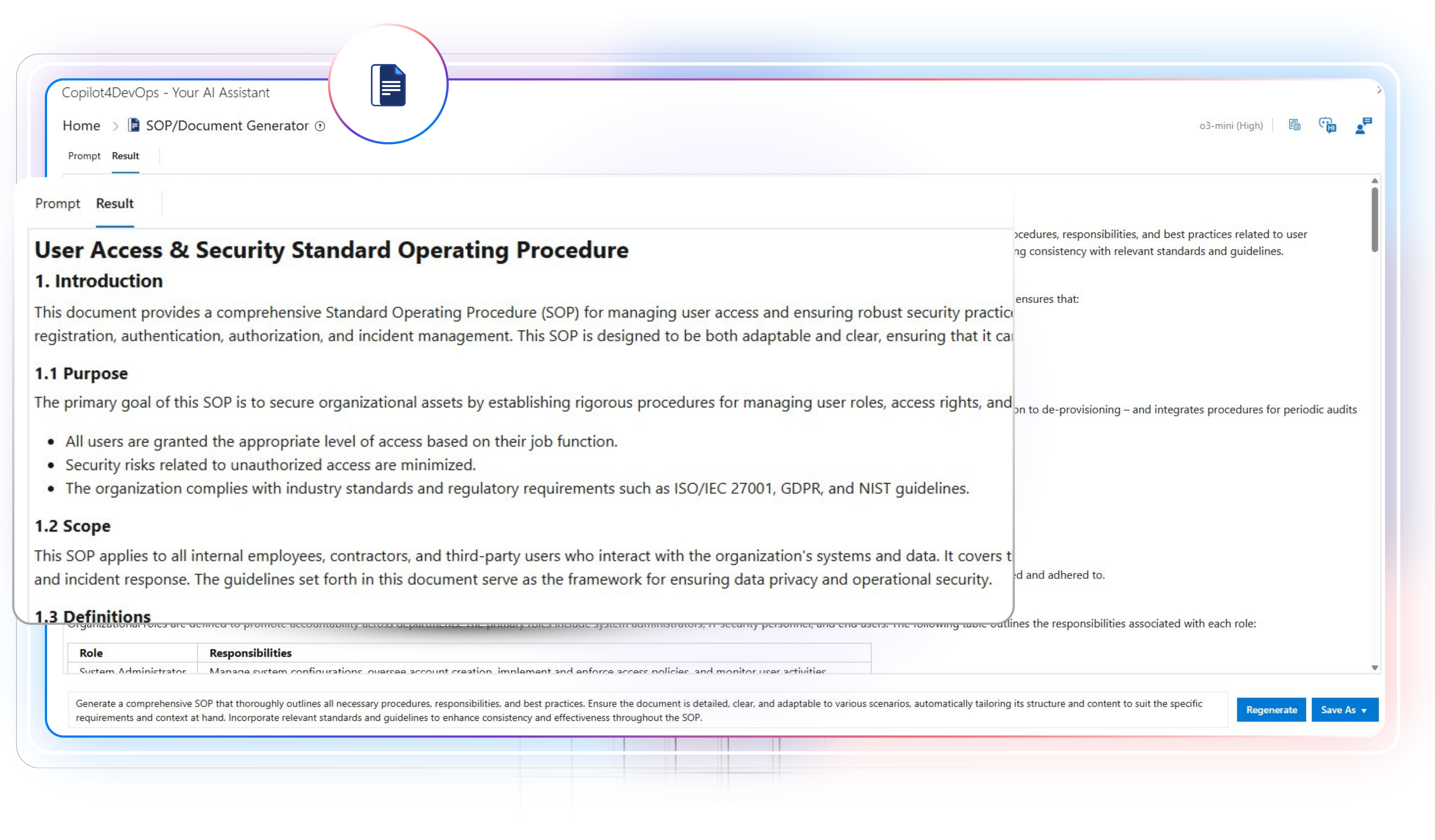
Use AI to generate complete SOPs, functional specs, compliance reports, and professional documents based on existing ADO work items.

Trusted by the world’s leading businesses














Here is how requirements document creation is evolving with AI
The old way
- I’m manually creating documents by collecting details from multiple work items.
- I’m spending multiple hours every day fixing the document structure.
- I’m extracting details from reference resources and adding them manually to the document.
- I’m struggling to make every document match our compliance layout.
- I’m switching between tools and losing track of where updates came from.
The New Way with SOP/Document Generator
- The AI reads Azure DevOps work items directly and builds a complete document with the right context.
- AI auto-formats the document structure. It adds hierarchical headings, tables, bullet points, and AI-generated diagrams within documents.
- The SOP/Document generator allows me to upload reference files and uses them as a context to generate a document.
- AI automatically generates documents that align with regulatory standards.
- Everything happens inside Azure DevOps, so all data stays linked and traceable.
A closer look at the SOP/Document Generator
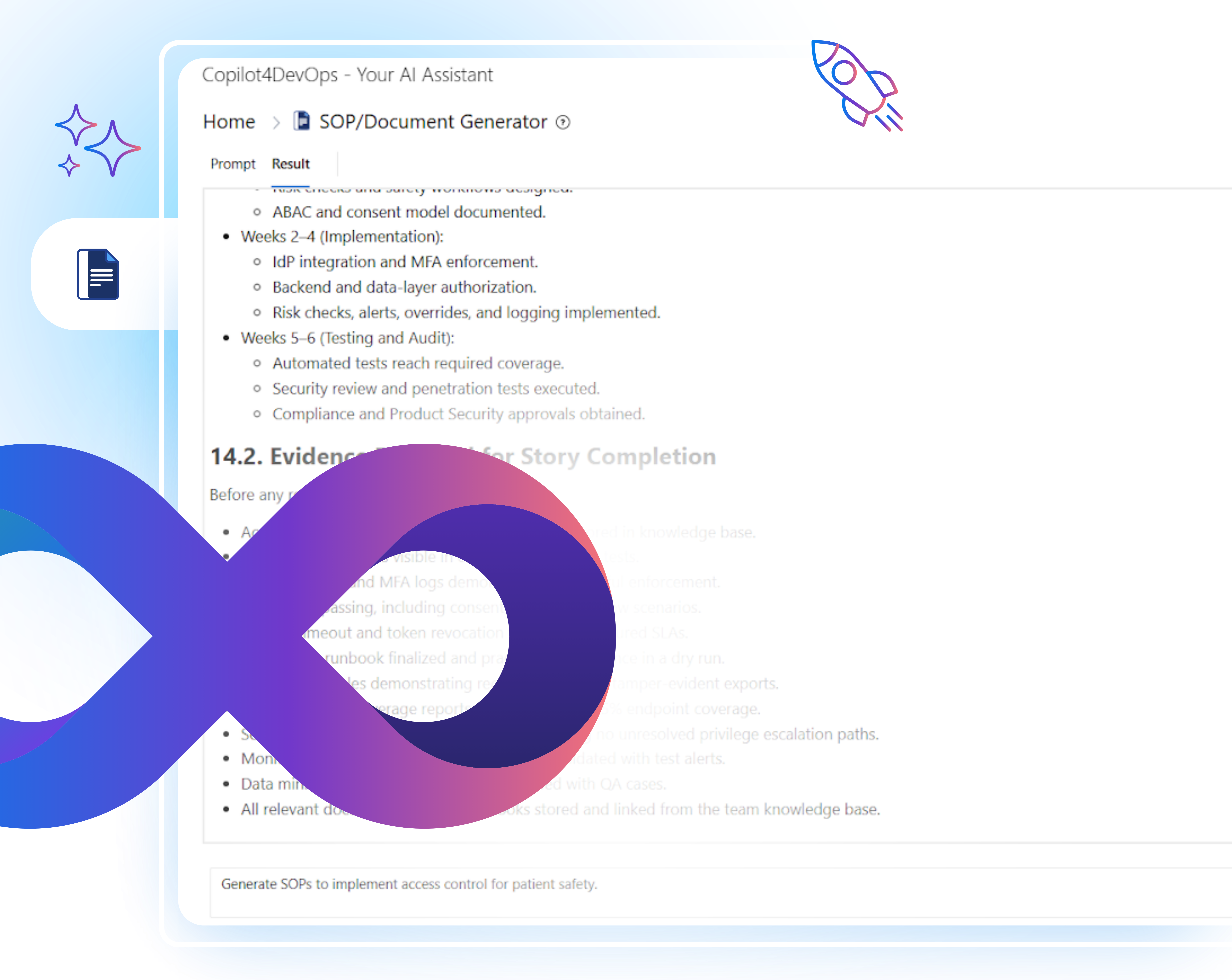
The SOP/Document Generator in Copilot4DevOps helps teams create clear, structured documents using AI, all within Azure DevOps. You can pass existing ADO work items as a context, write a prompt to generate a document, and within seconds, it produces a structured document containing sections/sub-sections, diagrams, tables, etc.
Teams working in different industries use it whenever they need formal and consistent documentation for audits, reviews, or project handovers. It saves time by turning raw backlog information into professional documents that follow standard formats and can be exported for review or submission.
Here is how different job roles are using the Convert module within Azure DevOps
Product Managers
Use AI to generate requirements or release documents directly from Azure backlog work items without starting from scratch.

Business Analyst
Use AI to prepare a first draft of functional specs and non-functional requirement documents from meeting notes or other reference documents.

Developer
Write down SOPs that describe setup, code, integrations, and configurations using an AI and within Azure DevOps.

Technical Writers
Use AI to write an initial draft of the product manual, installation guides, troubleshooting guides, maintenance steps, and process documentation. Then, export documents in PDF format and share them with product users.

Test Engineer / QA Engineer
Develop documents that describe test procedures or prepare test reports within seconds using AI.

Security and Risk Teams
Prepare security policy documents, risk assessment reports, or control process SOPs directly from Azure work items in no time.
Project Manager
Prepare project process documents, operational guides, SOPs, and progress reports that reflect the current sprint directly within Azure DevOps.

Training Coordinators
Use AI to generate the user training guides for new staff or new customers directly within Azure DevOps.

System Architects
Craft documents that describe infrastructure components, system flow, or integration logic with diagrams by providing ADO work items as a context to AI.

Compliance Managers
Prepare the first draft of SOPs that follow internal and external compliance standards to submit to the regulatory bodies for product approval.

Release Manager
Generate release notes and version-specific SOPs before deployment. It ensures each update has traceable documentation covering changes, approvals, and rollback procedures.
Key features that make documentation effortless within Azure DevOps
File Upload
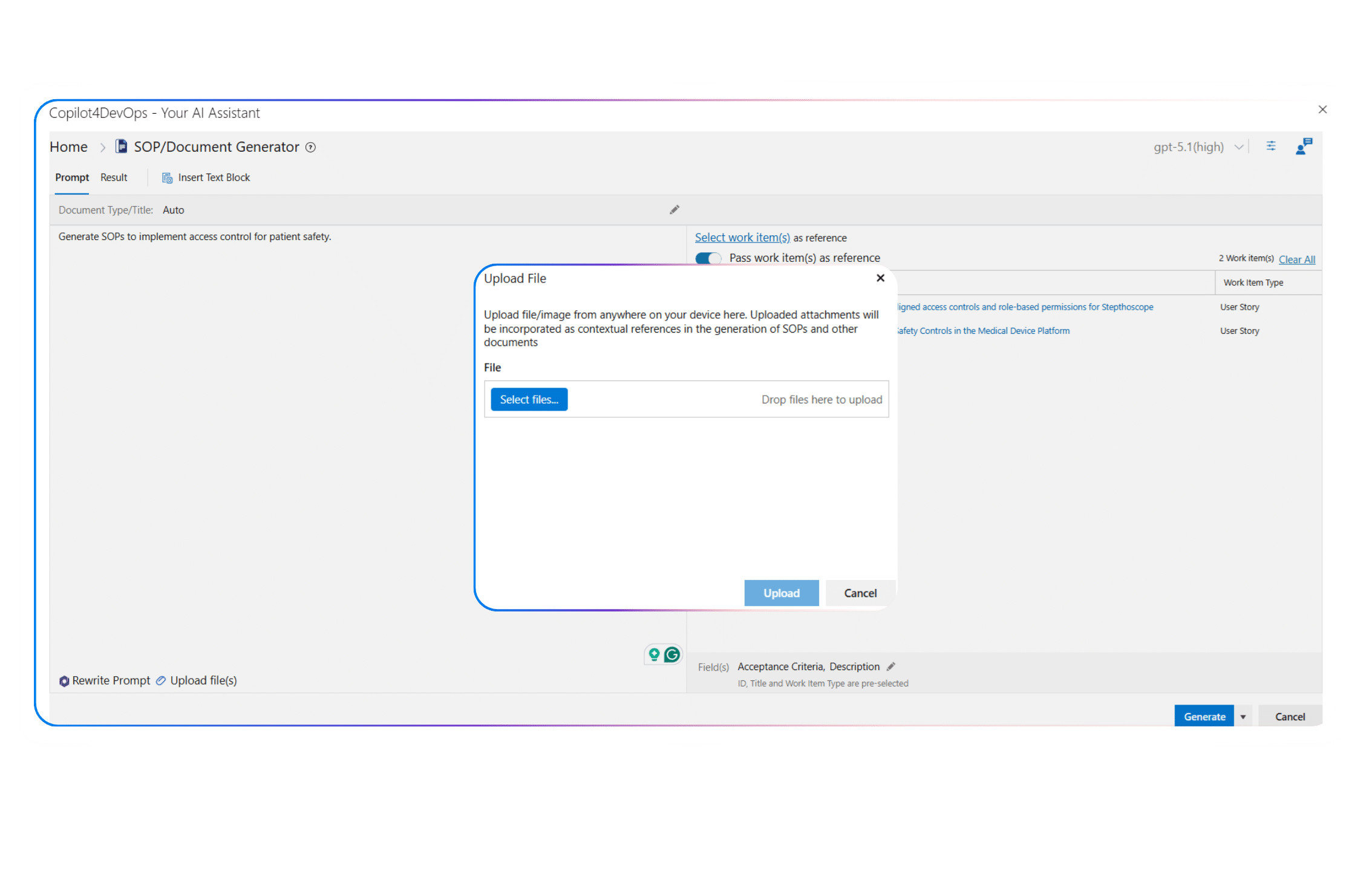
Would you like to provide existing documents, compliance guidelines, meeting or feature notes, design documents, images, etc., as context to the AI while generating the document?
Use the “File Upload” feature, which allows you to upload 20+ types of files, including PDF, Docx, JPG, PNG, SVG, etc. It extracts text from the uploaded resources and generates the document content accordingly.
Rewrite Prompt
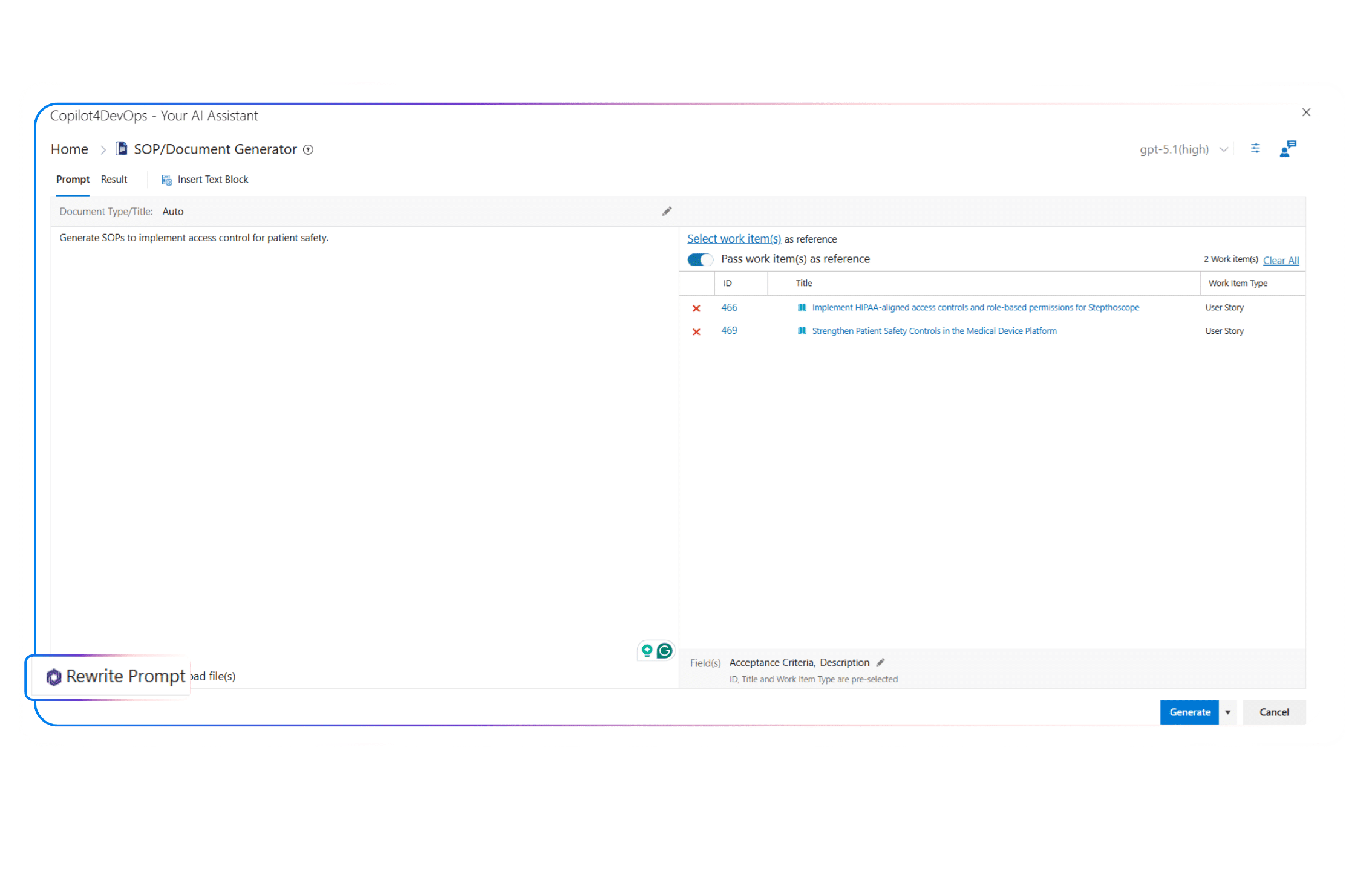
Don’t know how to write a perfect prompt that can generate a perfect document according to your needs?
Use the “Rewrite Prompt” feature to enhance your draft prompt using an AI. It helps in refining the scope and tweaking the original request so that you can get a final document that fulfills your expectations.
Generate with Q&A
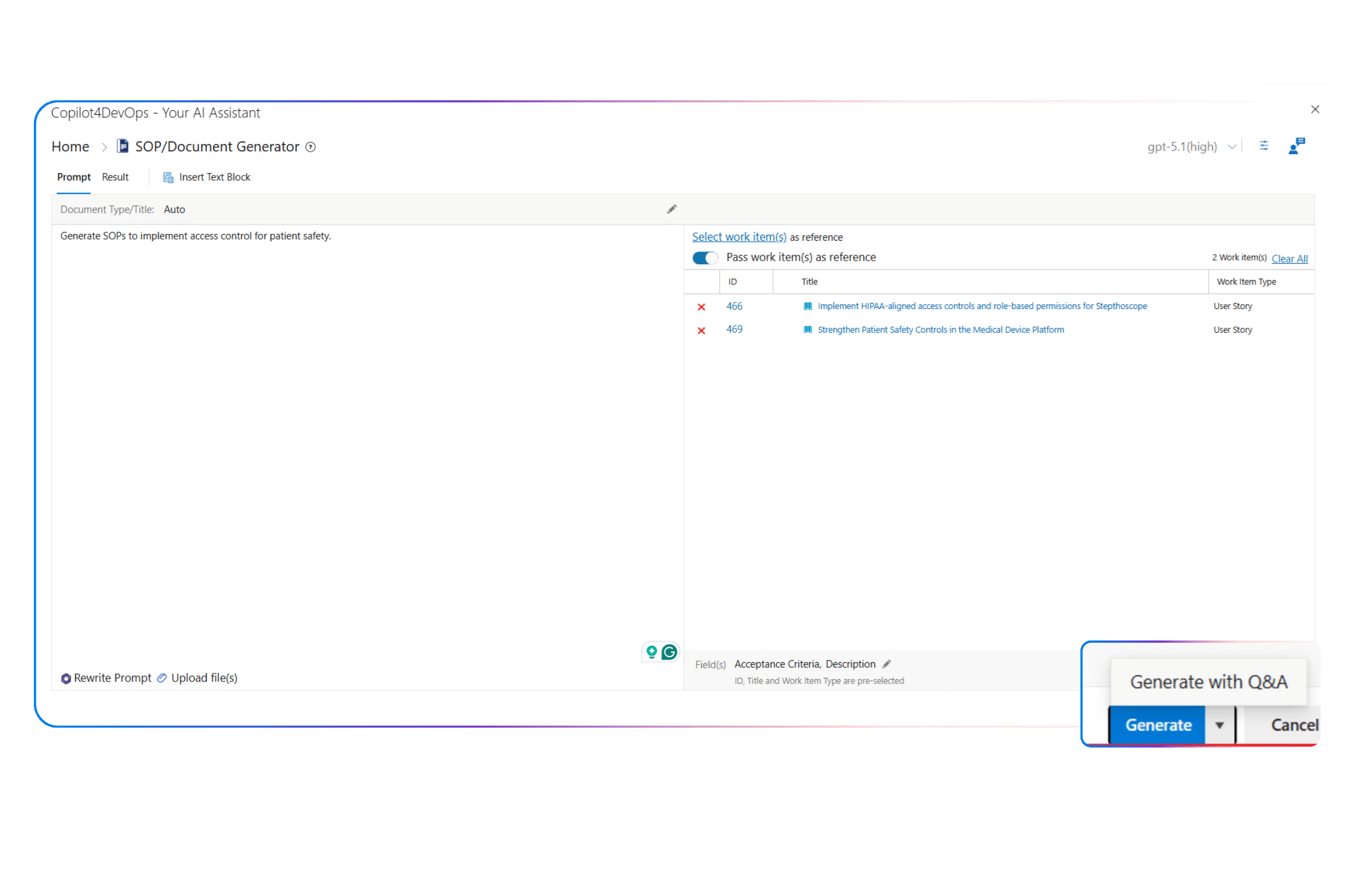
Want to provide additional context to the AI?
Use the “Generate Q&A” feature. Before creating a document, it asks multiple-choice questions based on your prompt. You can then answer the questions, and the generator uses your answers as context to write better content.
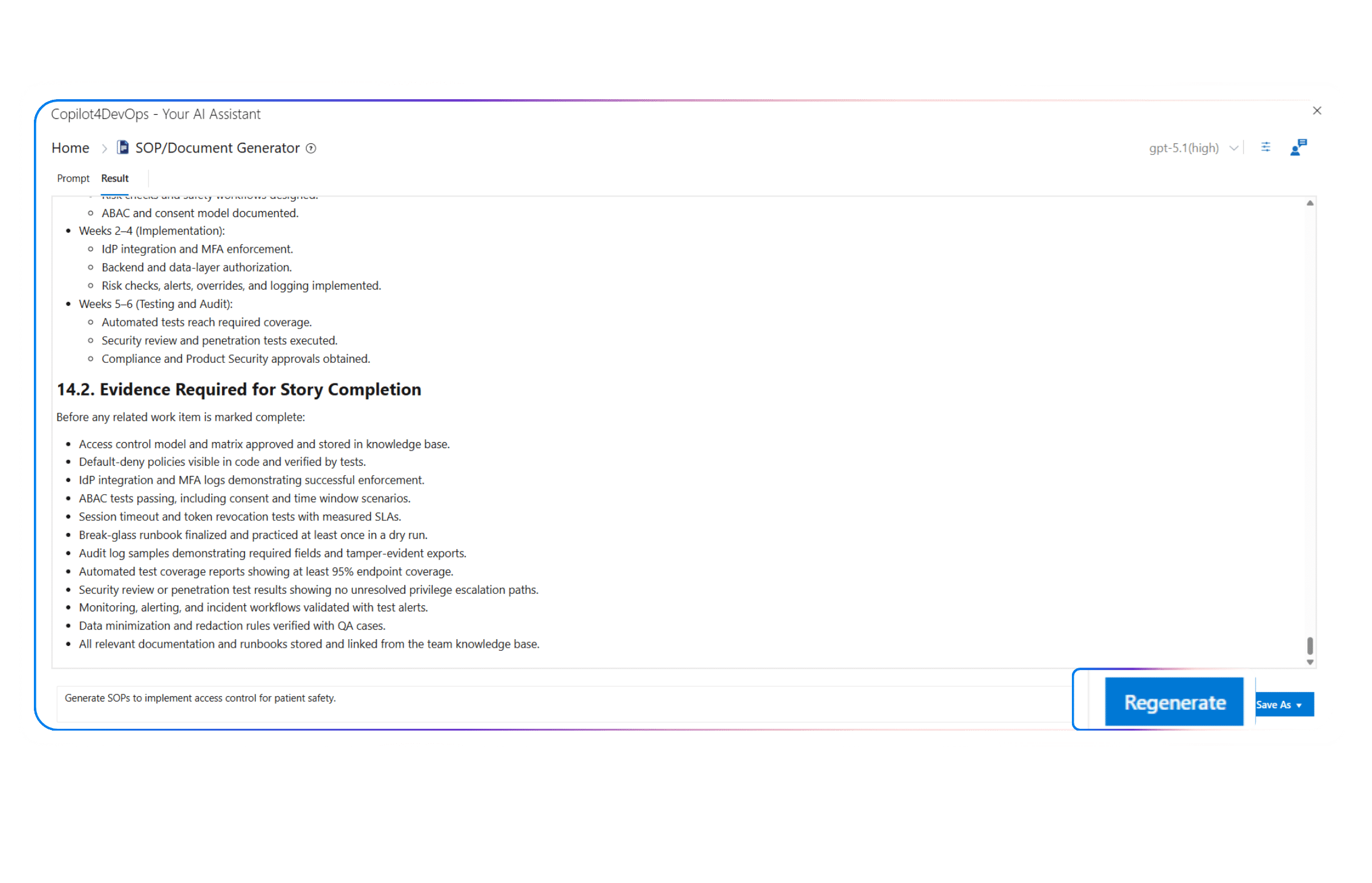
Regenerate
Do you need to update the document, or would you like to get a new version?
Use the “Regenerate” feature to adjust style, structure, tone, etc., without starting from scratch.
Save As
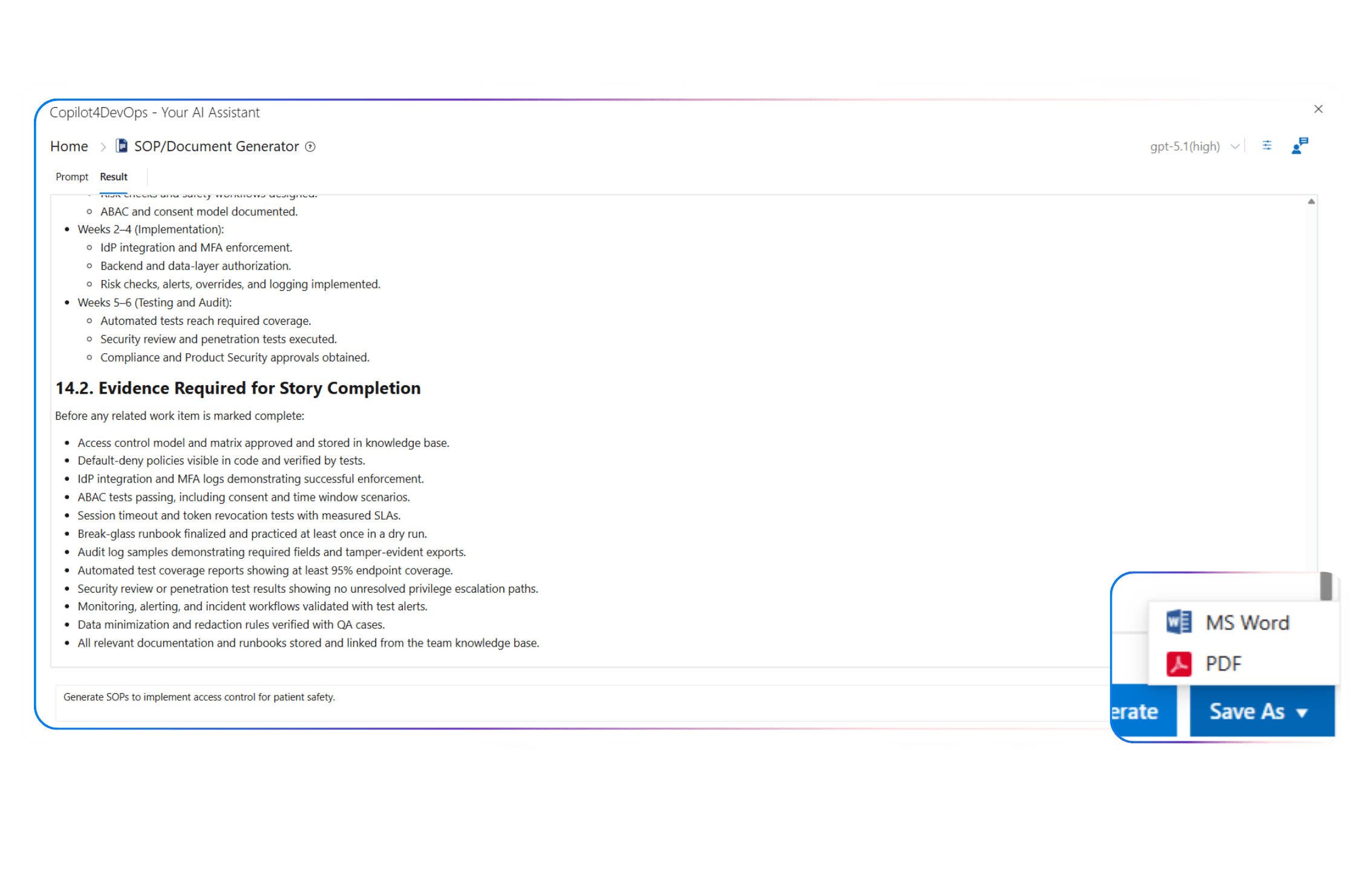
Would you like to send a document to external teams for a review?
Use the “Save As” feature to export the generated document in Microsoft Word or PDF format.
How teams use SOP/Document Generator in the real world
Insurance
- As a BA, I use AI to generate functional requirements documents for claims approval workflow from existing ADO work items.
- As a Compliance Manager, I prepare NAIC-aligned compliance documentation for policy servicing changes using AI.
- As a Solution Architect, I provide underwriting rules-related requirements to AI as context and prepare well-structured SOPs that include diagrams and integration steps.
Healthcare
- As a Regulatory Affairs Specialist, I want to generate FDA 21 CFR Part 11 compliance write-ups for audit trail and e-signature changes, using Azure DevOps implementation stories and evidence files.
- As a Product Owner, I use AI to generate requirements change request documents to explain the procedure to implement changes for medical device software.
- As a Validation Engineer, I take the help of SOP/Document Generator for preparing validation protocol documents for device software releases and share them with the development team.
Energy & Utilities
- As a Grid Operations Manager, I want to generate outage response SOPs with clear restoration steps from ADO work items.
- As a Cybersecurity Lead, I want to generate NERC CIP documentation for access controls and monitoring updates.
- As a Release Engineer, I want to generate deployment and rollback SOPs for SCADA integration updates.
Banking & Finance
- As a Product Owner, I draft the Business Requirements Document (BRD) to prepare the high-level scope of software being developed to issue credit cards online.
- As a Payments Product Manager, I use AI to generate requirement documents for payment gateway updates with clear rules and edge cases, export them, and share them with team members for review.
- As an Internal Audit Coordinator, I want to draft audit-ready documentation for process changes that align with SOX controls based on ADO logs.
Aerospace & Defence
- As a Certification Manager, I want to generate DO-254 compliance documentation for hardware-related changes by uploading certification checklists as a reference.
- As a Certification Manager, I want to generate DO-254 compliance documentation for hardware-related changes by uploading certification checklists as a reference.
- As a Defense Program Director, I use AI to generate consistent project reporting documentation after every sprint and share it with stakeholders for review.
Service & Technology
- As a Customer Success Manager, I generate SOPs for onboarding customers from existing ADO work items, export them to Microsoft Word, and publish them on the website.
- As a Service Desk Lead, I generate incident response and escalation SOPs from Azure DevOps work items that include severity rules, resolution steps, and communication templates.
- As a System Design Engineer, I use Copilot4DevOps to generate non-functional requirements documents with AI.
Railways
- As a Rolling Stock Engineer, I use AI for drafting maintenance procedure documents for coach and locomotive inspections by providing related ADO work items as a context.
- As a Safety Officer, I want to generate safety compliance documentation aligned with internal railway safety standards, using Azure DevOps change work items, approvals, and evidence attachments.
- As a Systems Lead, I use AI to draft technical documentation for signaling upgrades, export it into the PDF format, and share it with audit teams to review.
Automotive
- As a Vehicle Program Manager, I use meeting transcripts to generate program SOPs for feature rollouts across vehicle variants using AI inside Azure DevOps.
- As an ASPICE Process Owner, I prepare ASPICE-aligned documentation for software development workflows by providing ADO work items and uploaded process guidelines as the base reference.
- As a Manufacturing Quality Lead, I draft SOPs for production checks and defect handling processes.
Government
- As a Policy Program Lead, I want to generate SOPs for citizen service request handling using AI inside Azure DevOps based on escalation rules listed in ADO work items.
- As a System Analyst, I want to generate a Software Requirements Specification document for the student scholarship portal.
- As an Enterprise Architect, I use SOP/Document Generator to draft integration documentation for legacy systems and new applications.
Why teams prefer the SOP/Document Generator of Copilot4DevOps
Native to Azure DevOps
The SOP/Document Generator, a feature of Copilot4DevOps, works within your Azure workspaces. So, you don’t need to switch between multiple tools.
Generate documents for work items
AI reads existing Azure work items automatically and uses them as a reference to generate documents. So, you don’t need to provide context to the AI.
Keeps compliance intact automatically
You can provide custom instructions regarding the document template, compliance, etc., and each document follows those requirements.
Adds visuals and structure automatically
You don’t need to structure the document manually. AI automatically adds the table, headings, diagrams, and interactive UI in the document.
Saves hours on formatting and editing
As AI prepares the first draft of the document within seconds, you don’t need to spend hours or days. Later, you can manually review the document in no time and use it.
Your Questions are Answered Here
Can I use the SOP/Document Generator directly inside Azure DevOps without switching tools?
Yes, you can open Copilot4DevOps from any existing Azure work item and use the SOP/Document generator feature directly within your Azure workspace.
Does the AI respect our company’s document template and compliance layout?
You can mention the document structure in the custom instructions block or the prompt area while generating the document. For example, you can say that you follow ISO or FDA standards, and the tool generates the document accordingly.
How does the AI use work item data to create the document?
The SOP/Document Generator allows you to provide existing Azure work items as a reference. It also allows you to choose which fields of work items, including title, description, attachments, etc., should be read by AI. Then, it reads the related data of work items, uses it as a context while generating the content, and produces an accurate document.
Can I include diagrams or visuals in the generated SOPs or document?
The tool automatically creates and inserts related requirements modelling diagrams into the document. However, if you want to insert a specific diagram into the document, you can mention it in the prompt.
In what file formats can I save or export the finished document?
Generally, you can either export the document in Microsoft Word or PDF format.
Is my project data secure when using the SOP/Document Generator?
Copilot4DevOps doesn’t use your data to train our models or expose it to other customers. Also, all your data stays within your Azure workspaces, and we don’t handle it. So, your data is 100% secure.
What level of AI model is used for the generator? Can we bring our own?
Generally, OpenAI models are used to generate documents. However, you can use the “Bring Your Own LLM” option to configure your own LLM and use it to generate documents.
Is the SOP/Document Generator included in every Copilot4DevOps plan?
The SOP/Document generator feature is included in the Copilot4DevOps Ultimate plan, which starts at $35 per month/member. It is not included in the Copilot4DevOps Plus plan.
Can I upload reference files (like design specs or old SOPs) so the tool uses them as context?
Yes. Copilot4devOps allows teams to upload design files, SOPs, and images to provide them as context to the AI.
How much manual review will the generated document still require?
The SOP/Document Generator does all the heavy lifting and prepares the first draft. However, we recommend doing a manual review to ensure it follows stakeholder-specific context and compliance sign-offs.
Let AI handle documentation within Azure DevOps
Experience how the SOP/Document Generator of Copilot4DevOps builds complete, compliant documents using your existing work items and prompts, all without leaving your Azure DevOps workspace.
Explore Relevant Features
Transform
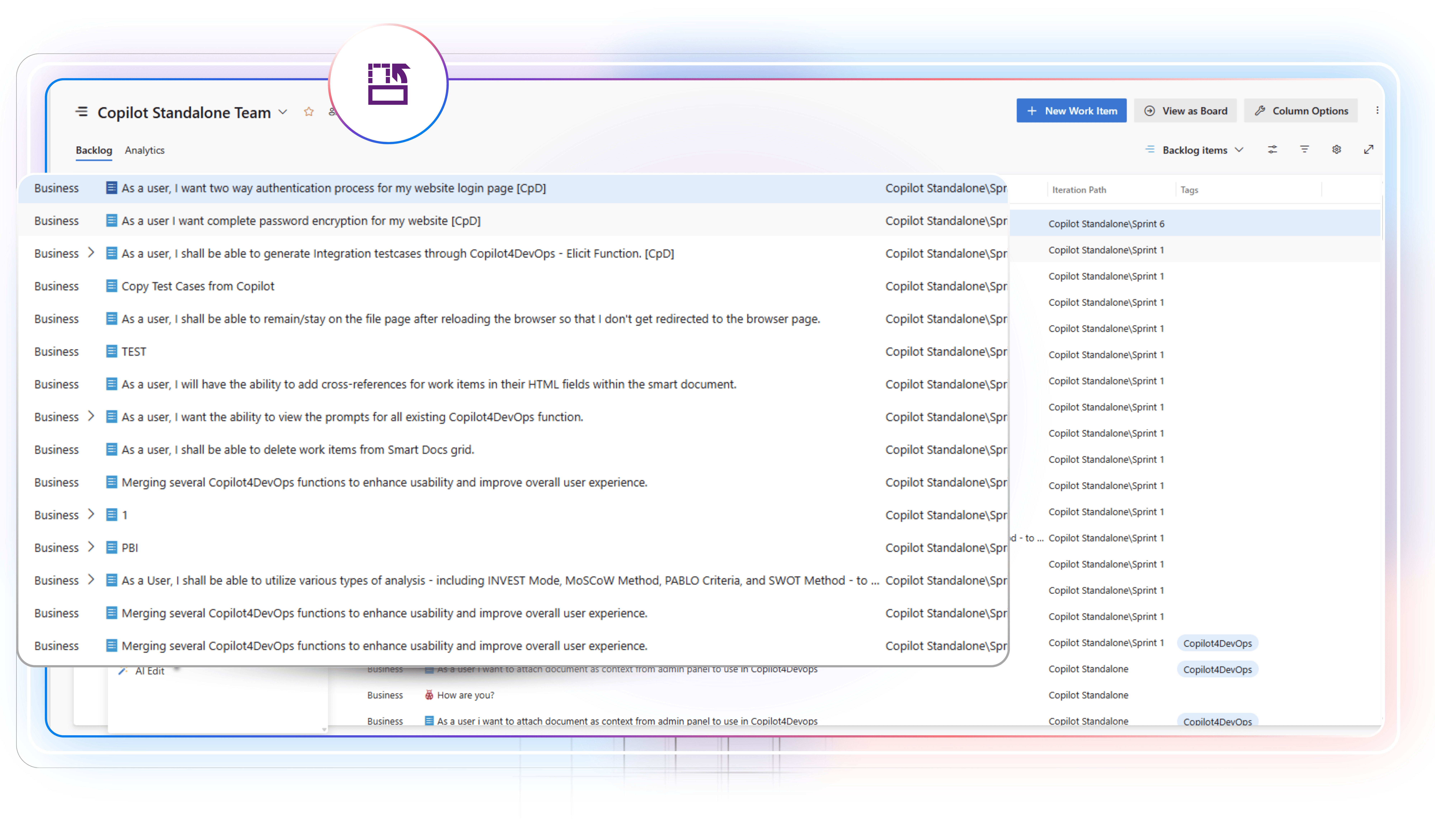
Translate or rewrite requirements
Use AI to translate existing requirements into the 40+ languages directly within Azure DevOps. Paraphrase requirements to change structure, summarize to get a quick overview, or elaborate to add additional details.
Diagram
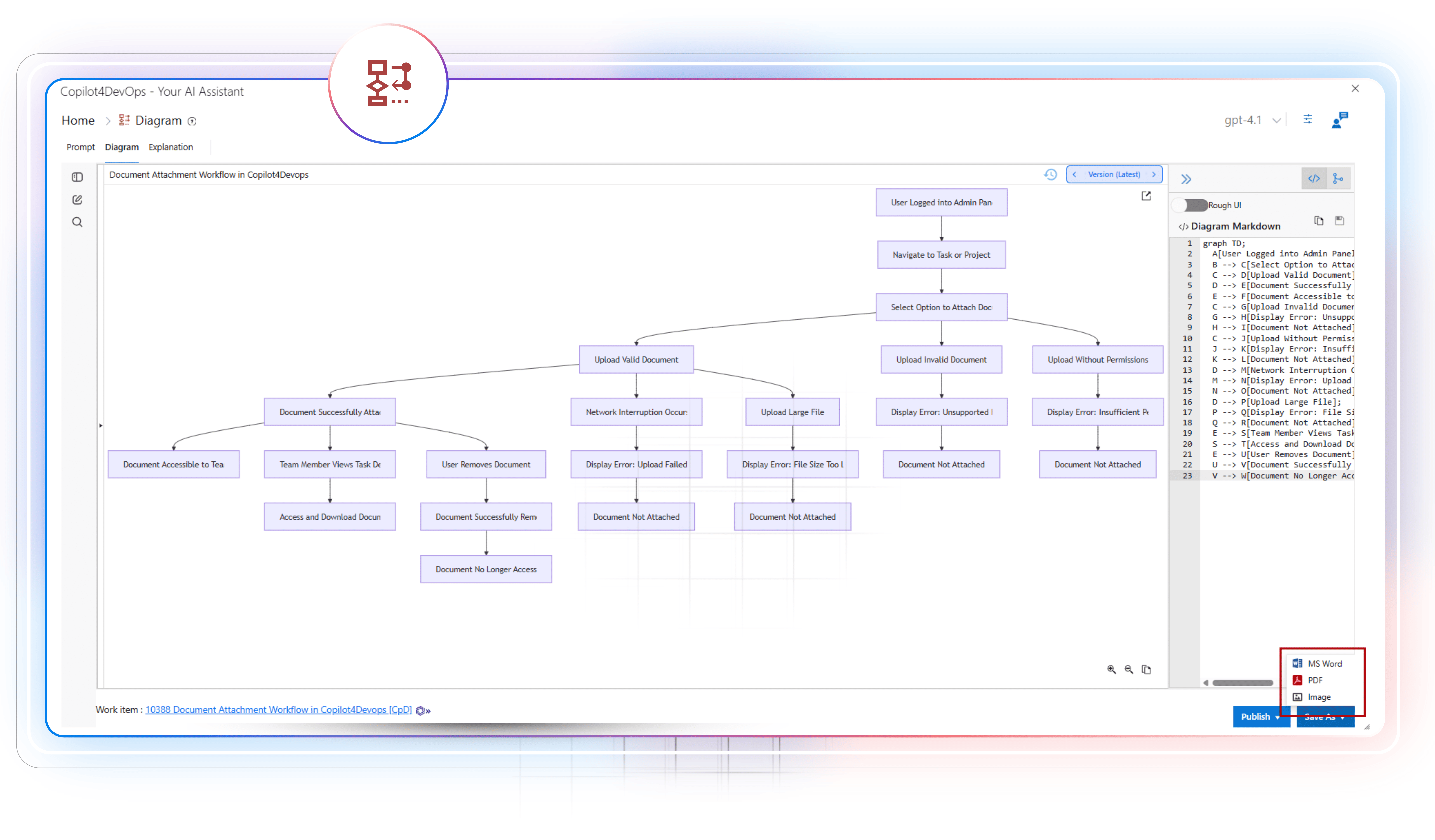
AI to generate requirements diagrams
Generate different types of diagrams within seconds to clearly visualize the requirements flow directly within your Azure DevOps workspace. Then, you might use Generate to prepare a code based on the diagram flow.
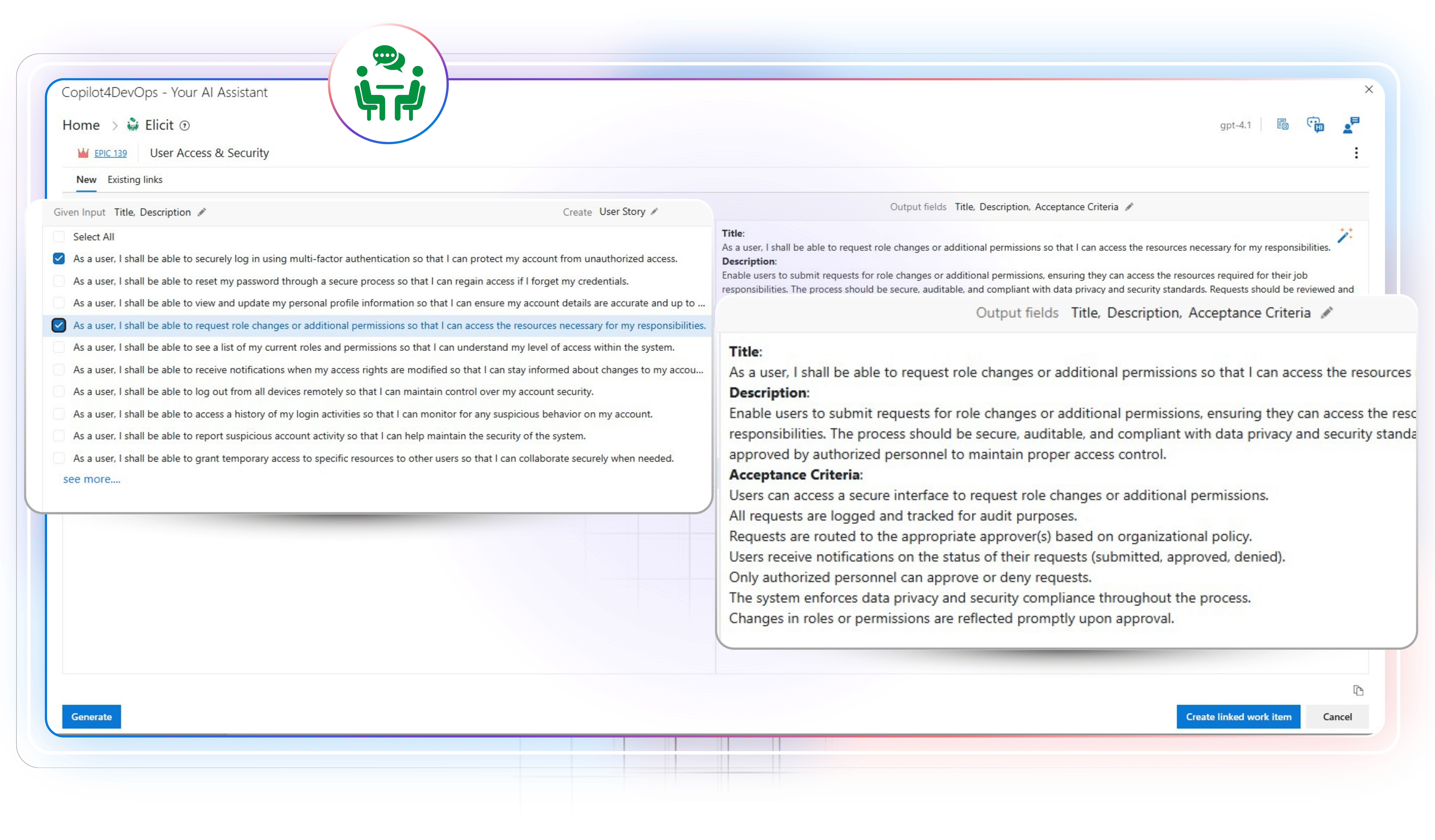
Elicit
Turn raw input into usable requirements
Draft test cases, functional and non-functional requirements, compliance checklists, deployment tasks, user stories, etc., using an AI from raw inputs, meeting notes, or existing requirements, and insert them within Azure DevOps.