

AI That Transforms Business Objectives into User Stories
Use AI to convert business goals into structured user stories with acceptance criteria, Gherkin scenarios, or use cases directly within Azure DevOps.

Trusted by the world’s leading businesses









The real shift in how requirements turn into work items
The old way
- I rewrite long requirements into actionable user stories and hope I didn’t miss anything.
- I write use cases one by one from existing requirements and spend hours on that.
- I write Gherkin scenarios line by line and often forget edge cases until later.
- I create new work items manually by copying text from one item to another.
The new way with the Convert module
- I use Convert to turn the same text into a complete story with acceptance criteria in a few seconds.
- I use AI to extract all use cases from Azure requirements, including edge cases.
- I select Convert and receive multiple Gherkin scenarios, including variations I might not have thought of.
- Once Convert generates a work item, I directly insert it into the Azure backlog with a single click.
What is the Convert feature in Copilot4DevOps?
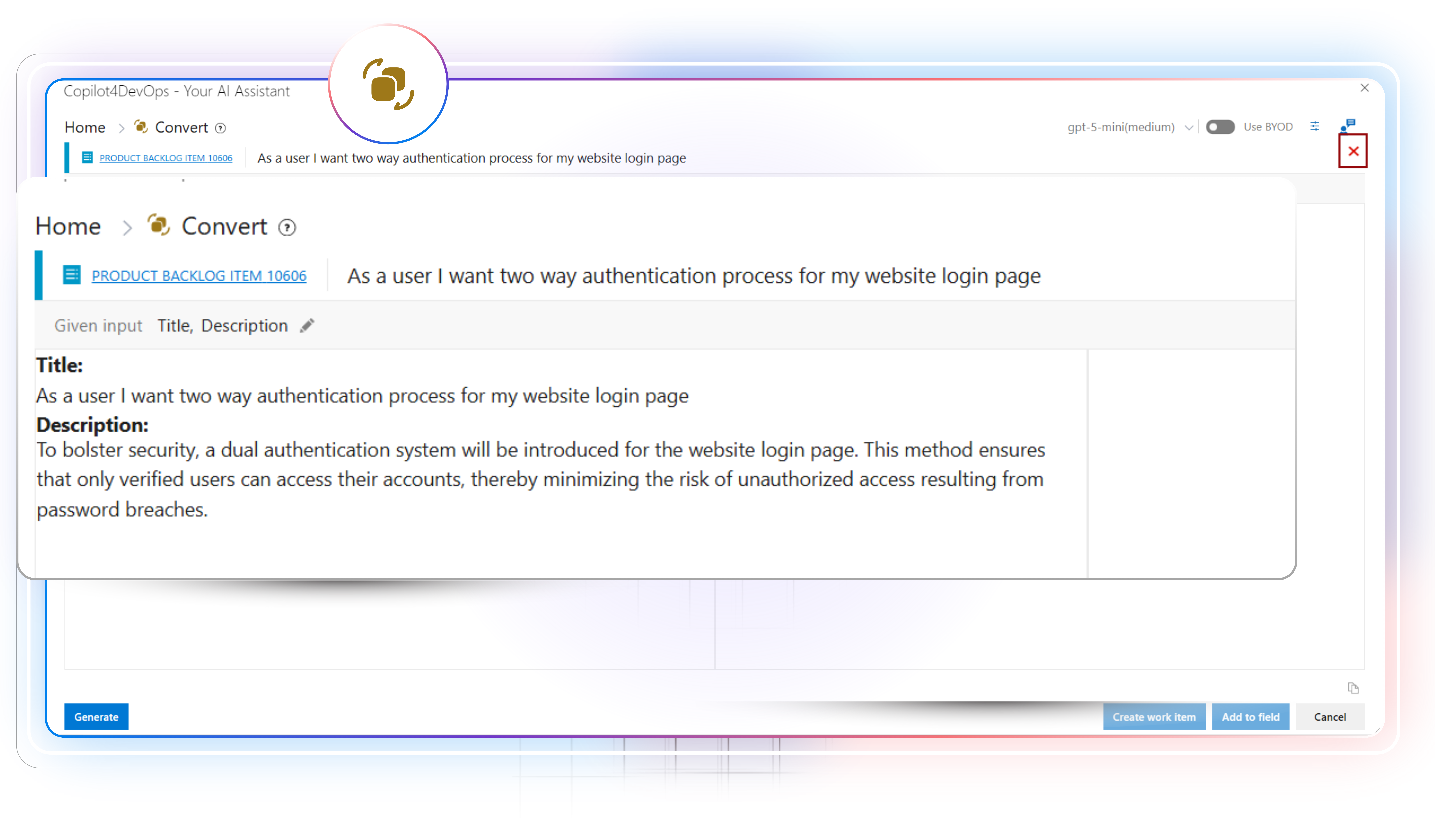
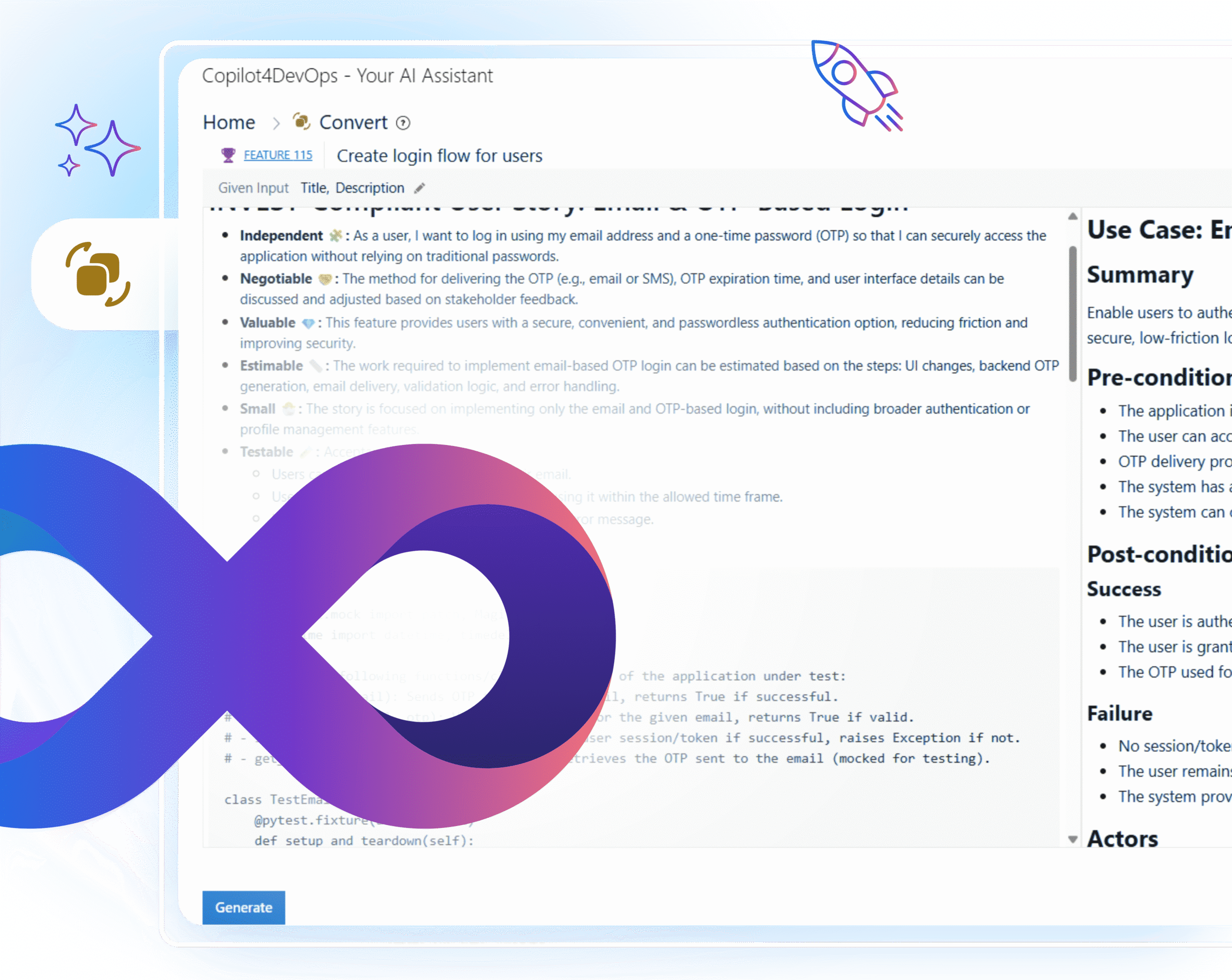
Convert is a module of Copilot4DevOps that helps teams convert requirements into actionable and ready-to-use work items using an AI. Instead of manually turning business goals or documents into user stories, use cases, or Gherkin scenarios, teams can use Convert to create clear, structured items directly from Azure work items.
The Convert module helps teams in removing guesswork in early planning and avoiding the back-and-forth that usually happens when requirements are interpreted differently by stakeholders, analysts, testers, and engineering teams. Overall, it saves hours usually lost in rewriting or clarifying requirements.
Here is how different job roles are using the Convert module within Azure DevOps

Product Owner
Convert product ideas or features into ready-to-use user stories and use cases, and insert them into the Azure DevOps.
Business Analyst
Turn long requirements, feedback notes, and meeting notes into structured user stories using an AI and share them with development teams.
Developer
Prepare user stories with acceptance criteria from vague requirements and insert them into the Azure backlog to track the progress.
DevOps Engineer
Convert operational needs, environment notes, or infrastructure requests into work items that are easier for teams to follow. This helps avoid misinterpretation when translating platform requirements into engineering tasks.

Test Engineer / QA Engineer
Produce Gherkin scenarios and edge-case checks directly from requirement text. This cuts down hours normally spent building test steps manually and gives QA teams a reliable starting point that mirrors the requirement’s intent.
Scrum Master
Generate user stories and Gherkin scenarios from unstructured requirements using an AI while doing the backlog grooming during the sprint planning.
Project Manager
Translate project documents into ready-to-use and actionable work items and share them with the product team to implement.

Security Engineer
Summarize long security requirements to quickly understand the security goals. Then, maybe translate the security requirements into another language before assigning them to the team members working in different regions.
Solutions Architect
Shape high-level requirement statements into use cases that list actors, flows, and conditions. This gives architects a structured view of expected behavior and helps them map system interactions without rebuilding the entire format from zero.
Compliance Officer
Turn compliance or regulatory requirements into actionable work items. So, development teams can develop the product that follows regulatory requirements.
Release Manager
Generate user stories for the product deployment and continuous monitoring from the release meeting notes.
Support Engineer
Turn customer feedback or bugs into user stories and share them with development teams so they can work on fixing bugs.
Domain Expert / SME
Convert industry-specific requirement text, whether medical, financial, aerospace, or manufacturing, into structured stories or scenarios without learning formal formatting rules.
Systems Engineer
Turn system-level requirements, interface notes, or component details into work items that are easier for engineering teams to execute.
Core capabilities of the Convert module help teams shape clear backlogs
User story generation
Need to convert Azure requirements into structured user stories?
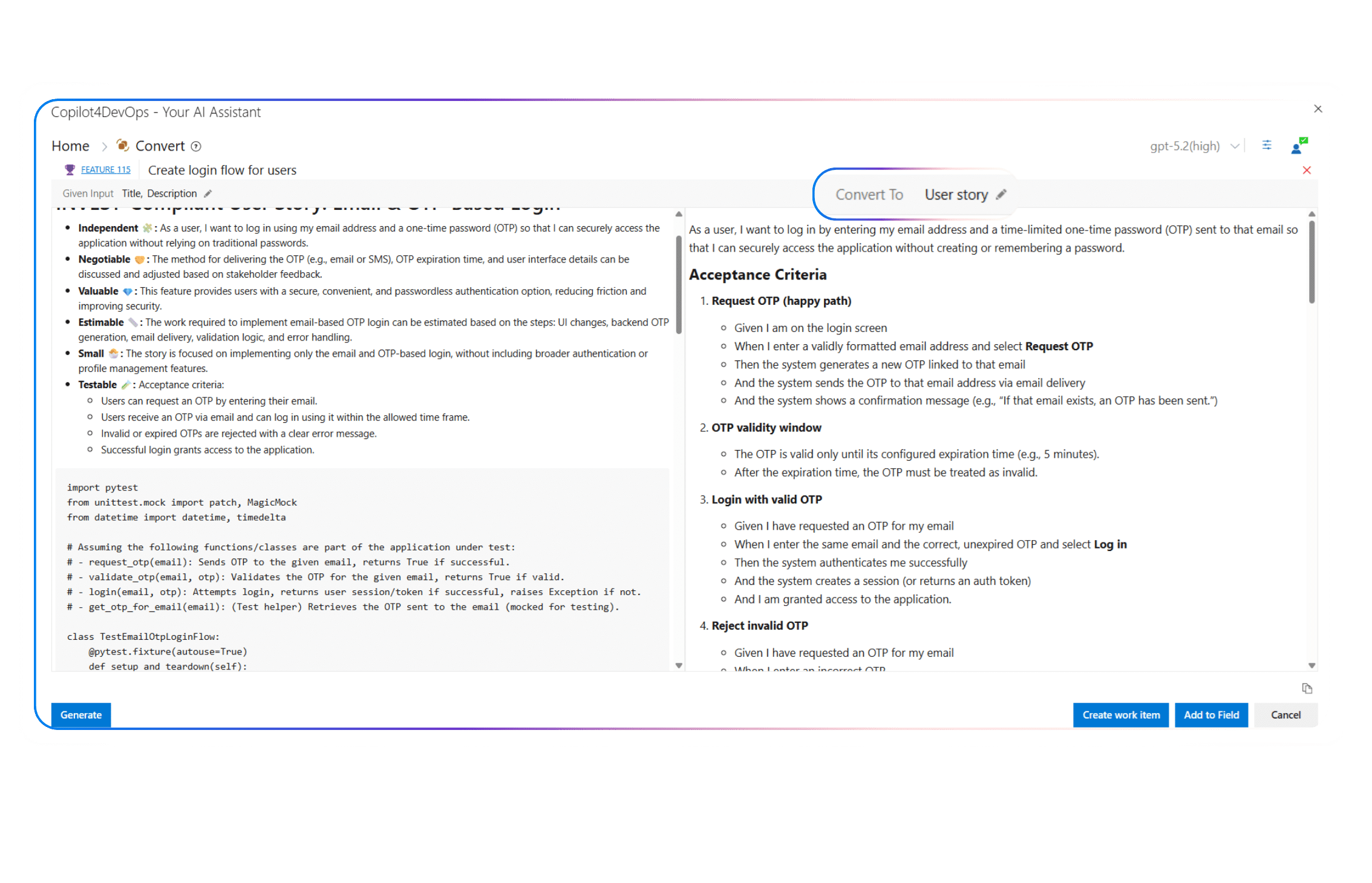
The Convert module generates user stories with a title, description, and acceptance criteria from existing Azure work items content using an AI, which you can directly insert into the Azure DevOps.
Use case creation
Want to write structured use cases with all the usual components in place?
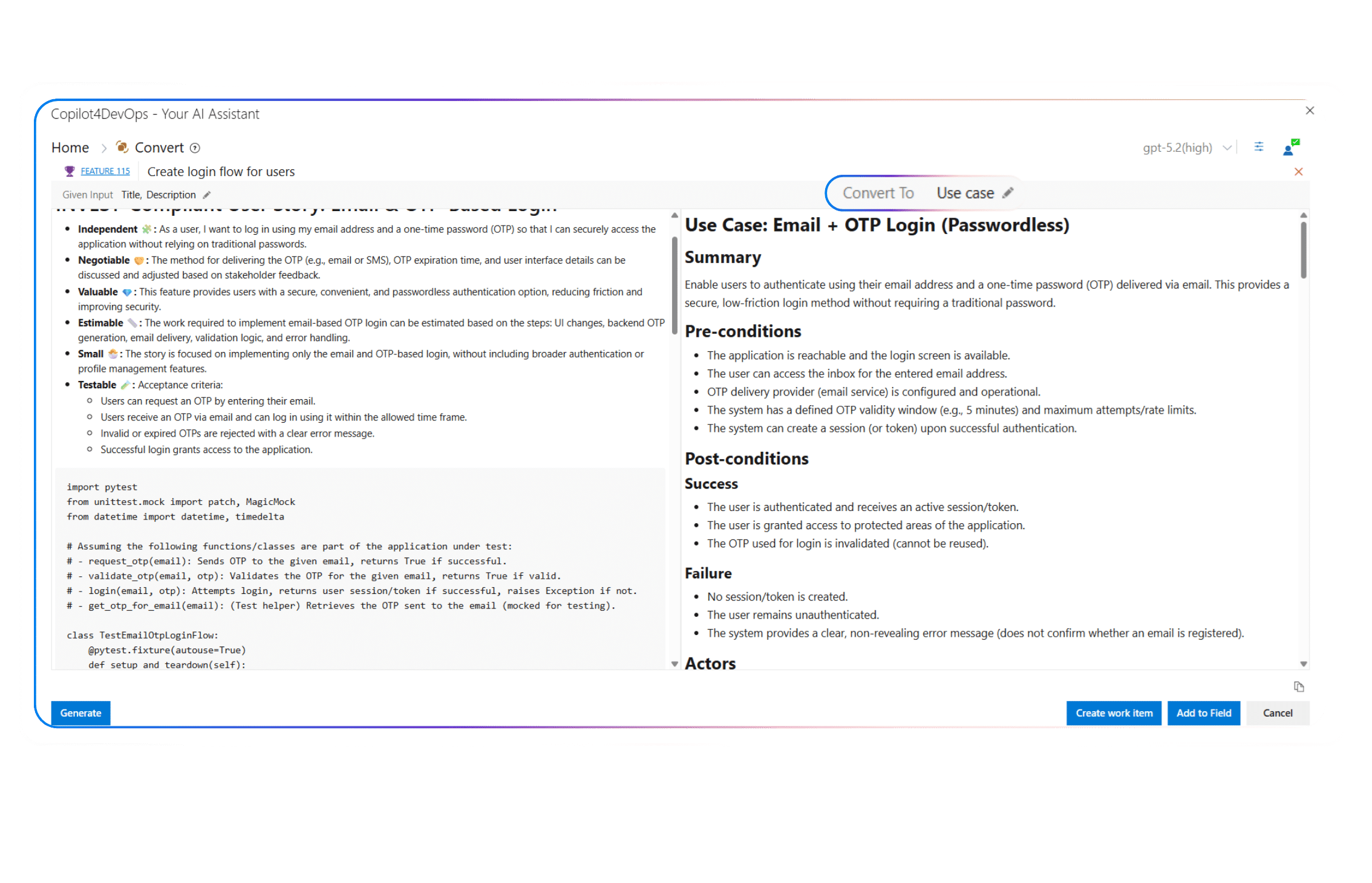
This feature generates clear use cases with summary, actors, preconditions, postconditions, primary flow, alternate flow, and acceptance scenarios. This saves teams from building the entire template manually.
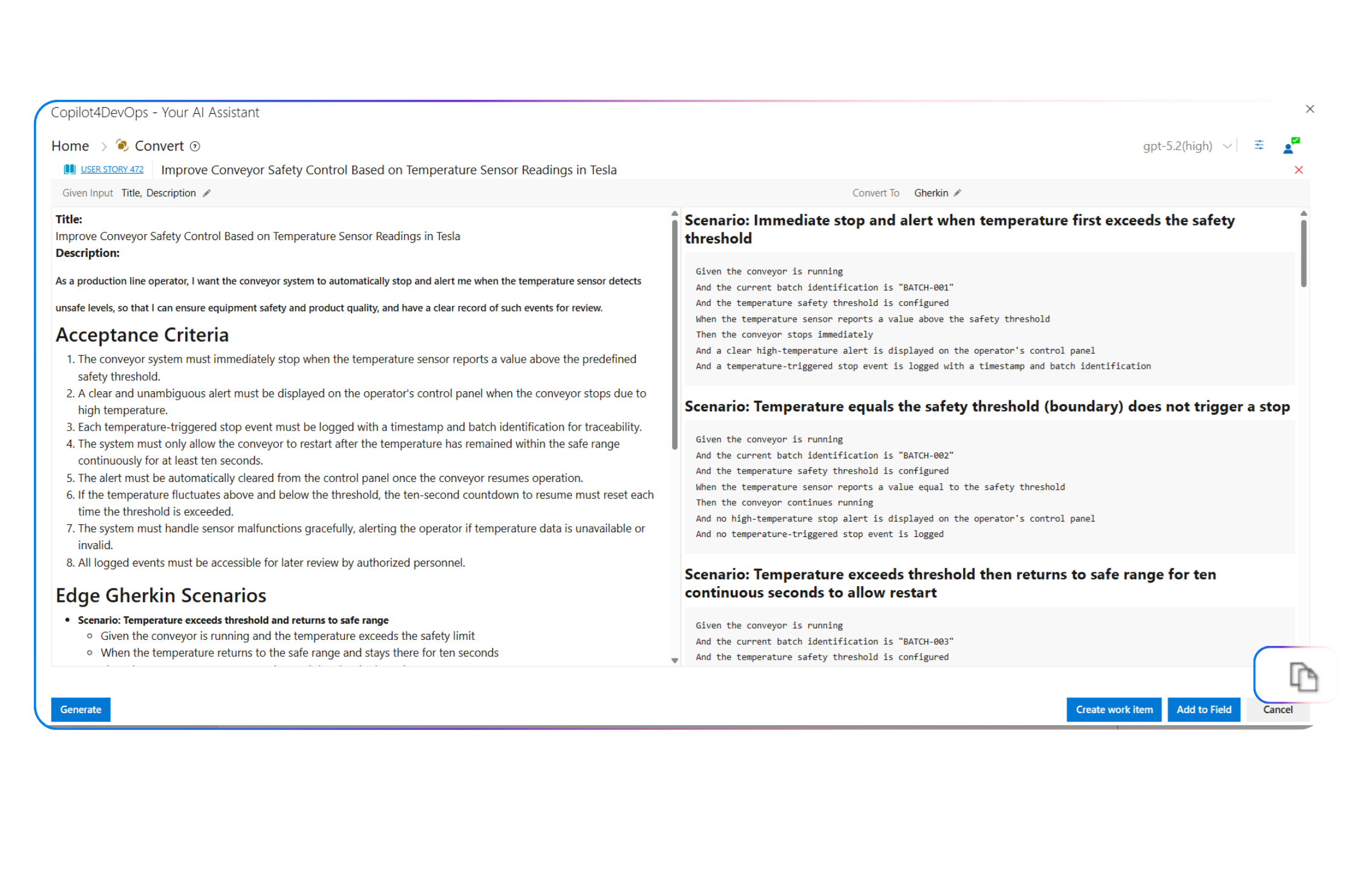
Gherkin scenario generation
Need test scenarios that match the requirement and cover more than the obvious path?
The Convert drafts Gherkin scenarios that include variations and edge cases, giving testers dependable material without reinterpreting the requirements themselves.
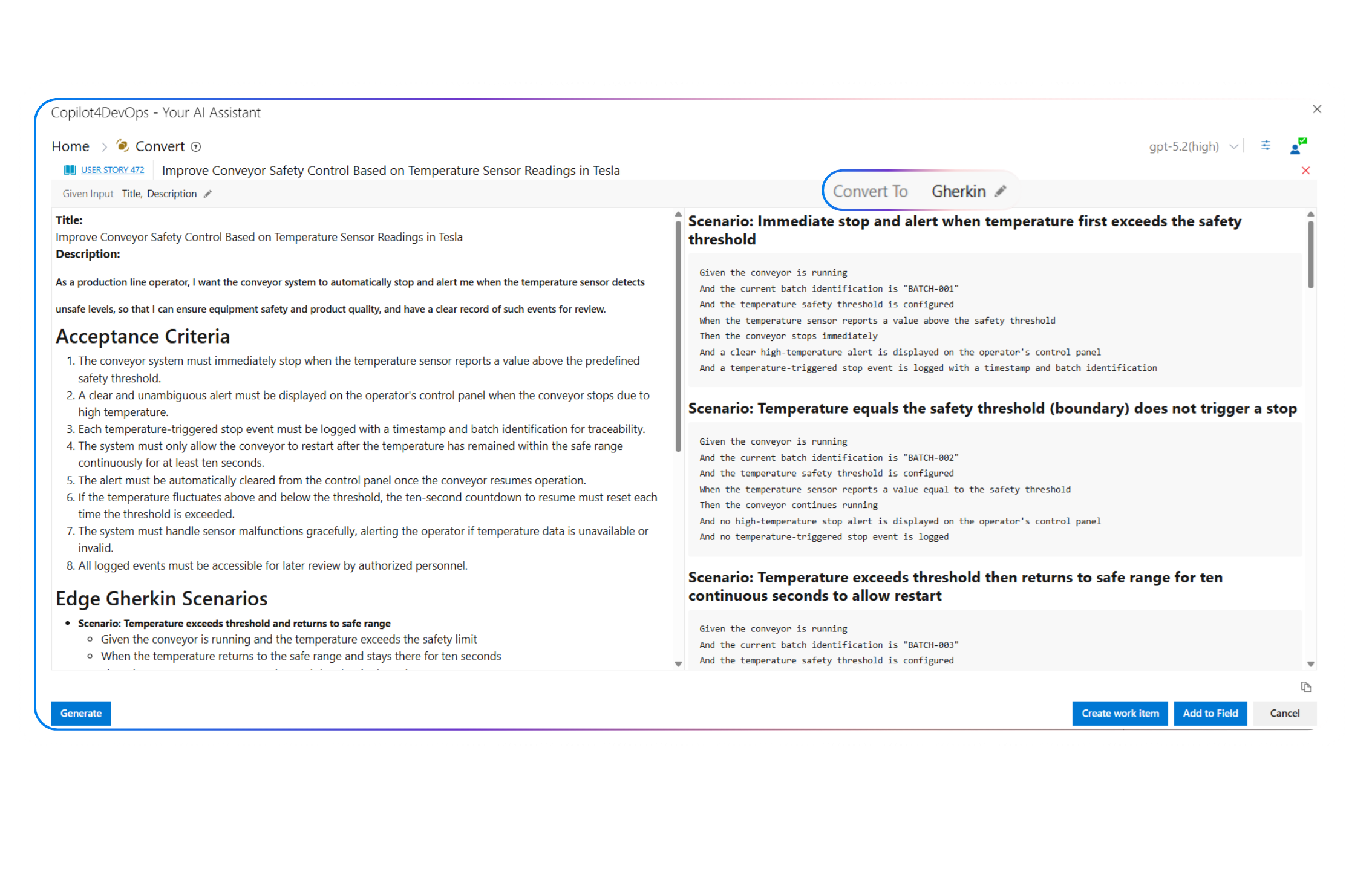
Custom instructions
Want to generate a response in a specific format or language?
Provide custom instructions in plain text to balance response length, creativity, or structure. You can even select a language in which you want AI to write a response.
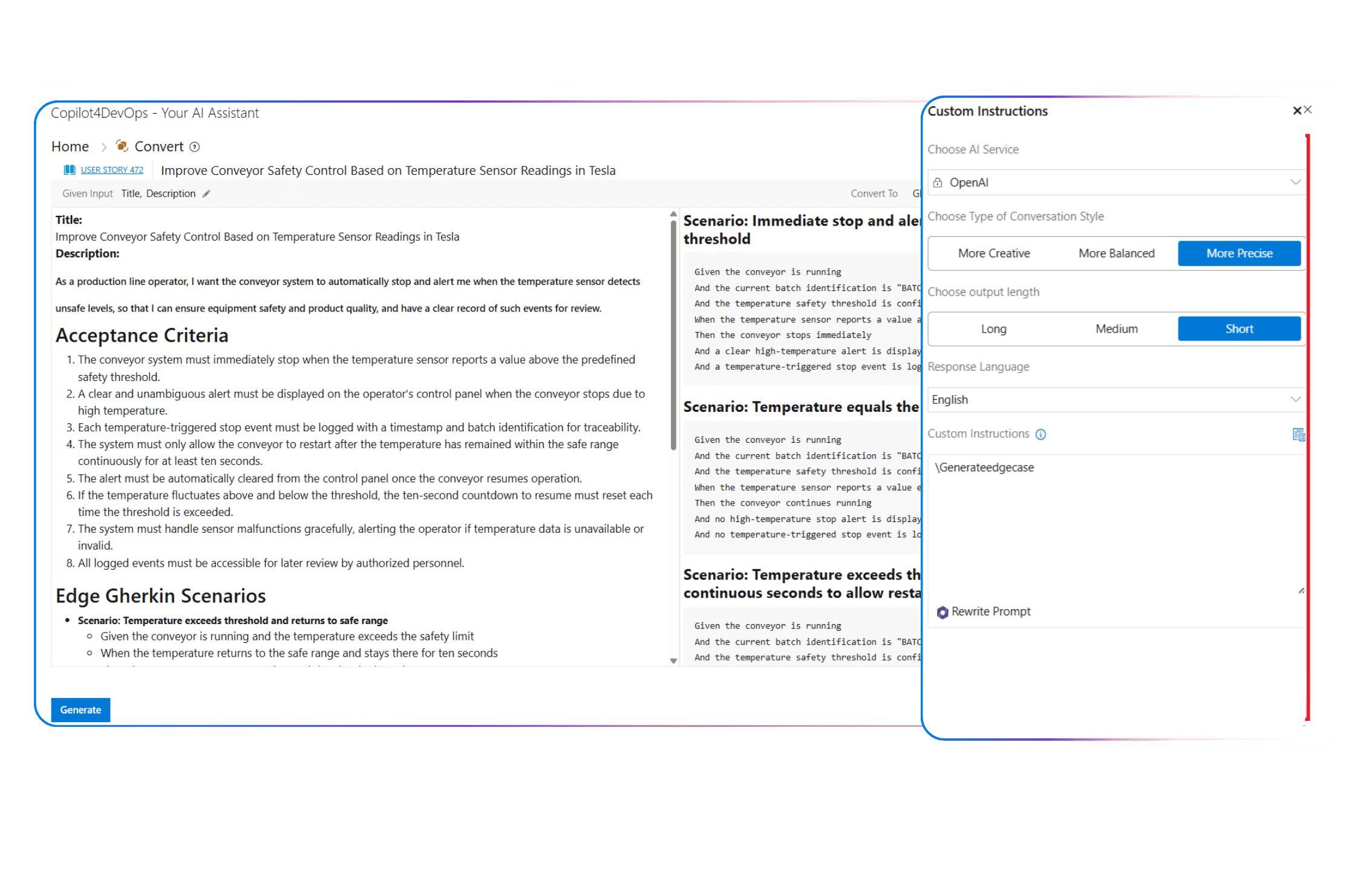
Add to field / Create work item
Want to share the generated response with internal team members?
Insert the generated response directly into the current Azure work item or create a new work item and share it with your team.
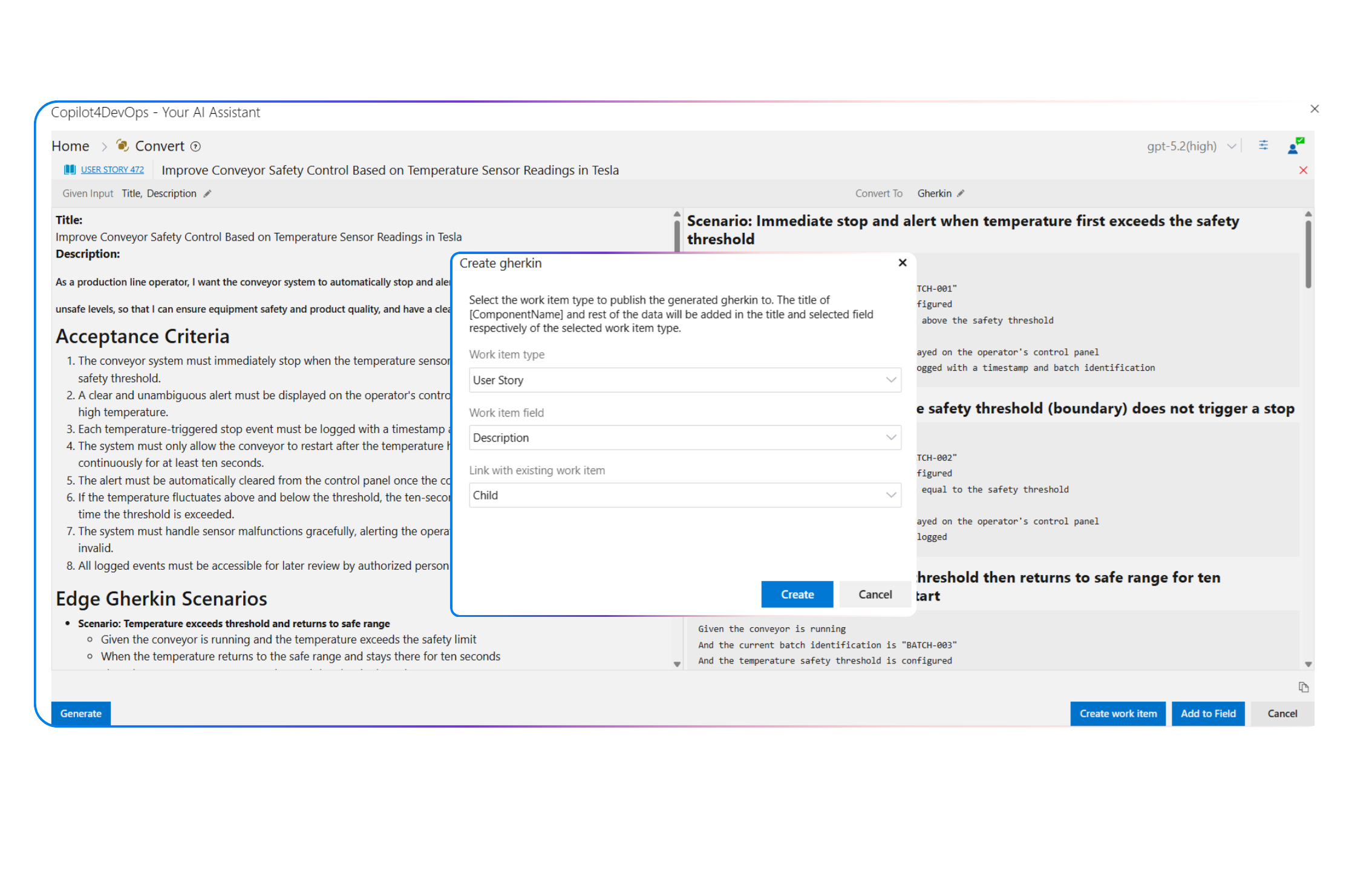
Copy output
Need to insert the generated work item into the external document?
Use the Copy button to copy the response and paste it anywhere in the document to share with team members who don’t have access to your Azure workspace.
Top use cases across different industries
Insurance
- As an Operations Analyst, I use AI Convert to change policy requirements into complete user stories and share them with developers within ADO for implementation.
- As a QA Lead, I turn claim adjudication rules written in work item descriptions into Gherkin scenarios that also contain edge cases and share them with developers.
- As a Claims Systems Engineer, I convert incident descriptions related to fraud detection logic into use cases that clearly define triggers, alternate paths, and postconditions for investigation workflows.
Healthcare
- As a Validation Engineer, I want to convert device behavior requirements into Gherkin scenarios that verify alarm calibration limits and failure states before firmware releases.
- As a Compliance Officer, I convert interpretation notes related to HIPAA privacy rules into user stories to implement access controls in such a way that it meets regulatory expectations.
- As a Product Owner, I draft use cases using AI for risk analysis findings that clearly outline primary and alternate device responses under abnormal operating conditions.
Energy & Utilities
- As a Grid Operations Planner, I want to convert outage response procedures written in Azure work items into user stories.
- As a SCADA Systems Engineer, I want to turn control-system behavior descriptions into use cases that define normal operations, failover conditions, and recovery steps for substations during voltage instability events.
- As a Risk and Reliability Manager, I want to convert reporting requirements aligned with ISO 55001 asset management standards into work items that ensure maintenance systems track asset health correctly over time.
Banking & Finance
- As a Senior Software Developer, I convert requirements notes related to multi-factor authentication into user stories and share them with junior developers within ADO.
- As a Transaction Monitoring Analyst, I use AI to turn suspicious activity descriptions stored in Azure work items into Gherkin scenarios that help in validating unusual transfer patterns.
- As an Internal Audit Manager, I want to convert control requirements aligned with PCI DSS into acceptance scenarios so system changes can be verified against card data handling obligations.
Aerospace & Defence
- As a QA Director, I draft Gherkin scenarios from flight control behavior descriptions to verify system responses under faulty conditions.
- As a Systems Integration Engineer, I convert interface control document notes into use cases that define data exchange between onboard and ground systems.
- As Security Compliance Officer, I use AI for converting system handling requirements tied to ITAR regulations into traceable work items so sensitive technical data remains controlled throughout development and testing.
Service & Technology
- As a Customer Success Manager, I convert customer feedback into user stories, insert them into ADO, and share them with relevant teams.
- As a Platform Reliability Engineer, I use AI to convert payment processing-related requirements into Gherkin scenarios that validate retry logic and failover behavior.
- As a Scrum Master, I generate use cases from the place order condition while developing the Shopify store.
Railways
- As a Signaling Systems Engineer, I want to generate use cases for route control descriptions.
- As a Timetable Planning Manager, I take the help of AI for converting schedule change requests into user stories and pass them to the software management team.
- As a Regulatory Compliance Manager, I use AI within ADO to convert European Railway Agency (ERA) regulations into traceable user stories with acceptance criteria.
Automotive
- As a Product Manager, I use AI to convert driver assistance features into structured user stories with acceptance criteria and share them with the software development team.
- As a Functional Safety Engineer, I convert hazard analysis notes into structured work items that align with the ISO 26262 standard and insert them into the Azure DevOps.
- As a Compliance Validation Specialist, I want to convert regulatory interpretation tied to UNECE vehicle regulations into testable scenarios so that homologation requirements are met without last-minute rework.
Government
- As a BA, I turn policy rollout meeting notes into structured user stories and connect them with related feature work items within Azure DevOps.
- As a Systems Modernization Lead, I want to convert legacy system transition requirements into use cases that define data migration paths and fallback behavior during phased rollouts.
- As an IT Security Officer, I add FedRAMP controls in raw format into ADO and use CP’s Convert feature to create structured user stories from them so cloud-based systems meet federal security expectations.
Key benefits of using AI Chat in Copilot4DevOps
Save time
Cut down 80% of the time spent on manually extracting structured work items from raw requirements.
Reduce misinterpretation
AI takes the context from existing requirements and generates structured work items from them without missing any context. This reduces misinterpretation.
Native to Azure DevOps
It directly works within Azure DevOps. So, teams don’t need to manage data across multiple scattered tools.
Stay consistent
AI follows the same custom instructions provided by your team every time. Hence, it generates consistent output.
Stronger traceability
Generated content can be directly added to the Azure backlog. So, it becomes easy for teams to track work items.
Handle changes faster
When any changes occur in requirements, teams can quickly use AI to generate new user stories. This helps teams adapt to changes faster.
Your Questions are Answered Here
Does Convert change my work item automatically?
No. It generates content first, and if it looks good, you can directly insert that either into an existing work item or create a new work item with a single click and from the same interface.
Can Convert generate more than one type of output from the same text?
Yes, you can generate user stories, use cases, or Gherkin scenarios from the same requirement. However, you need to generate them one by one and can insert them directly into Azure DevOps.
Does Convert keep the original meaning of my requirement?
Yes, we have trained our AI models in such a way that they generate output according to the provided input content. It keeps the original meaning of your requirements intact.
Do I need to write prompts for Convert?
No, you don’t need to write any prompt. You just press the “Generate” button, and AI gives you a structured response.
Can Convert follow my team’s writing guidelines?
In this case, you can use the “Add to field” option instead. It inserts the old content as it is and inserts new content in the selected work item field. So, you can have both versions of content.
Does Convert store my requirement text anywhere outside Azure DevOps?
No, it stores all your requirements within your Azure DevOps workspace. So, all your data is secure.
Can I use Convert to rewrite existing stories or clean up messy work items?
Yes, you can definitely use Convert to format existing user stories. You can even use it to convert epics or features into user stories.
Can Convert follow my team’s writing guidelines?
Yes, you can provide custom instructions to the AI, and it will generate a response according to the preferences of your team.
Does Convert support multiple languages?
Yes, you can set the response language in the custom instructions box. It allows teams to generate responses in 40+ languages.
Can Convert produce Gherkin scenarios with edge cases?
Yes, AI covers all Gherkin scenarios, including edge cases and normal cases. So, teams don’t miss anything.
Can I use Convert for technical specifications, not just business requirements?
Yes, you can even convert technical specs, documents, engineering notes, interface definitions, functional descriptions, and similar material into user stories or use cases.
Turn complex requirements into user stories using an AI
Turn rough requirement text into clear stories or scenarios with AI inside Azure DevOps so your team can focus on the solution development instead of reworking details.
Explore Relevant Features
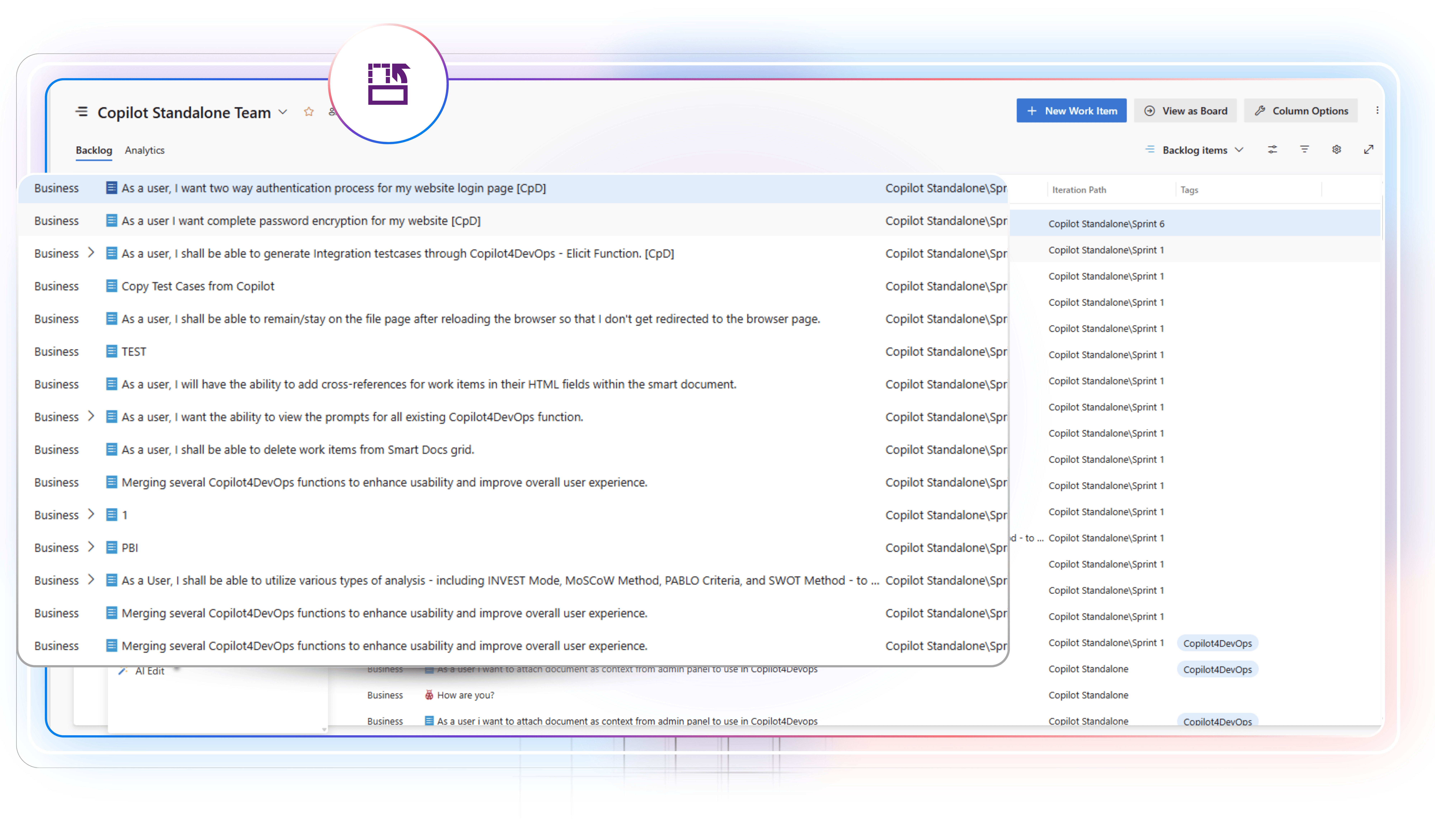
Transform
Translate or rewrite requirements
Use AI to translate existing requirements into the 40+ languages directly within Azure DevOps. Paraphrase requirements to change structure, summarize to get a quick overview, or elaborate to add additional details.

SOP and Document Generator
AI to generate documents from ADO work items
Create well-structured technical documents, SOPs, or PRDs based on ADO work items’ descriptions. Documents can include a TOC, multiple sections and subsections, diagrams, and an interactive UI.
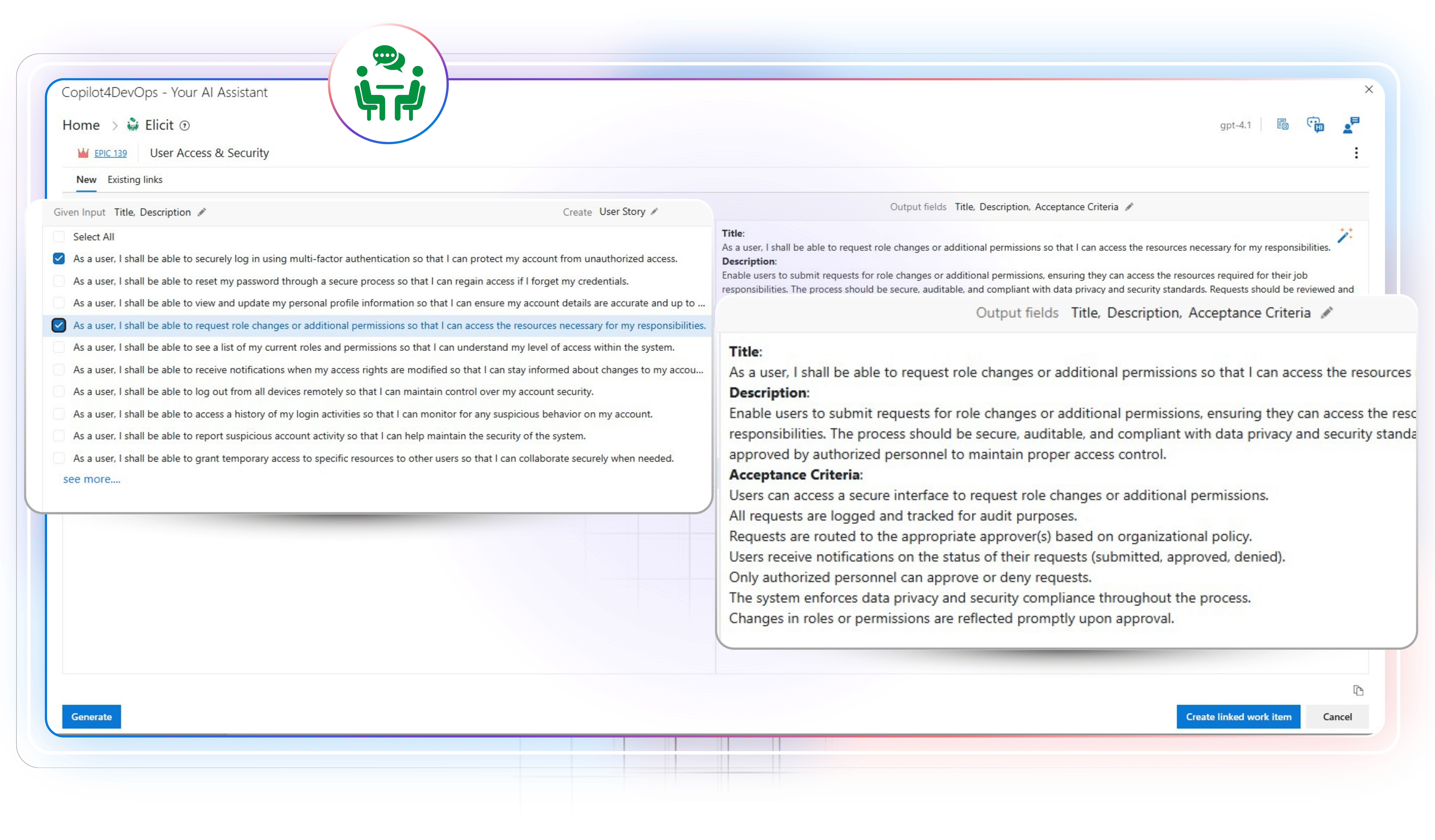
Elicit
Turn raw input into usable requirements
Draft test cases, functional and non-functional requirements, compliance checklists, deployment tasks, user stories, etc., using an AI from raw inputs, meeting notes, or existing requirements, and insert them within Azure DevOps.