





54% of organizations have already started using Generative AI. Have you? If you have, you already know that the output of AI models totally depends on the instructions you provide as input.
AI prompting means giving clear instructions to an AI system (like ChatGPT or Microsoft Copilot) so it produces the output you want. Think of it like the better your prompt, the better the result you get. For example:
- Bad prompt: “Write something about testing.”
- Better prompt: “Write 5 test cases for a login feature with valid and invalid scenarios in Azure DevOps format.”
Here, the second one gives context, structure, and a goal that you can notice.
Furthermore, while working with AI in Azure DevOps, a prompt can generate user stories, test cases, scripts, or even update work items. A weak prompt creates errors, and a clear prompt saves time and avoids rework.
So, AI tools are the same for everyone. The difference comes from how you use them. In DevOps, that difference directly impacts delivery.
Now, let’s understand why AI prompting matters and the best practices teams should follow to get better outputs.
Why Prompting Matters in AI
Prompting controls how AI behaves. Here is what better prompting can get you:
- Improves output quality: When you give a clear prompt to AI models, they give a relevant and accurate answer. On the other hand, vague or incomplete prompts often lead to guesses or incomplete answers.
- Reduces rework: When instructions are specific and to the point, teams spend less time refining the LLM output. This directly lowers the number of efforts required in the daily workflow.
- Enables structured results: AI can return data in a specific format, like a table, list, user story, etc., when asked properly. Without proper prompts, it generates output in a random format.
- Prevents hallucinations: AI systems can generate confident but incorrect answers when prompts lack clarity or context.
- Supports automation: A well-structured prompt with proper context and examples can handle repeat tasks like preparing documents, reports, analysis, or updates with minimal input.
Furthermore, the following real-world case study will help you to understand the importance of prompting in a better way:
In 2023, A lawyer had used ChatGPT for preparing the legal brief. Unfortunately, AI has produced fake case references, and this brief was submitted to the court. Then, it led to legal consequences. This all happened due to bad prompting, and AI was guided with proper validation constraints.
So, prompting plays an important role while using AI tools.
AI Prompting in Azure DevOps (ADO): Why is it Critical
AI prompting within Azure DevOps means using clear instructions to use AI tools like Microsoft Copilot or Copilot4DevOps to generate, update, or analyze work items, deployment scripts, etc. It is not about just asking questions, but providing a proper context of ADO work items to AI and giving specific instructions to get well-structured output.
Teams generally use AI to convert raw requirements into structured user stories with acceptance criteria or backlog creation. QA teams might use AI for test suites, test cases, integration test cases, etc. While generating all of these work items, teams need to output specific constraints that AI should follow.
Even DevOps teams are using AI to generate deployment scripts, YAML pipelines, or API documents. If anything is wrong or instructions are missing in prompts, it can generate wrong deployment scripts, which might crash applications.
So, in Azure DevOps, while using any AI assistants or tools, prompting becomes critical as outputs are directly used in delivery. A weak prompt can create incorrect scripts, incomplete test coverage, or misleading reports.
Clear and structured prompts ensure that outputs are usable, aligned with project standards, and ready to support smooth execution.
Why Generic Prompting Falls Short in DevOps
In Azure DevOps, generic prompts that don’t contain any output constraint, work item context, or compliance instructions that need to be followed don’t give well-structured and actionable output.
For example, a prompt like “write 5 test cases” or “generate a deployment script” doesn’t work here as it doesn’t have any context about what kind of test cases or deployment scripts the user wants AI to generate.
Furthermore, every team follows its own naming rules, formats, organizational standards, compliance, and pre-defined workflows while working in Azure DevOps. Without defining them in a prompt and providing a project context, AI in Azure DevOps doesn’t generate output that can be utilized directly. This always increases rework for teams.
So, you understood the gap in AI prompting and the challenges that teams are facing. If your team is also facing the same challenges, don’t worry; we’ve explained a solution to you in the next section.
Dynamic Prompts: The Next Evolution of Prompting in ADO
Dynamic prompting is a technique to manage and customize prompts for AI models. Instead of writing prompts every time, teams save a base prompt as a template and then reuse it every time, and customize it with context and specific custom instructions.
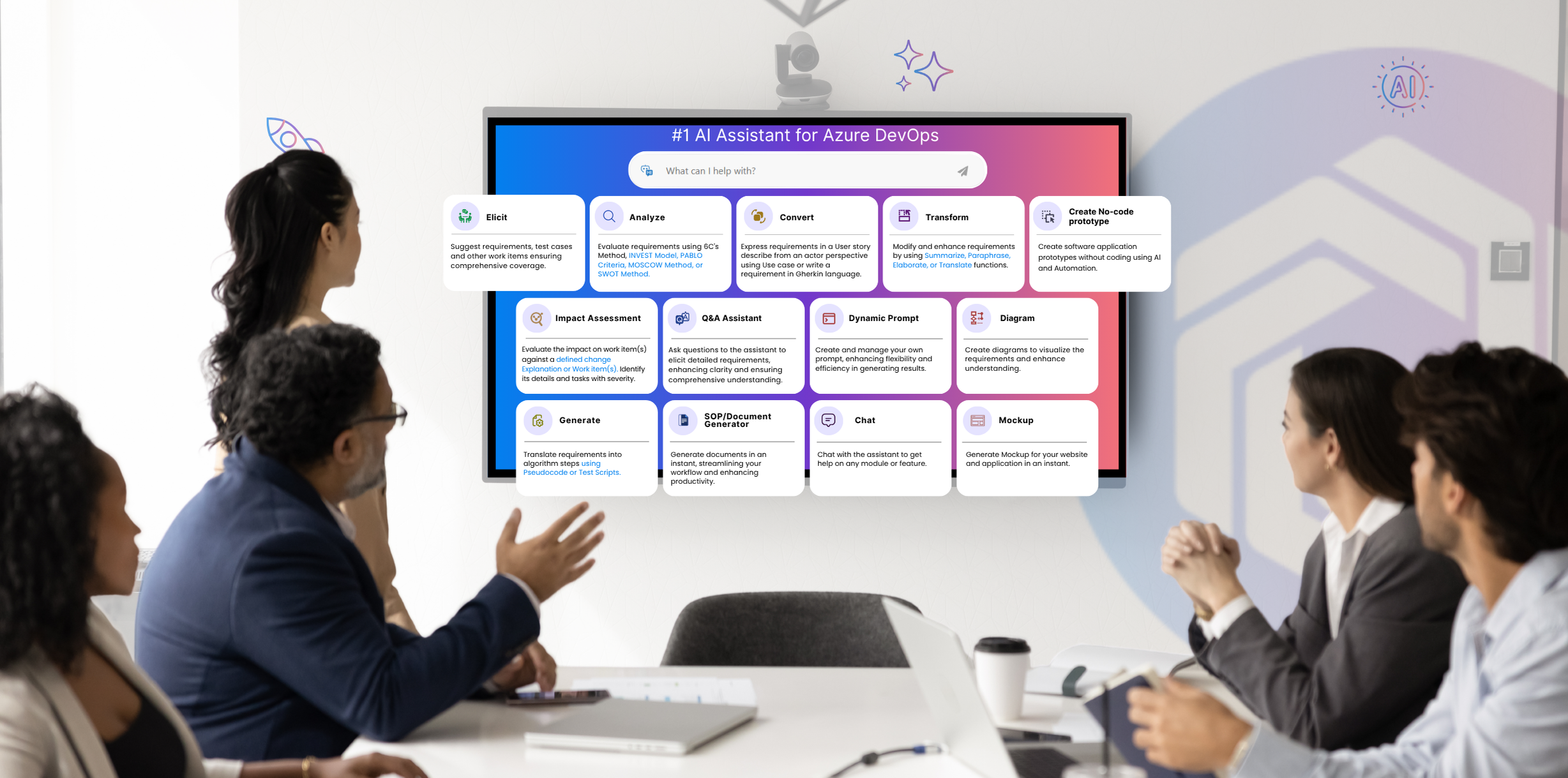
Furthermore, Copilot4DevOps, an AI assistant within Azure DevOps to manage work items and requirements, offers a Dynamic prompt module. With this, teams can write prompts in natural language, provide ADO work items as a context, define output format, and ask AI to perform any action on selected work items.
Key capabilities of the Dynamic prompt module include:
- Provide Azure DevOps work items as a reference directly in the chat.
- Use Queries to provide multiple work items as a context at once.
- Create prompt templates and save them for reusing.
- Add reusable custom instructions to the prompt so that it can follow organizational standards.
- Don’t know how to write prompts? Use AI to rewrite prompts.
- Need output in a specific format like a table, list, report, etc.? Directly specify in the format.
Furthermore, the dynamic prompt module is built for multiple people working in DevOps teams. For example:
- Product teams can write prompts to validate backlog quality.
- QA teams check test coverage against user stories.
- DevOps engineers review release readiness.
- Compliance teams detect gaps against standards like ISO or SOC.
So, Dynamic prompting brings structure, repeatability, and control into DevOps workflows, where generic prompting often falls short.
Start your 15-day free trial of Copilot4DevOps and see Dynamic Prompt within Azure DevOps in action.
Best Practices for Prompting in ADO and Why Dynamic Prompts Matter in DevOps
Follow the best practices below to make your prompt even more effective:
- Use role-based instructions: Always mention the role at the start of the prompt. For example, “Act as a QA engineer having 20 years of experience and check test coverage for the login feature.”
- Provide complete context: While writing a prompt always provide a context about features, work items, or documents if needed. This helps AI generate outputs that match real project needs instead of generic responses.
- Define the expected format: AI can generate output in any format. So, to avoid extra formatting results, always define the output format in the prompt.
- Break down complex requests: Write complex instructions in a structured way and split them into smaller ones. This is called the chain of thought prompting technique.
- Review before applying output: Always validate AI-generated results before using them in pipelines or updating work items to avoid errors.
So, with dynamic prompts, teams can bring real context into AI execution. Also, it helps in generating user stories, test cases, etc., in a consistent format that follows brand guidelines. It also ensures that documentation follows predefined templates and follows compliance standards if the team is working in the regulatory industry.
Try it Yourself
Ready to transform your DevOps with Copilot4DevOps?
Get a free trial today.