



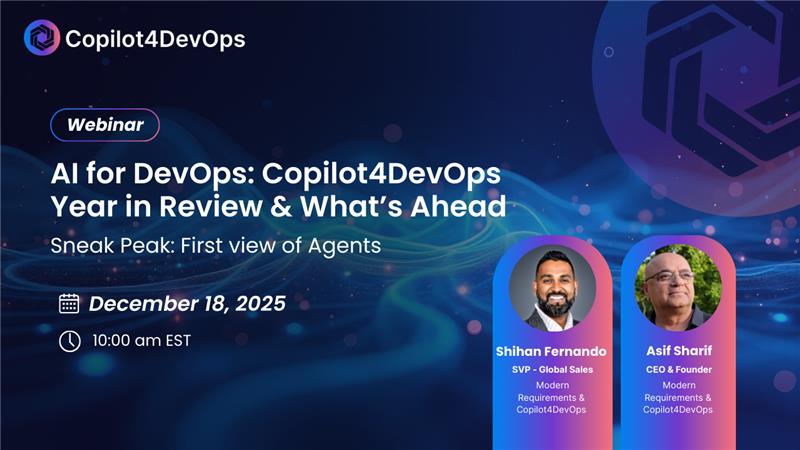
Copilot4DevOps Unwrapped: Year in Review & What’s Ahead

Copilot4DevOps Unwrapped: Year in Review & What’s Ahead

On-demand Webinar Replay

2025 didn’t just add AI into DevOps—it changed what “shipping software” looks like. Across industries, teams faced higher delivery expectations, tighter governance, more complex stacks, and less tolerance for rework. The big shift this year wasn’t simply “using AI.” It was moving from AI as a helper to AI as a multiplier.

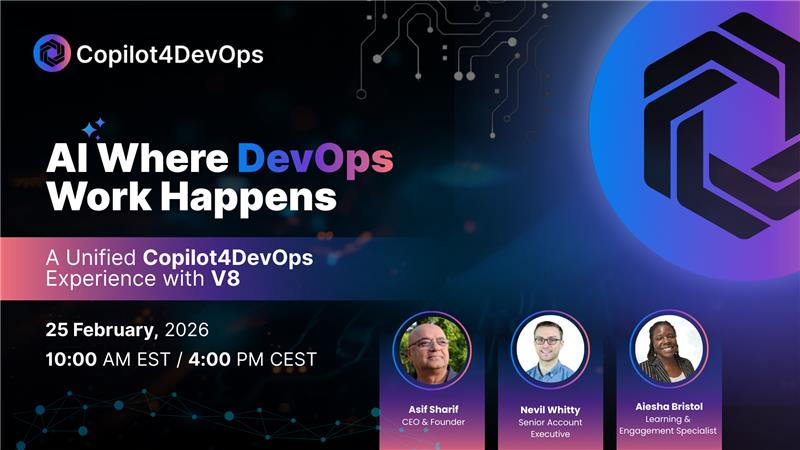
In this on-demand session, Modern Requirements pulls back the curtain on what we delivered in Copilot4DevOps throughout 2025—and what’s coming next in early 2026, including our most important evolution yet: Agent Mode.

Why this session matters

AI adoption in DevOps is real—but it’s still messy for most organizations.

As discussed in the webinar, most teams are either just getting started or experimenting with point tools. The result is often fragmented workflows: one AI tool for requirements, another for tests, another for code, and none of it truly connected to the way work happens day-to-day inside Azure DevOps.

Our focus in 2025 was simple: make AI usable, actionable, and embedded in real DevOps workflows—so teams can move from experimentation to repeatable outcomes.

What we built in 2025: practical AI inside Azure DevOps

Modern Requirements has been building requirements and delivery solutions for 20+ years, and we’ve been a Microsoft partner for over a decade. That domain depth matters, because AI only creates value when it’s applied in the right context, with the right guardrails, in the right workflow.

This year, Copilot4DevOps continued evolving into a click-first AI experience—one that reduces reliance on “perfect prompts” and helps teams get results fast.

Here are some of the highlights covered in the session:

1) A faster, more natural AI experience in the backlog

We introduced a smoother experience that lets teams engage AI directly from the work they’re already doing—selecting a work item, interacting with it, and updating it without jumping between tools or copying content into external chat windows.

This is a major step toward what we believe is the future: zero context switching, where your data stays in Azure DevOps and your AI outputs are generated where work is happening.

2) Better analysis—made visual and easier to act on

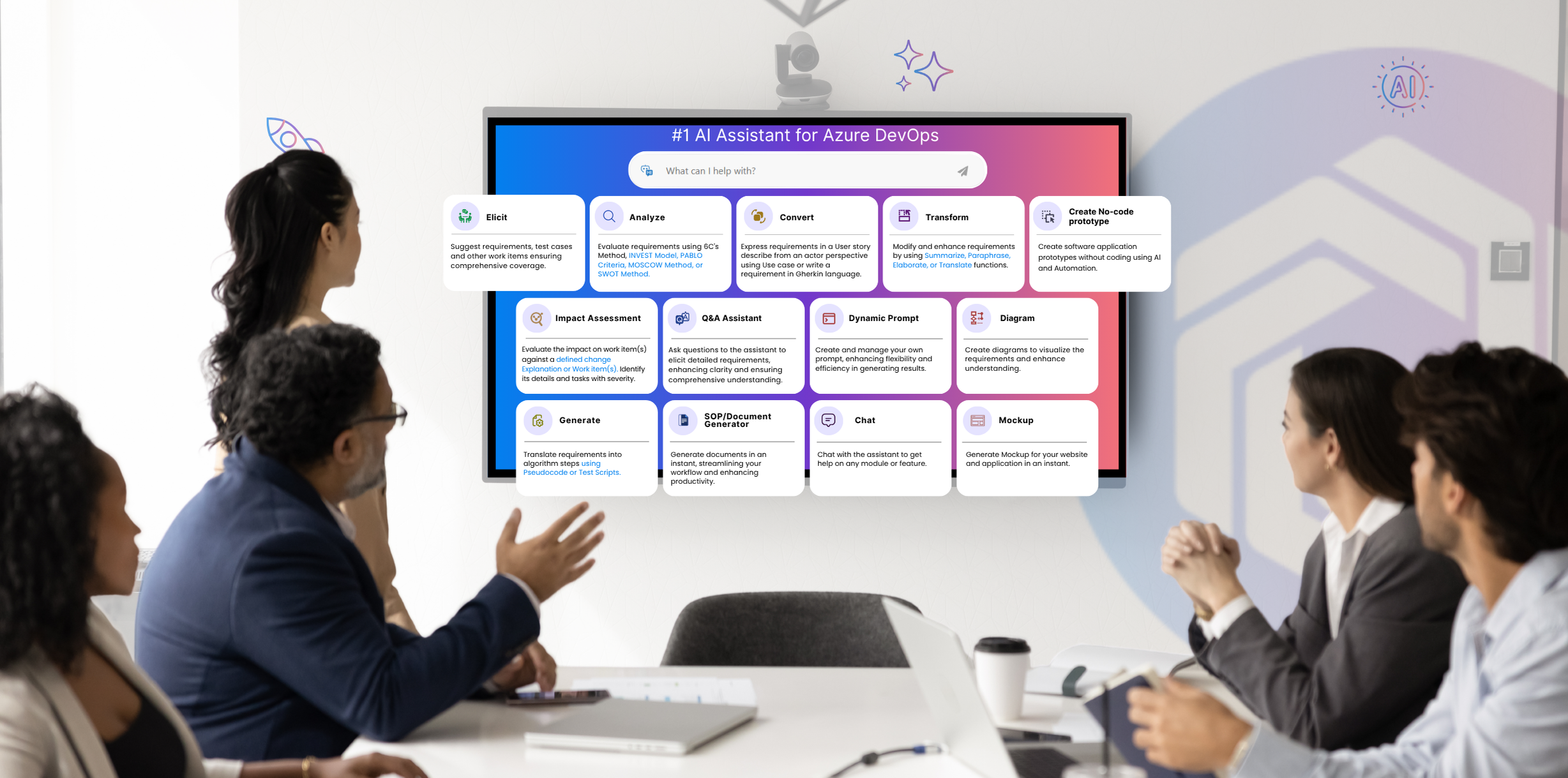
One of the most popular capabilities in Copilot4DevOps is Analyze: a quick way to evaluate requirement quality, identify gaps, and improve clarity.

In 2025, we improved this experience with:

  • A clearer UI and more structured outputs
  • Visual scoring indicators to speed up interpretation
  • A graphical “spider” view to quickly understand strengths and weaknesses
  • A built-in chat panel so you can ask questions and apply improvements directly to the work item

The result is a workflow that replaces slow peer review cycles with immediate, explainable improvement suggestions—without forcing the user to become an AI expert.

3) Standards-based requirement analysis (EARS / INCOSE)

Engineering and regulated teams often need requirements to meet defined standards. This year, we introduced standards-based analysis options, including EARS and INCOSE-aligned evaluations, so teams can review requirements using criteria they already recognize and trust.

4) Smarter artifact iteration: mockups + diagrams with history

Work isn’t linear. You don’t create a mockup or diagram once and call it done. So we improved the authoring experience by adding:

  • Artifact history and iteration tracking
  • More granular editing (edit specific components, not just “regenerate everything”)
  • Better full-screen workflows and navigation

This makes AI feel less like a one-shot generator—and more like a collaborative partner.

5) Test script generation to accelerate automation

Test creation is a consistent bottleneck for delivery teams. Copilot4DevOps can generate test scripts aligned to common frameworks (ex: Selenium, Playwright), giving QA teams a head start and reducing the time from requirements → executable tests.

This is especially valuable for teams trying to increase automated coverage without expanding headcount.

6) Multi-model flexibility for enterprise alignment

Organizations don’t all standardize on the same LLM. In 2025—and continuing into early 2026—we focused on giving customers flexibility so they can align Copilot4DevOps with the models their organization prefers (and evolves over time).

The bigger story: we’re moving toward orchestration

A key question raised during the webinar was:
“We’re experimenting with AI, but it still feels fragmented. Where is this going?”

Our answer: the next leap is orchestration.

You’ll see AI shift from:

  • generating content → to coordinating workflows, validating outcomes, and connecting artifacts across the lifecycle.

That transition is exactly what drives the 2026 direction.

What’s coming in 2026: Agent Mode

The headline for 2026 is Agent Mode—a move from AI that responds to AI that can execute.

In the webinar, Asif explained this shift clearly: AI is not just about doing things faster. It’s about changing the way work is performed—creating better output, with higher quality, in less time, while keeping teams in control.

What is Agent Mode, practically?

Agent Mode is designed to handle longer-running, multi-step DevOps tasks that a traditional chat assistant can’t complete.

That includes workflows like:

  • Creating PBIs and tasks from a high-level objective
  • Generating scaffolding and linking code changes to work items
  • Creating branches, PRs, and supporting review flows
  • Referencing pipelines, logs, and artifacts for debugging
  • Generating release notes and updating documentation in Wiki
  • Maintaining traceability between requirements, code, tests, and documentation

This is where AI evolves from “copilot” to execution partner.

Single-agent vs. multi-agent orchestration

As shared in the session:

  • Single-agent mode is optimized for fast, direct tasks
  • Multi-agent mode is designed for deeper work: planning, delegation, validation, and orchestration across multiple sub-agents and skills

The key concept: the system can create a plan, break work into subtasks, and use specialized agents/skills to complete each part—while still allowing human checkpoints (“pause here and let me review”).

Human-in-the-loop control (yes, you stay in control)

A common concern is governance:

  • Can I review agent work before it commits changes?
  • Can I revert updates?
  • How do we prevent destructive actions?

The answer discussed in the webinar: yes—Agent Mode is built with human-in-the-loop controls, review gates (like PR-based workflows), and defensive handling around destructive changes.

For early access to Agent Mode contact us

Bonus: AI Sync Bridge – Bridging Jira and Azure DevOps

Another capability previewed in the session is the new AI Sync Bridge for migration and synchronization between systems.

For teams using Jira and Azure DevOps in parallel (or moving between them), the AI Sync Bridge supports:

  • AI-assisted mapping at the issue/work item level and field/property level
  • Migration (copy and retain relationship context)
  • Optional sync (unidirectional or bidirectional, configurable)

This is built to reduce the manual pain of moving work across platforms while preserving structure and consistency.

Beyond Copilot: Modern Requirements “Frontier” (Next Gen)

For customers using Modern Requirements, the session also included a preview of what’s next for the core platform: a next-generation release described as faster, more scalable, and modernized—bringing more AI-driven capabilities across the suite.

Who should watch this replay

This session is especially valuable if you are:

  • Exploring how to operationalize AI in DevOps (beyond pilots)
  • Using Azure DevOps and trying to reduce friction across requirements/testing/delivery
  • Managing governance, compliance, or traceability needs
  • Interested in agentic workflows and the next wave of DevOps automation
Popular Webinars

Supercharge your DevOps workflow

Accelerate your development lifecycle with Copilot4DevOps

On-demand Webinar Replay

2025 didn’t just add AI into DevOps—it changed what “shipping software” looks like. Across industries, teams faced higher delivery expectations, tighter governance, more complex stacks, and less tolerance for rework. The big shift this year wasn’t simply “using AI.” It was moving from AI as a helper to AI as a multiplier.

In this on-demand session, Modern Requirements pulls back the curtain on what we delivered in Copilot4DevOps throughout 2025—and what’s coming next in early 2026, including our most important evolution yet: Agent Mode.

Why this session matters

AI adoption in DevOps is real—but it’s still messy for most organizations.

As discussed in the webinar, most teams are either just getting started or experimenting with point tools. The result is often fragmented workflows: one AI tool for requirements, another for tests, another for code, and none of it truly connected to the way work happens day-to-day inside Azure DevOps.

Our focus in 2025 was simple: make AI usable, actionable, and embedded in real DevOps workflows—so teams can move from experimentation to repeatable outcomes.

What we built in 2025: practical AI inside Azure DevOps

Modern Requirements has been building requirements and delivery solutions for 20+ years, and we’ve been a Microsoft partner for over a decade. That domain depth matters, because AI only creates value when it’s applied in the right context, with the right guardrails, in the right workflow.

This year, Copilot4DevOps continued evolving into a click-first AI experience—one that reduces reliance on “perfect prompts” and helps teams get results fast.

Here are some of the highlights covered in the session:

1) A faster, more natural AI experience in the backlog

We introduced a smoother experience that lets teams engage AI directly from the work they’re already doing—selecting a work item, interacting with it, and updating it without jumping between tools or copying content into external chat windows.

This is a major step toward what we believe is the future: zero context switching, where your data stays in Azure DevOps and your AI outputs are generated where work is happening.

2) Better analysis—made visual and easier to act on

One of the most popular capabilities in Copilot4DevOps is Analyze: a quick way to evaluate requirement quality, identify gaps, and improve clarity.

In 2025, we improved this experience with:

  • A clearer UI and more structured outputs
  • Visual scoring indicators to speed up interpretation
  • A graphical “spider” view to quickly understand strengths and weaknesses
  • A built-in chat panel so you can ask questions and apply improvements directly to the work item

The result is a workflow that replaces slow peer review cycles with immediate, explainable improvement suggestions—without forcing the user to become an AI expert.

3) Standards-based requirement analysis (EARS / INCOSE)

Engineering and regulated teams often need requirements to meet defined standards. This year, we introduced standards-based analysis options, including EARS and INCOSE-aligned evaluations, so teams can review requirements using criteria they already recognize and trust.

4) Smarter artifact iteration: mockups + diagrams with history

Work isn’t linear. You don’t create a mockup or diagram once and call it done. So we improved the authoring experience by adding:

  • Artifact history and iteration tracking
  • More granular editing (edit specific components, not just “regenerate everything”)
  • Better full-screen workflows and navigation

This makes AI feel less like a one-shot generator—and more like a collaborative partner.

5) Test script generation to accelerate automation

Test creation is a consistent bottleneck for delivery teams. Copilot4DevOps can generate test scripts aligned to common frameworks (ex: Selenium, Playwright), giving QA teams a head start and reducing the time from requirements → executable tests.

This is especially valuable for teams trying to increase automated coverage without expanding headcount.

6) Multi-model flexibility for enterprise alignment

Organizations don’t all standardize on the same LLM. In 2025—and continuing into early 2026—we focused on giving customers flexibility so they can align Copilot4DevOps with the models their organization prefers (and evolves over time).

The bigger story: we’re moving toward orchestration

A key question raised during the webinar was:
“We’re experimenting with AI, but it still feels fragmented. Where is this going?”

Our answer: the next leap is orchestration.

You’ll see AI shift from:

  • generating content → to coordinating workflows, validating outcomes, and connecting artifacts across the lifecycle.

That transition is exactly what drives the 2026 direction.

What’s coming in 2026: Agent Mode

The headline for 2026 is Agent Mode—a move from AI that responds to AI that can execute.

In the webinar, Asif explained this shift clearly: AI is not just about doing things faster. It’s about changing the way work is performed—creating better output, with higher quality, in less time, while keeping teams in control.

What is Agent Mode, practically?

Agent Mode is designed to handle longer-running, multi-step DevOps tasks that a traditional chat assistant can’t complete.

That includes workflows like:

  • Creating PBIs and tasks from a high-level objective
  • Generating scaffolding and linking code changes to work items
  • Creating branches, PRs, and supporting review flows
  • Referencing pipelines, logs, and artifacts for debugging
  • Generating release notes and updating documentation in Wiki
  • Maintaining traceability between requirements, code, tests, and documentation

This is where AI evolves from “copilot” to execution partner.

Single-agent vs. multi-agent orchestration

As shared in the session:

  • Single-agent mode is optimized for fast, direct tasks
  • Multi-agent mode is designed for deeper work: planning, delegation, validation, and orchestration across multiple sub-agents and skills

The key concept: the system can create a plan, break work into subtasks, and use specialized agents/skills to complete each part—while still allowing human checkpoints (“pause here and let me review”).

Human-in-the-loop control (yes, you stay in control)

A common concern is governance:

  • Can I review agent work before it commits changes?
  • Can I revert updates?
  • How do we prevent destructive actions?

The answer discussed in the webinar: yes—Agent Mode is built with human-in-the-loop controls, review gates (like PR-based workflows), and defensive handling around destructive changes.

For early access to Agent Mode contact us

Bonus: AI Sync Bridge – Bridging Jira and Azure DevOps

Another capability previewed in the session is the new AI Sync Bridge for migration and synchronization between systems.

For teams using Jira and Azure DevOps in parallel (or moving between them), the AI Sync Bridge supports:

  • AI-assisted mapping at the issue/work item level and field/property level
  • Migration (copy and retain relationship context)
  • Optional sync (unidirectional or bidirectional, configurable)

This is built to reduce the manual pain of moving work across platforms while preserving structure and consistency.

Beyond Copilot: Modern Requirements “Frontier” (Next Gen)

For customers using Modern Requirements, the session also included a preview of what’s next for the core platform: a next-generation release described as faster, more scalable, and modernized—bringing more AI-driven capabilities across the suite.

Who should watch this replay

This session is especially valuable if you are:

  • Exploring how to operationalize AI in DevOps (beyond pilots)
  • Using Azure DevOps and trying to reduce friction across requirements/testing/delivery
  • Managing governance, compliance, or traceability needs
  • Interested in agentic workflows and the next wave of DevOps automation