




















Elicit

AI-Powered Requirements Gathering Inside Azure DevOps

Use AI to capture complete, high-quality requirements in minutes — automatically transform notes, documents, and existing work items into ready-to-use user stories and test cases.

Trusted by the world’s leading businesses

Requirements elicitation was broken. We fixed it.

The old way

The new way with Elicit

A closer look at Elicit

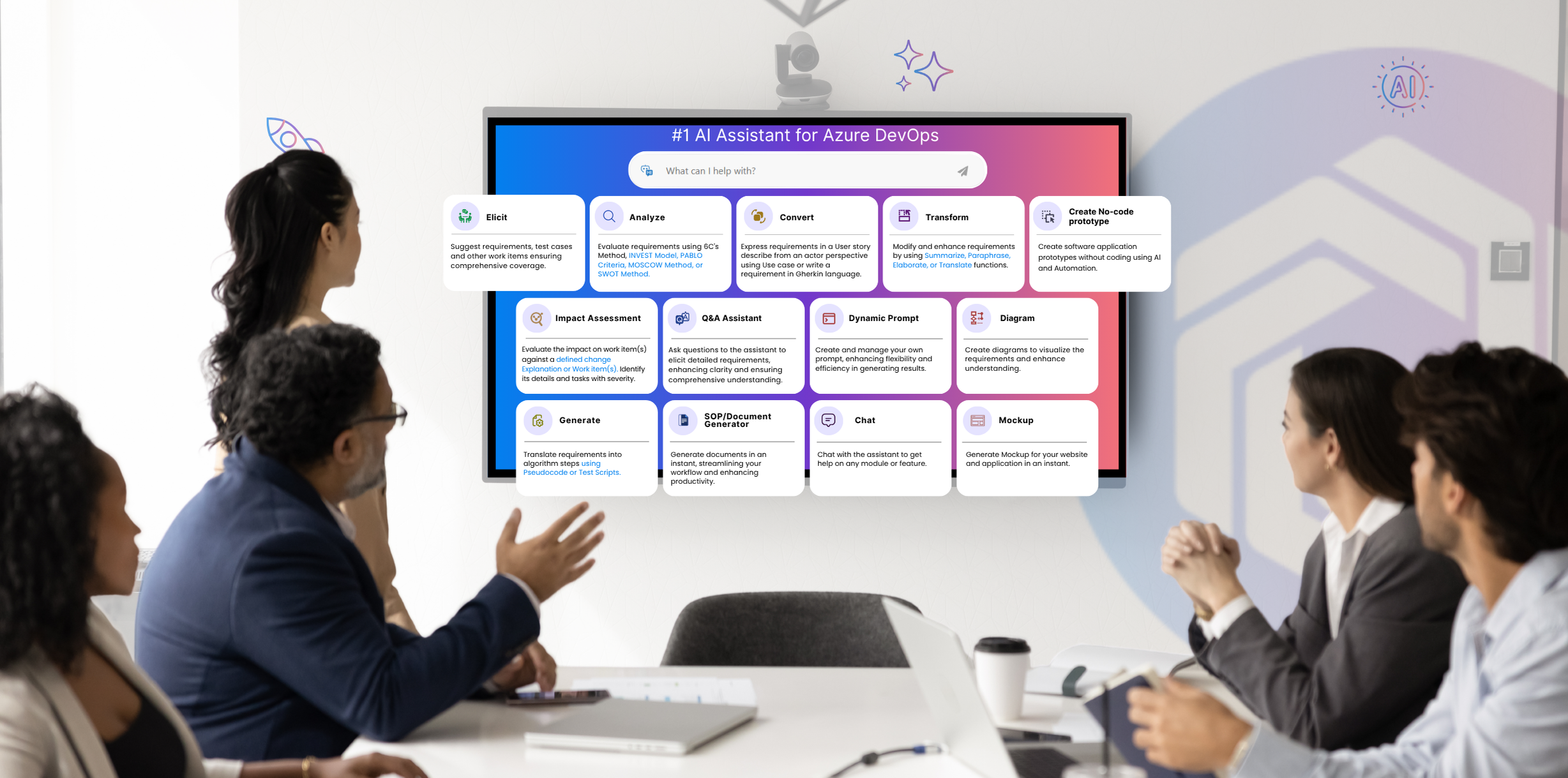
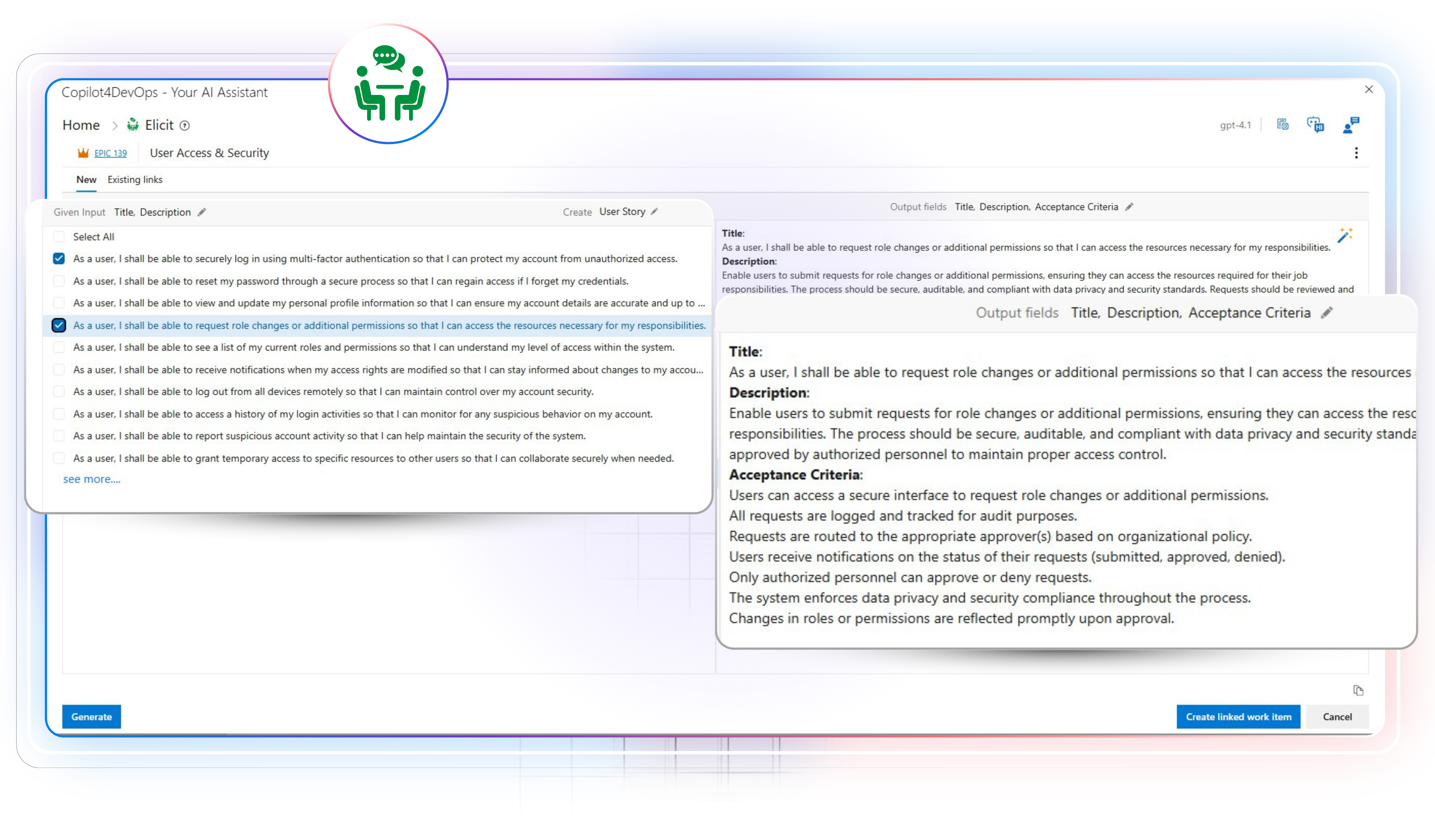
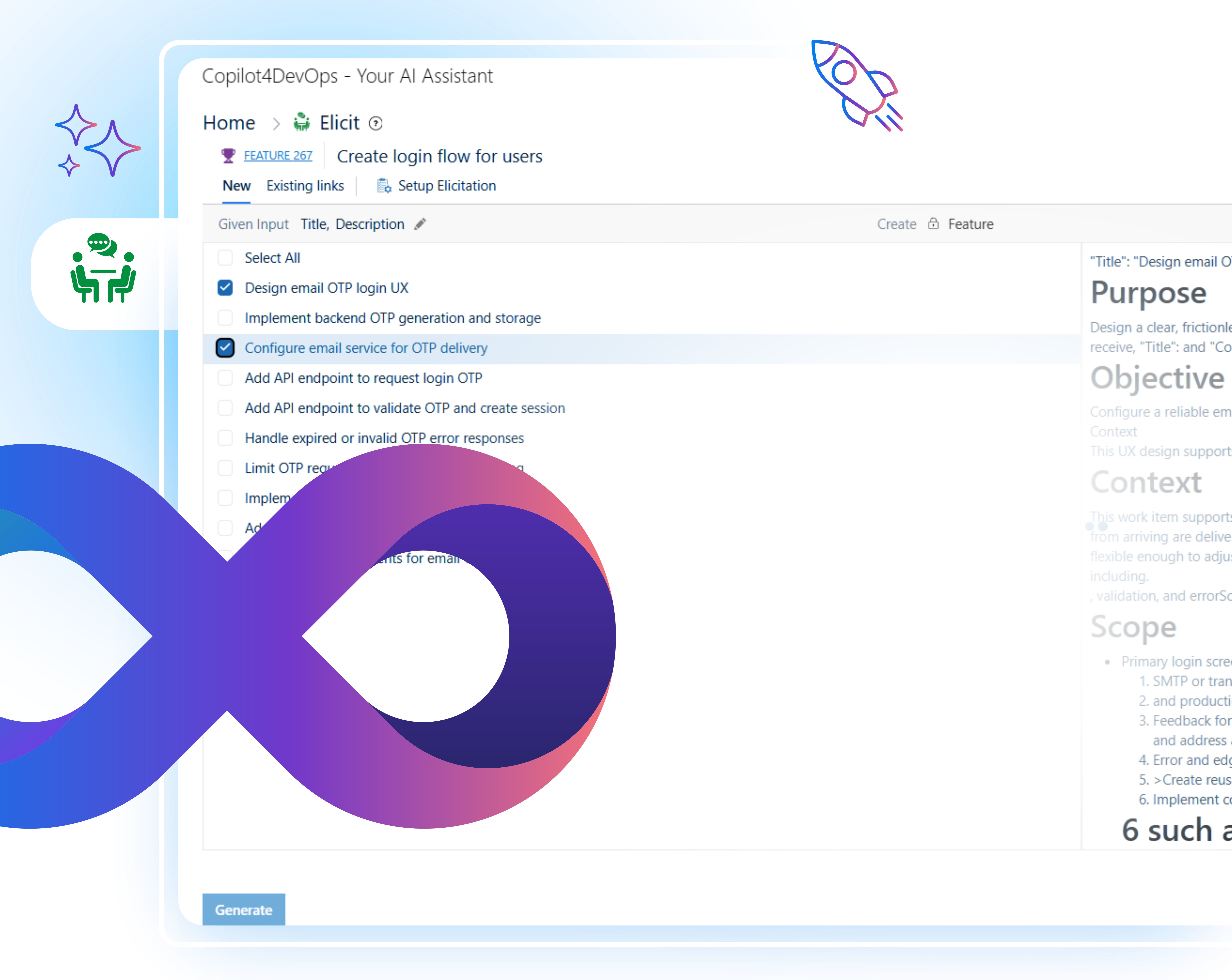
The Elicit feature of Copilot4DevOps is designed to support teams during the planning and requirements stage of product development. It helps teams quickly prepare requirements from meeting summaries, notes, or related reference documents using an AI. 

Across industries, from software and finance to healthcare and automotive, Elicit adapts to the language and structure each domain requires. It can draft compliance requirements, build safety test scenarios, or outline business features with the same precision and add them directly within Azure DevOps. The result is a clear, connected backlog that shortens planning cycles. 

Role-based view

Here is how different job roles are using the Convert module within Azure DevOps

Product Owner

Refine work items directly within Azure DevOps during sprint planning and backlog grooming without wasting hours. 

Developer

Automatically write user stories with acceptance criteria from high-level Azure work items, such as epics and features.

Business Analyst

Draft requirements within Azure DevOps using AI, from meeting summaries, feedback emails, to specification documents, without starting from scratch. 

DevOps Engineers

Create testing and deployment-related tasks to implement the DevOps pipeline. 

Scrum Masters

Simplify backlog refinement sessions with structured, AI-assisted work items that align team discussions and sprint goals.

QA Engineer

Develop test suites, test plans, and test cases directly from user stories. It helps in covering edge cases and improving coverage. 

UX Designers

Generate subtasks from high-level requirements and given context for preparing the UI/UX of the product. 

Project Manager

Write down feedback requests and responses, or create a code review request and attach it to Azure work items.

Compliance or QA Leads

Automatically create compliance requirements (without missing any) based on various regulatory standards. This helps ensure products meet regulatory standards. 

Core capabilities

Core capabilities of the Elict Module at a glance

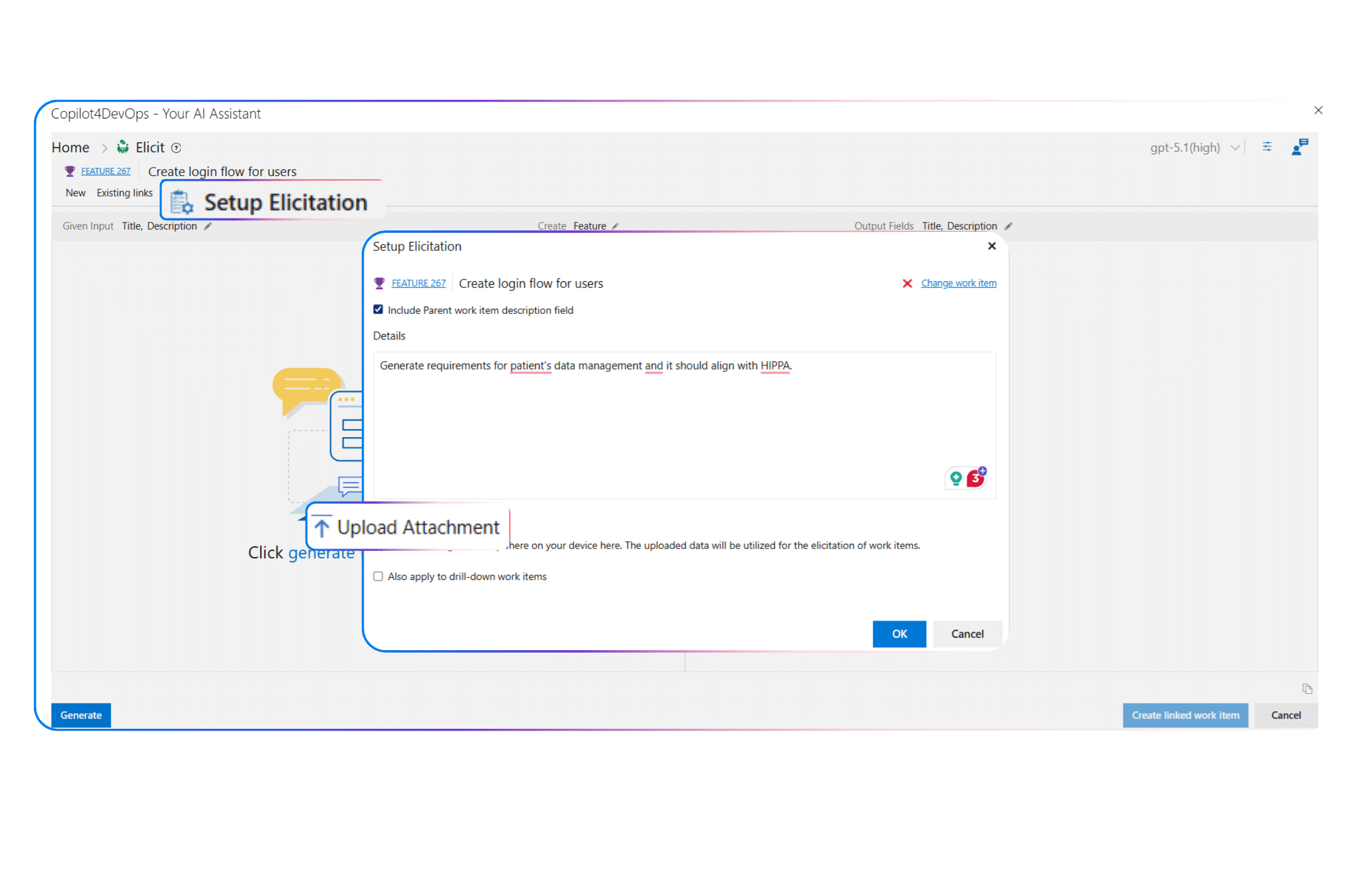
Setup Elicitation

Have documents or raw notes to start from?

Upload multiple types of files, including images, meeting notes, PDFs, documents, etc., to provide context to AI and draft requirements based on the uploaded material’s content.

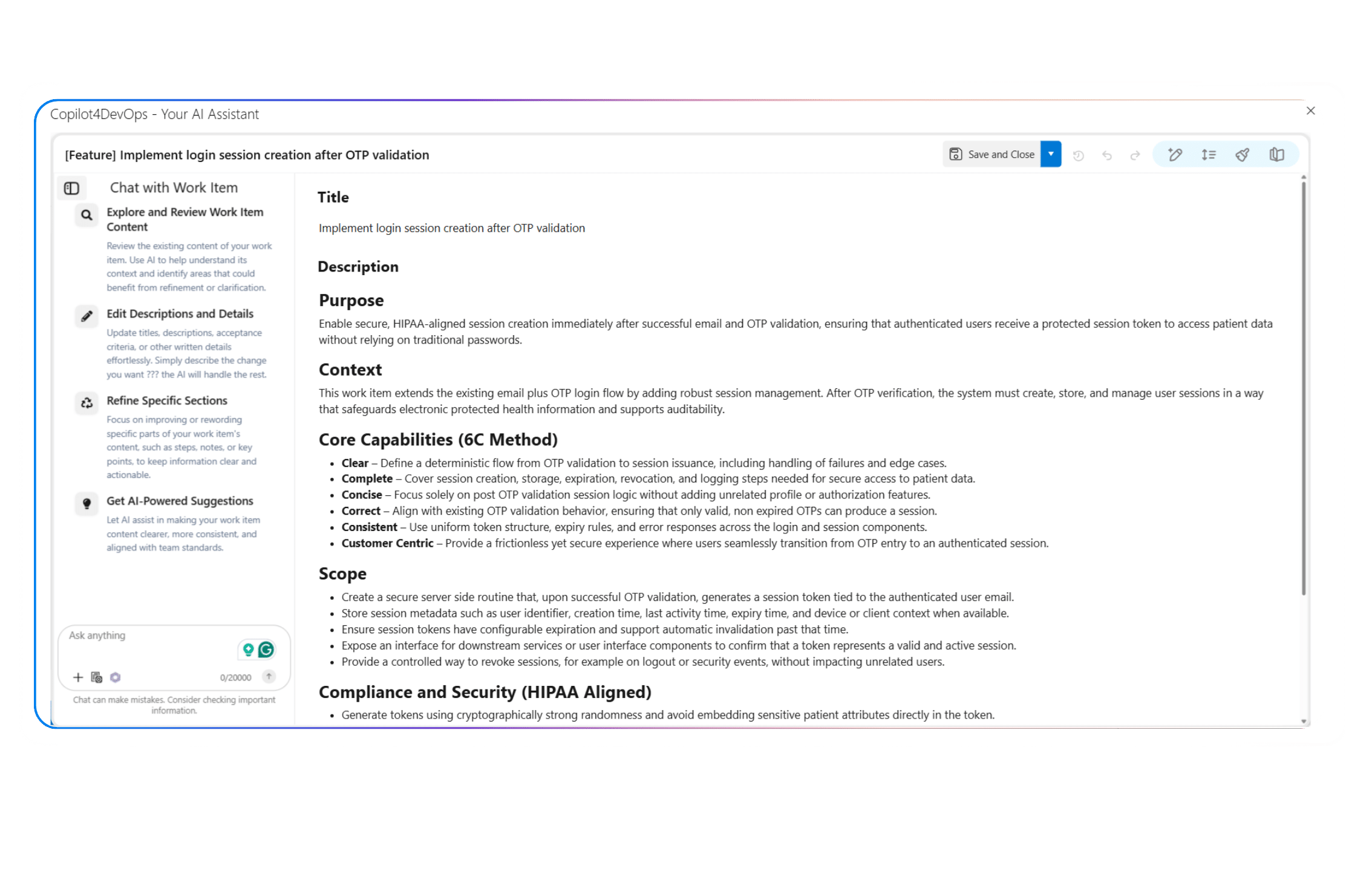
AI-Assisted Editing

Want to refine already generated requirements using AI? 

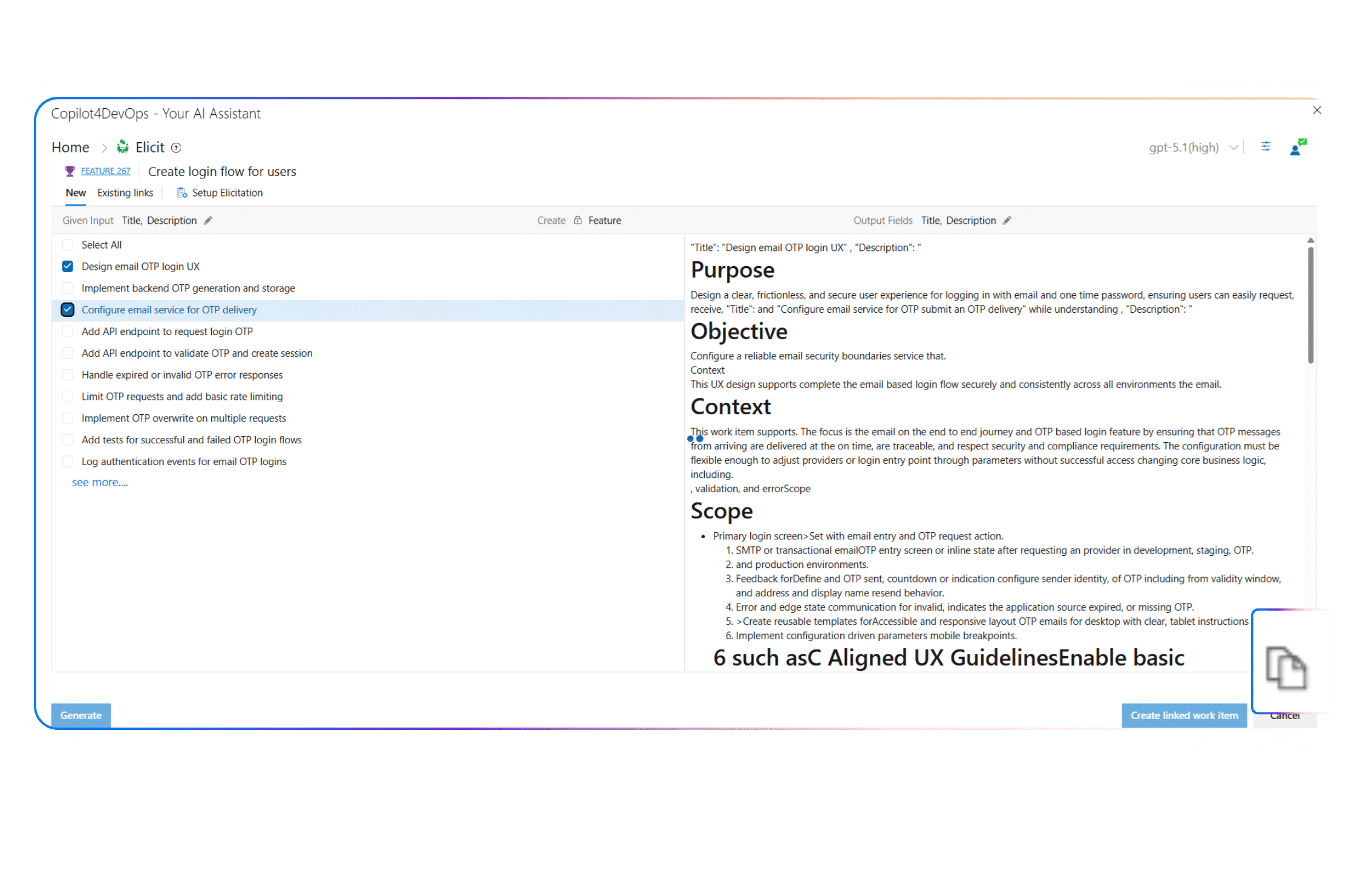
Utilize the AI Edit function to improve grammar errors, simplify requirements descriptions, and change the length of work items. You can also edit work items by providing natural language instructions to AI. 

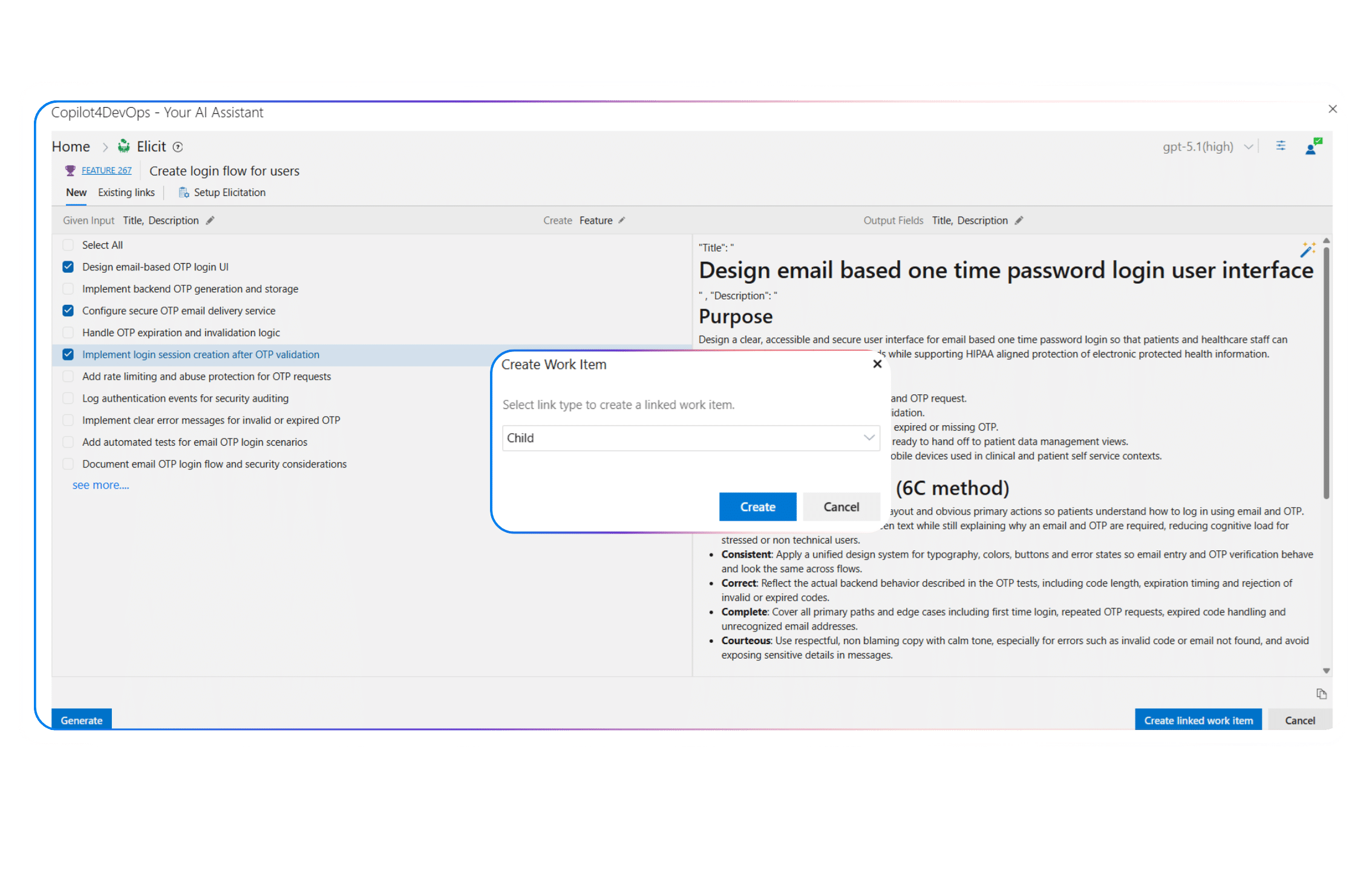
Create Linked Work Items

Want to insert generated work items into the ADO workspace?

Create work items directly from Elicit with predefined relationships. Stories, tests, and tasks are linked at creation, preserving hierarchy and context without extra configuration. 

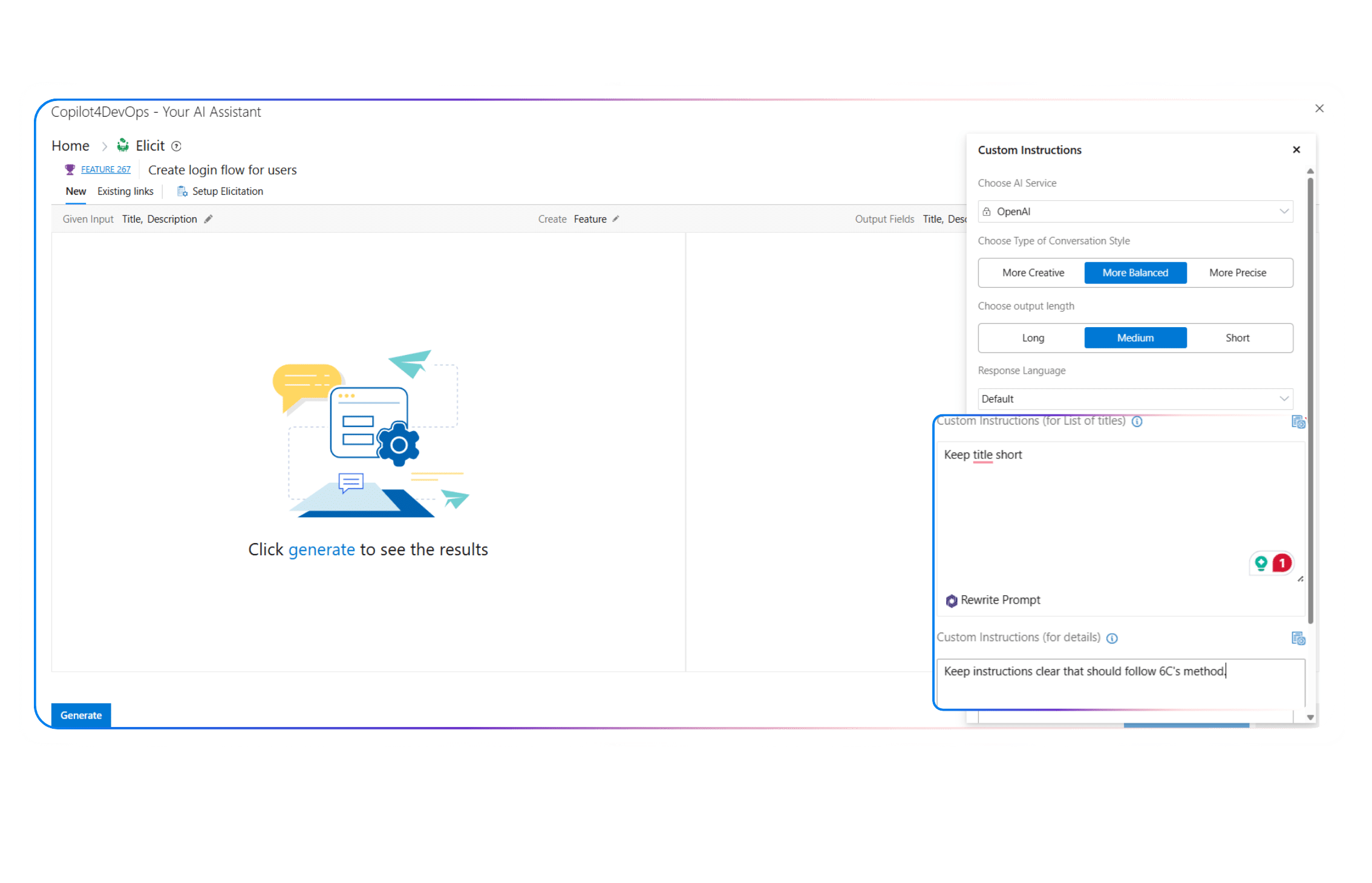
Custom Instructions

Need to generate requirements based on your organization’s guidelines?

Insert custom instructions to follow internal formats, naming rules, or writing style. Save reusable instructions as a text block to keep stories, tests, and tasks consistent across teams, projects, and releases. 

One-Click Copy

Need to share the generated work item?

Use the copy button and share with external team members for a formal review or discussions. 

Key Benefits

Key benefits of using AI Elicit within Copilot4DevOps

Faster Start to Every Project

Azure DevOps teams can start a project without spending hours on requirements preparation.

No Detail Left Behind

As Elicit uses AI to suggest and write edge cases, teams don’t miss any important requirements.

Improved Accuracy

AI makes fewer mistakes than humans do, which improves the overall accuracy and quality of work items within Azure DevOps.

Built for Real Workflows

Generate work items directly within Azure DevOps and link them with existing work items.

Consistent, Reusable Output

When every team member uses the exact same rules and custom instructions to generate work items, AI produces consistent output. This keeps the work item format uniform across teams and projects.

Seamless Collaboration

Everyone, from business analysts and project managers to developers and testers, can use Elicit to write different types of work items and create a single connected backlog.

Top use cases in different industries

Results teams see with Elicit

1 %
Faster Backlog Preparation
1 %
Fewer Missing Requirements
1 %
Alignment Between Stories and Tests
FAQ

Your Questions are Answered Here

Does Elicit work inside Azure DevOps or as a separate tool?

Elicit is a key feature of Copilot4DevOps, and it directly works within Azure DevOps. The best part is that you can directly open it from any existing work item.

You can either pass existing work items as a reference or any kind of document, including PDFs, Word, image files, etc. Elicit reads the text content and generates structured work items based on it.

Yes, it allows teams to pass custom instructions and rules while generating the work items. When you use the same rules, it always generates the work item content in a consistent tone and format.

Once you generate the work items using the Elicit feature, the “Create Linked Work Item” option allows you to choose the relationship type between newly generated work items and existing work items and add them to the Azure DevOps.

Yes, it does. You can generate industry-specific compliance requirements using the Elicit feature. It ensures that any important requirements are not missed.

Yes, once you generate the content of work items, you can use the “AI Edit” feature to edit newly generated work items by providing natural language instructions.

No, it doesn’t. Copilot4DevOps is SOC Type II certified, and it gives a guarantee that it doesn’t use any of your data. Also, all your data stays within your Azure DevOps environment, and Copilot4DevOps doesn’t store any.

In such cases, team members can reopen the same work item and regenerate or refine the stories and test cases to match the updated details.

Yes, Elicit also suggests edge cases. So, you don’t miss anything.

See How Elicit Transforms the Way You Build Requirements

Utilize AI to turn scattered notes and documents into clear, connected work items, all within Azure DevOps. 

Want to Learn More?

Explore Relevant Features