

Tutorials and webinars to know more about our features

Calculate the ROI of Copilot4DevOps

Clear, easy-to-understand information about our product

Stay on top of trends related to AI and DevOps

Tutorials and webinars to know more about our features

Calculate the ROI of Copilot4DevOps

Clear, easy-to-understand information about our product

Stay on top of trends related to AI and DevOps
Use AI to generate pseudocode and test scripts directly from Azure DevOps work items to move faster without leaving your workspace.
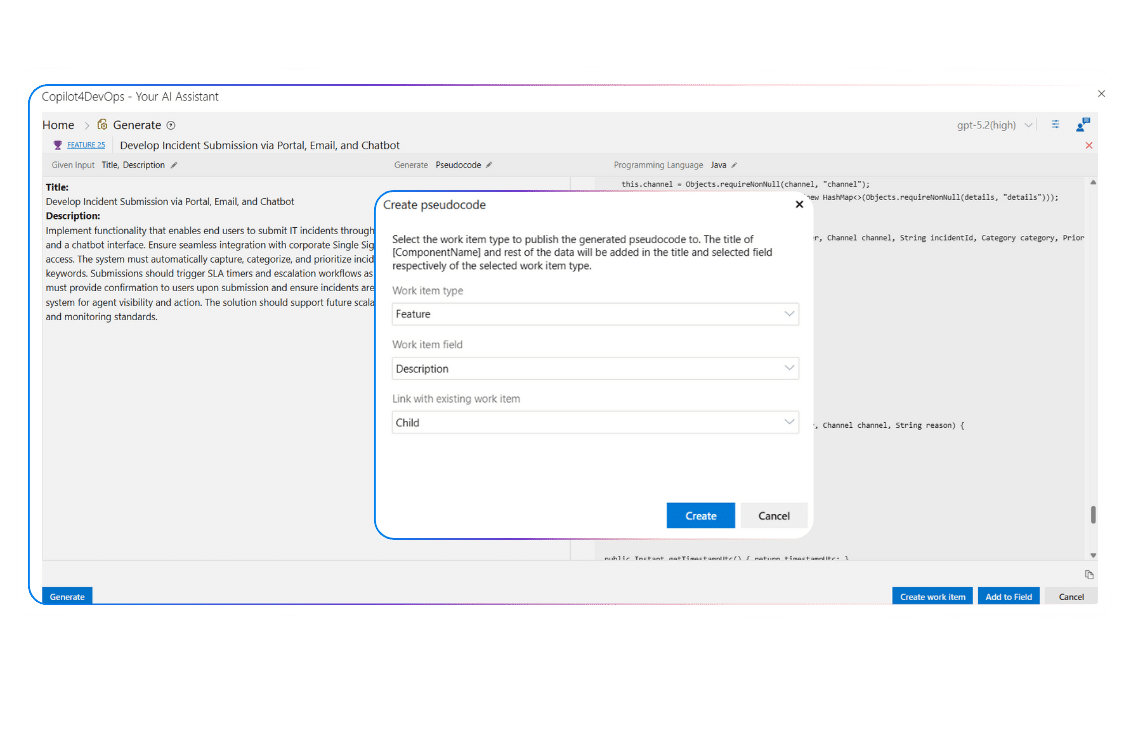
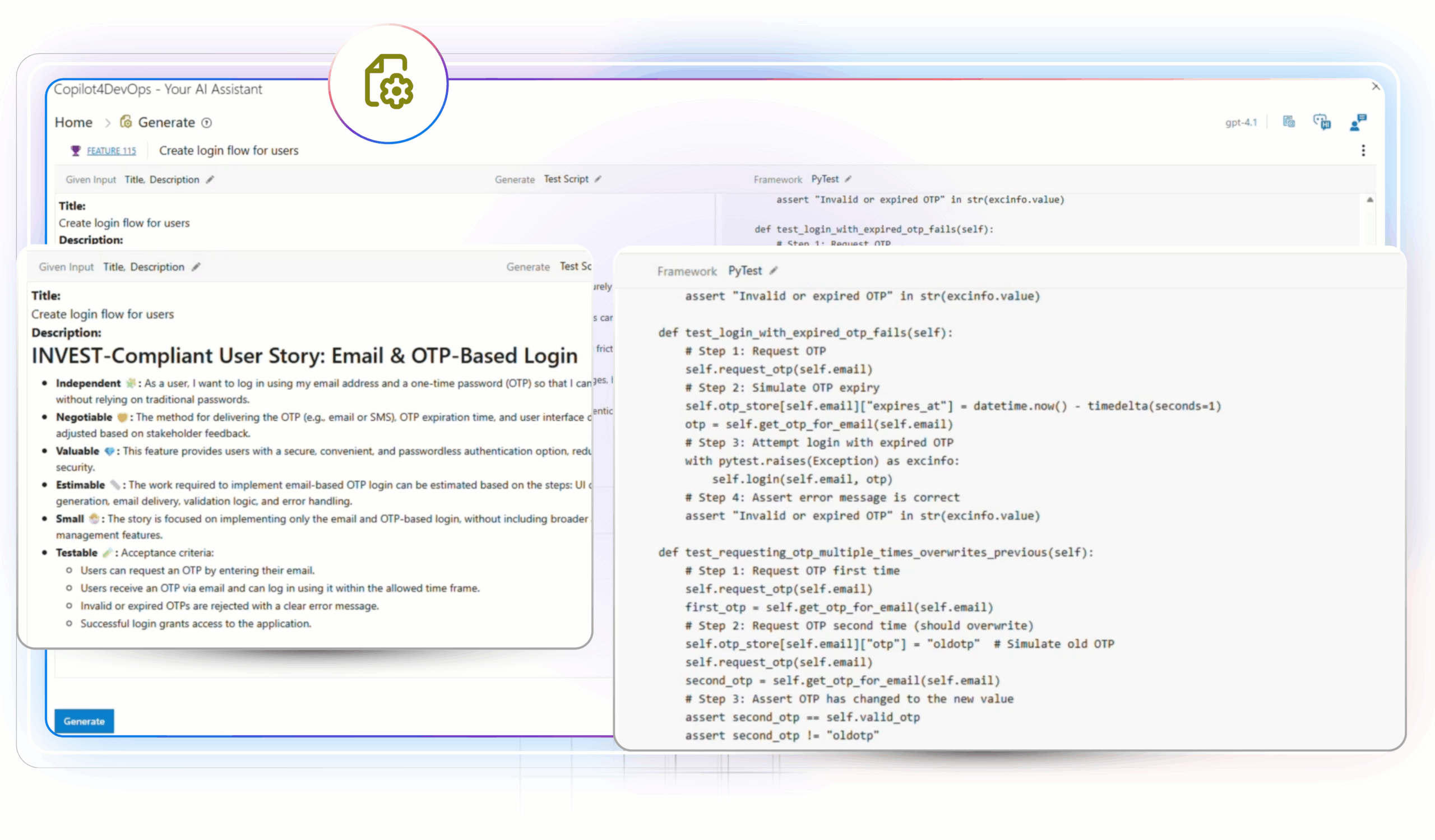
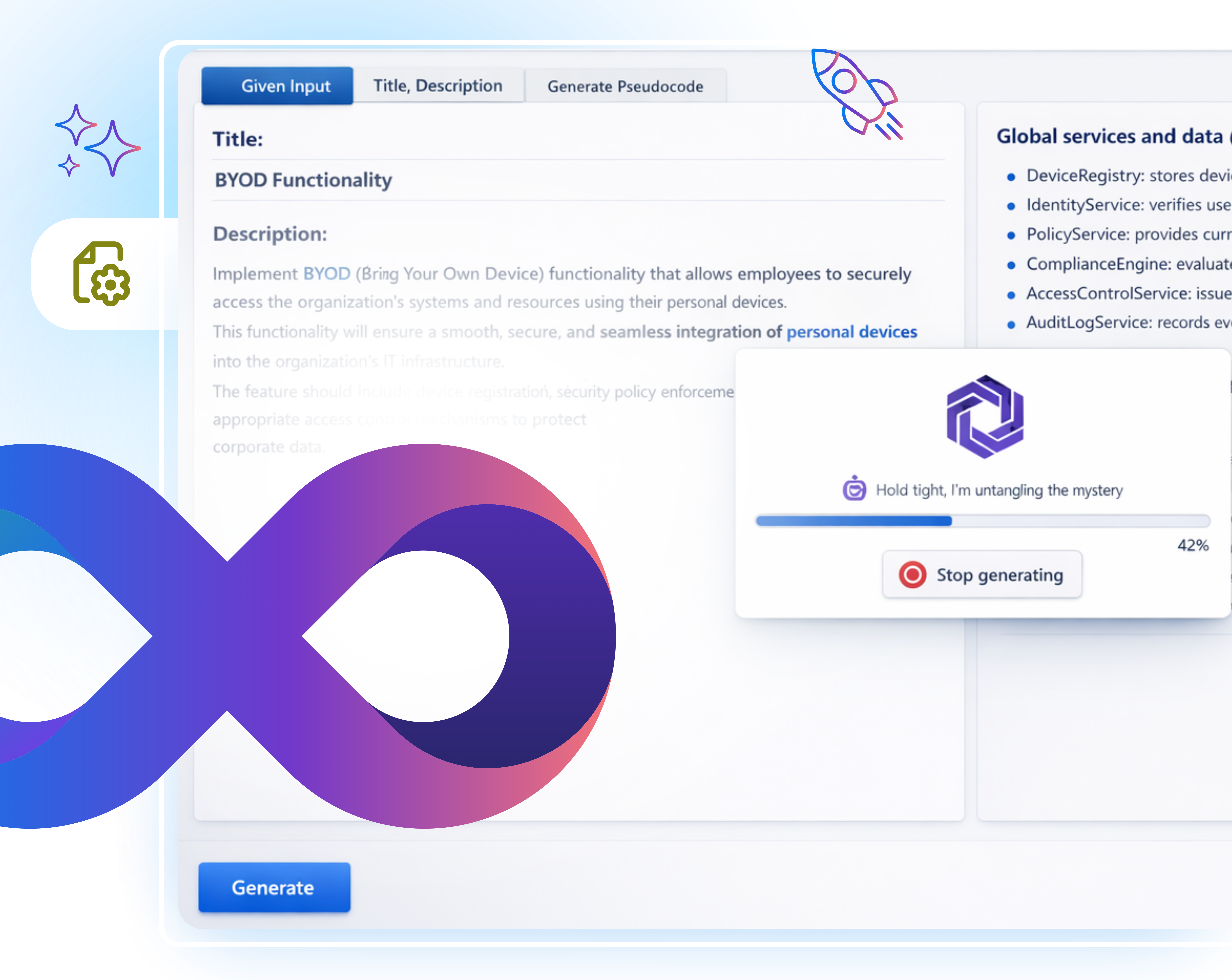
The Generate feature in Copilot4DevOps harnesses AI to transform Azure DevOps work items into executable code artifacts. From a plain-language user story or requirement, it can automatically produce pseudocode in multiple programming languages or automated test scripts without manual effort.
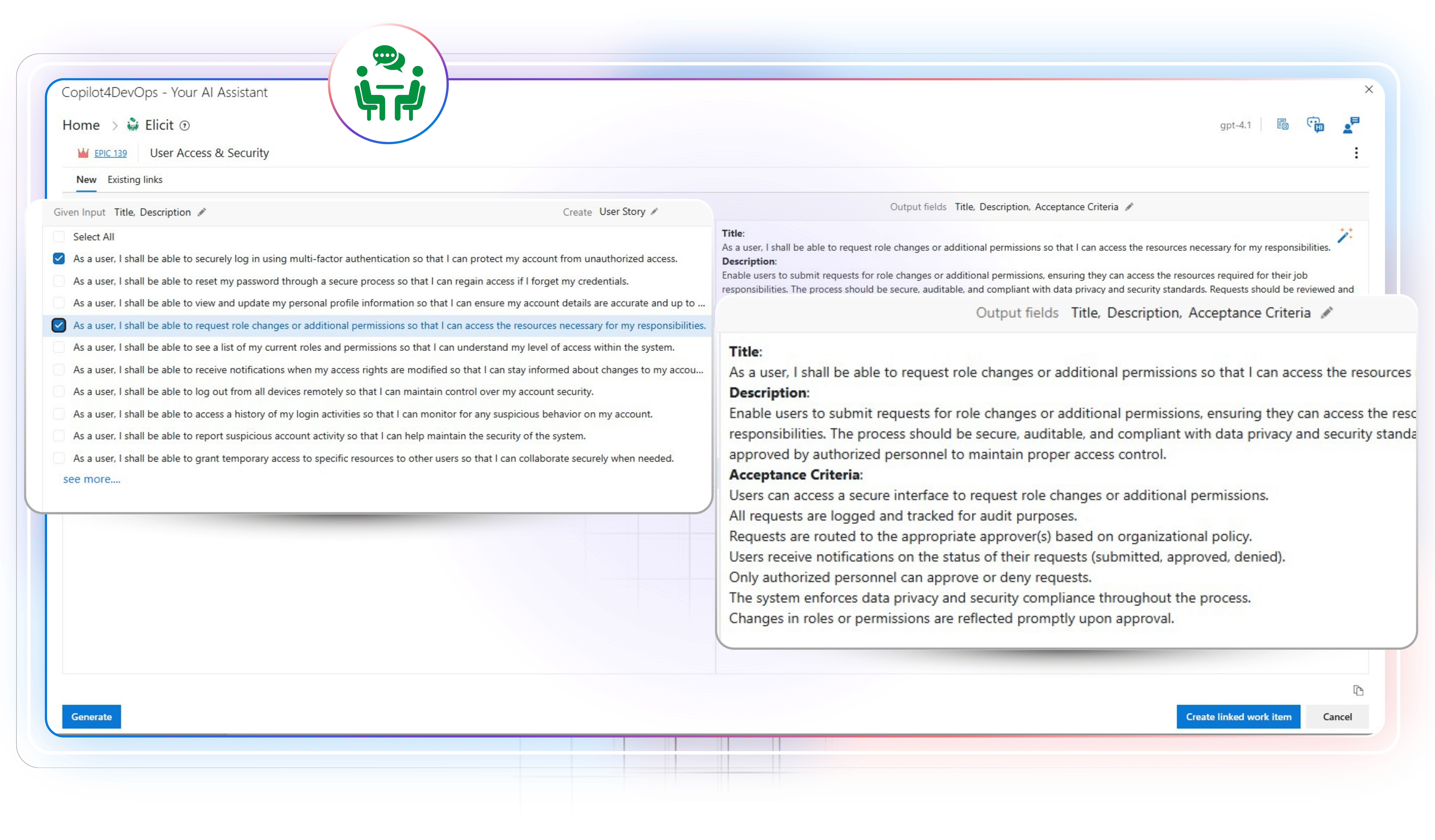
Use Generate to write pseudocode or boilerplate code in the required programming language, such as Python, C#, JavaScript, React, etc., based on existing Azure work items. With this, developers don’t need to start from scratch.
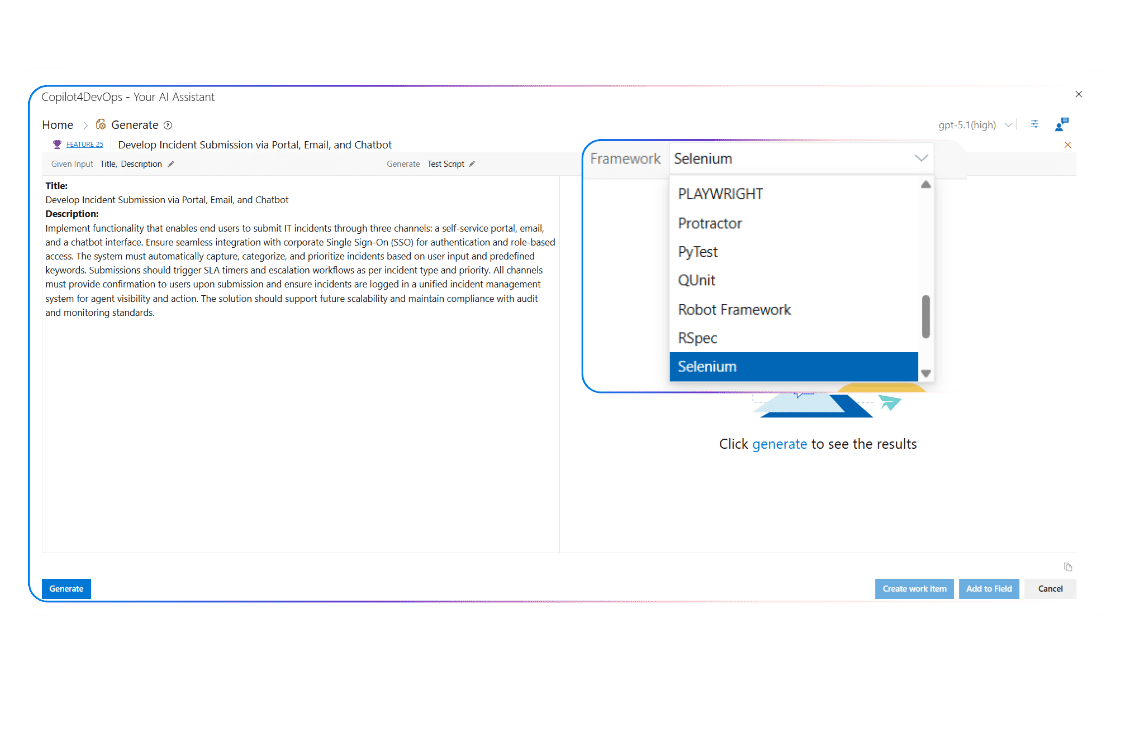
Create test scripts in your preferred framework, including Selenium, PyTorch, Playwright, etc., based on existing Azure work items’ acceptance criteria.
Turn functional requirements into usable code blocks using an AI. This helps in writing code that aligns with the requirements.
Convert the feature description into a readable pseudocode that helps teams in validating the requirements scope early and confirm whether the requirements are clear enough before any development starts.
Use Generate to write pseudocode from user stories and provide proper context about development work, technical steps, logic, etc., to developers. This removes guesswork, reduces confusion, and improves sprint planning.
Prepare deployment-related scripts by providing deployment tasks as a context to AI.
Use Generate to create test or validation scripts for release readiness checks, ensuring critical scenarios are documented and reviewed before moving changes to production.
Develop test scripts based on predefined security-related Azure work items.
Quickly outline the system behavior in pseudocode using an AI. This helps system architects to review flow consistency and dependency impact before teams commit to detailed design.
Use Generate to understand feature behavior through generated logic or tests. This helps support engineers to troubleshoot issues using the same work items developers rely on.
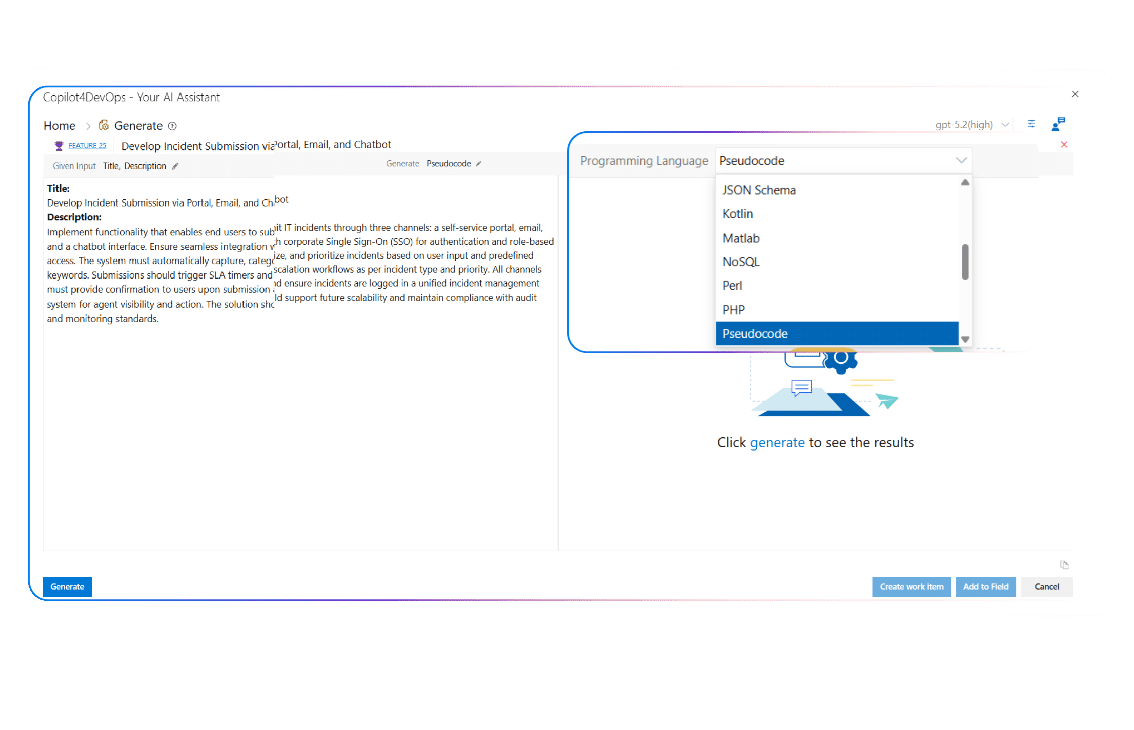
Need to generate pseudocode in a specific programming language?
Generate allows you to choose between multiple common programming languages, including C, C++, Java, Python, JavaScript, SQL, etc., or define a custom language that fits your project needs.
Using a specific testing framework or internal setup?
You can generate test scripts by selecting a known framework or entering a custom one, so the output aligns with how your QA team already writes and runs tests.
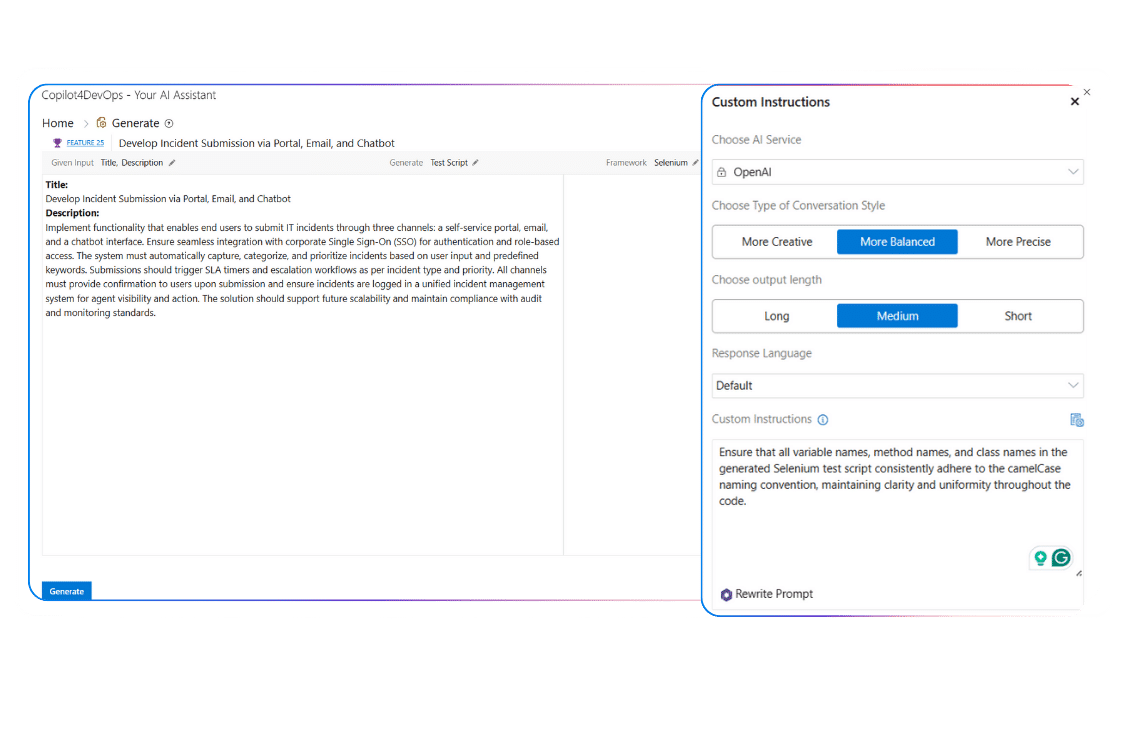
Want to generate code that follows your internal standards?
Add custom instructions so code or test script output matches the internal coding styles and standards, and teams don’t need to put extra effort into cleaning up code.
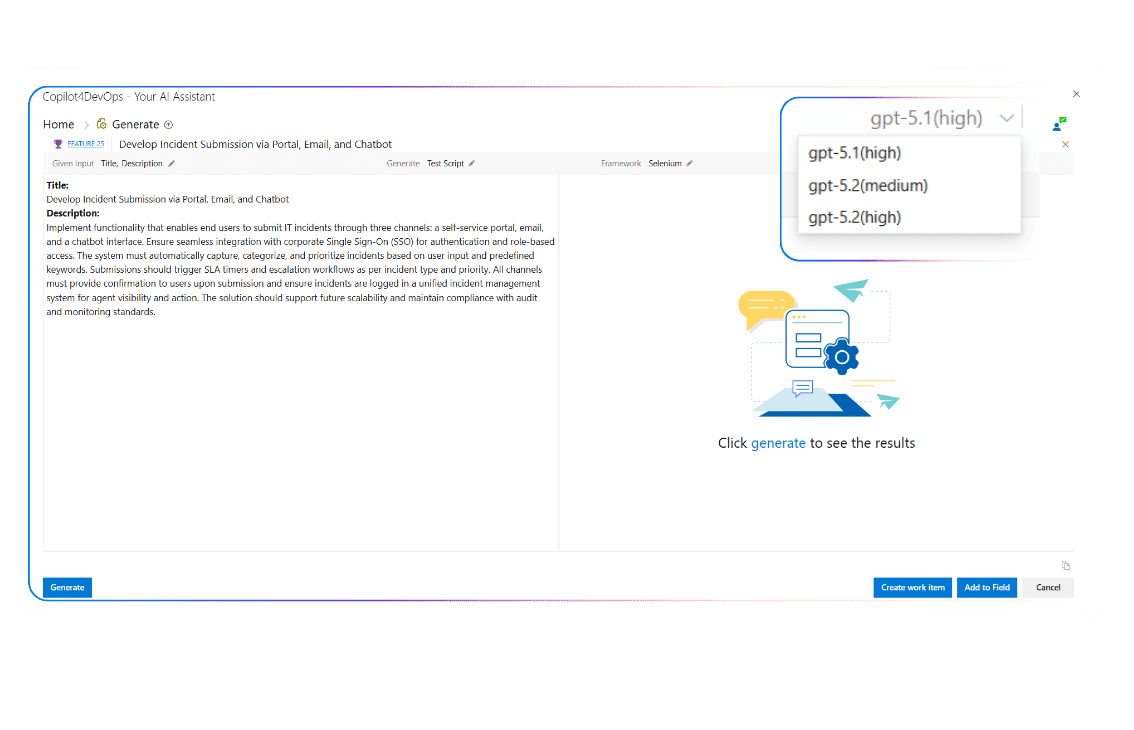
Didn’t get a satisfactory response?
Switch between existing LLMs to get a better response with clear steps or outputs that match complex work items.
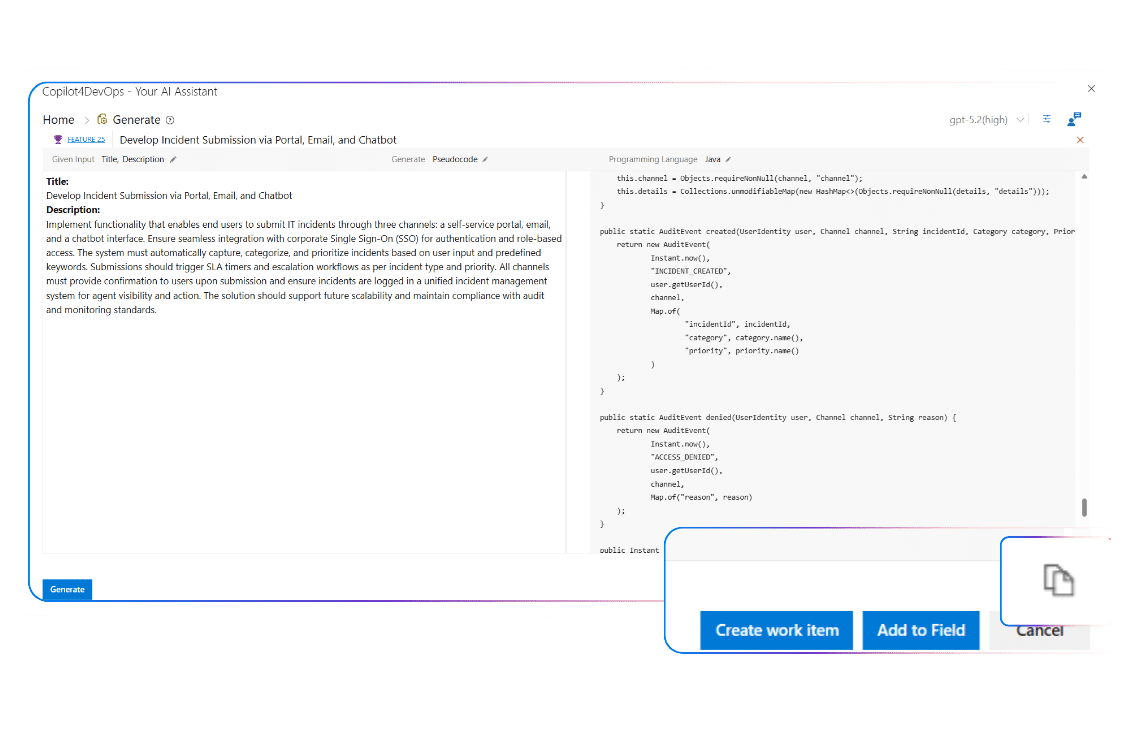
Want to share code output with team members?
Use the copy button given at the bottom right corner and paste it into documents, code IDEs, Azure work items, or any other external tools.
Want to keep everything inside Azure DevOps?
You can either publish the generated code or test script into any field of an existing work item or create a new work item with the generated response and link back to existing work items.
Need to generate pseudocode in a specific programming language?
Generate allows you to choose between multiple common programming languages, including C, C++, Java, Python, JavaScript, SQL, etc., or define a custom language that fits your project needs.
Using a specific testing framework or internal setup?
You can generate test scripts by selecting a known framework or entering a custom one, so the output aligns with how your QA team already writes and runs tests.
Want to generate code that follows your internal standards?
Add custom instructions so code or test script output matches the internal coding styles and standards, and teams don’t need to put extra effort into cleaning up code.
Didn’t get a satisfactory response?
Switch between existing LLMs to get a better response with clear steps or outputs that match complex work items.
Want to share code output with team members?
Use the copy button given at the bottom right corner and paste it into documents, code IDEs, Azure work items, or any other external tools.
Want to keep everything inside Azure DevOps?
You can either publish the generated code or test script into any field of an existing work item or create a new work item with the generated response and link back to existing work items.
Yes, the Generate module is part of Copilot4DevOps and runs only within your Azure DevOps tenant. It honors existing permissions and access control policies already in place in your workspace.
Whatever pseudocode or test scripts are generated, those stay linked to relevant work items, which helps teams in showcasing traceability from requirements to validation during preparing audit reports and reviews.
Yes, you can open Copilot4DevOps directly from any Azure work item and access Generate to write pseudocode or a test script for any work item without switching between tools.
Our tool, Copilot4DevOps, is SOC Type II certified, which means it doesn’t expose customer data or get used to train models.
You can provide specific work items as a context to the Generate features, and AI analyzes only those work items’ context. This way, you can keep sensitive data out of AI processing.
Yes, the tool is built to be used in highly regulated industries, such as healthcare, finance, government, banking, etc., and it generates codes and test scripts according to industry standards, such as HIPAA.
Often, yes. If you are missing any point in the requirements, Generate might add in pseudocode so your development teams don’t miss those points.
Yes, it allows the generation of test scripts in different frameworks using an AI that validates boundary conditions and common surfaces as defined by work item acceptance criteria.
No. It inherits Azure DevOps security and follows established tenant governance, so no extra certificates are required.
Yes. You can provide deployment tasks as a reference to AI, and it can help you to write deployment scripts.
Generate is used to prepare an initial draft of the code. It helps developers speed up development tasks rather than replacing them. So, we recommend always reviewing the code generated by the Generate module before directly pushing it into production.
Start generating structured pseudocode and test scripts directly from your Azure DevOps work items, so your team spends less time drafting and more time building.
Turn raw input into usable requirements
Draft test cases, functional and non-functional requirements, compliance checklists, deployment tasks, user stories, etc., using an AI from raw inputs, meeting notes, or existing requirements, and insert them within Azure DevOps.
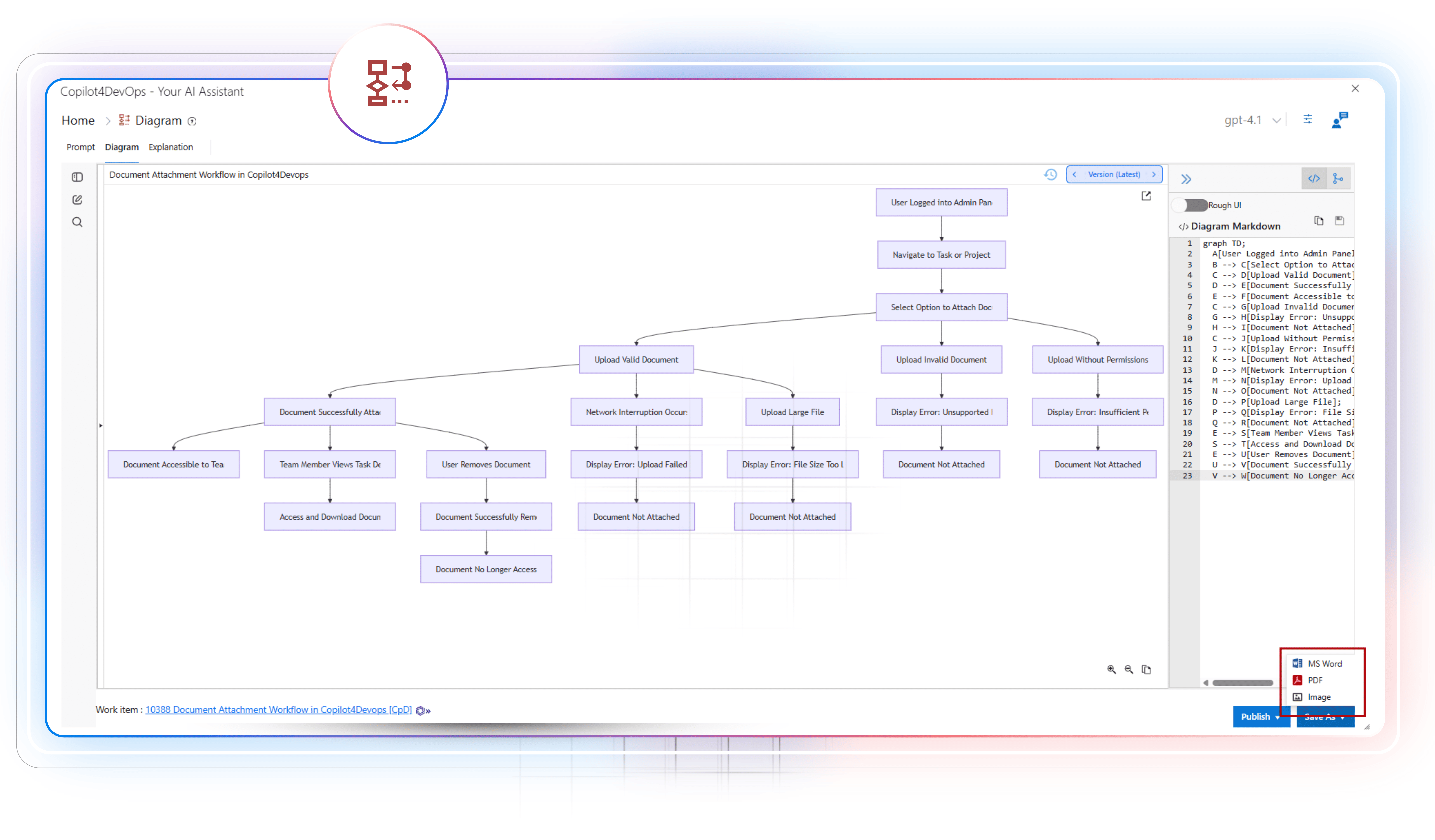
AI to generate requirements diagrams
Generate different types of diagrams within seconds to clearly visualize the requirements flow directly within your Azure DevOps workspace. Then, you might use Generate to prepare a code based on the diagram flow.
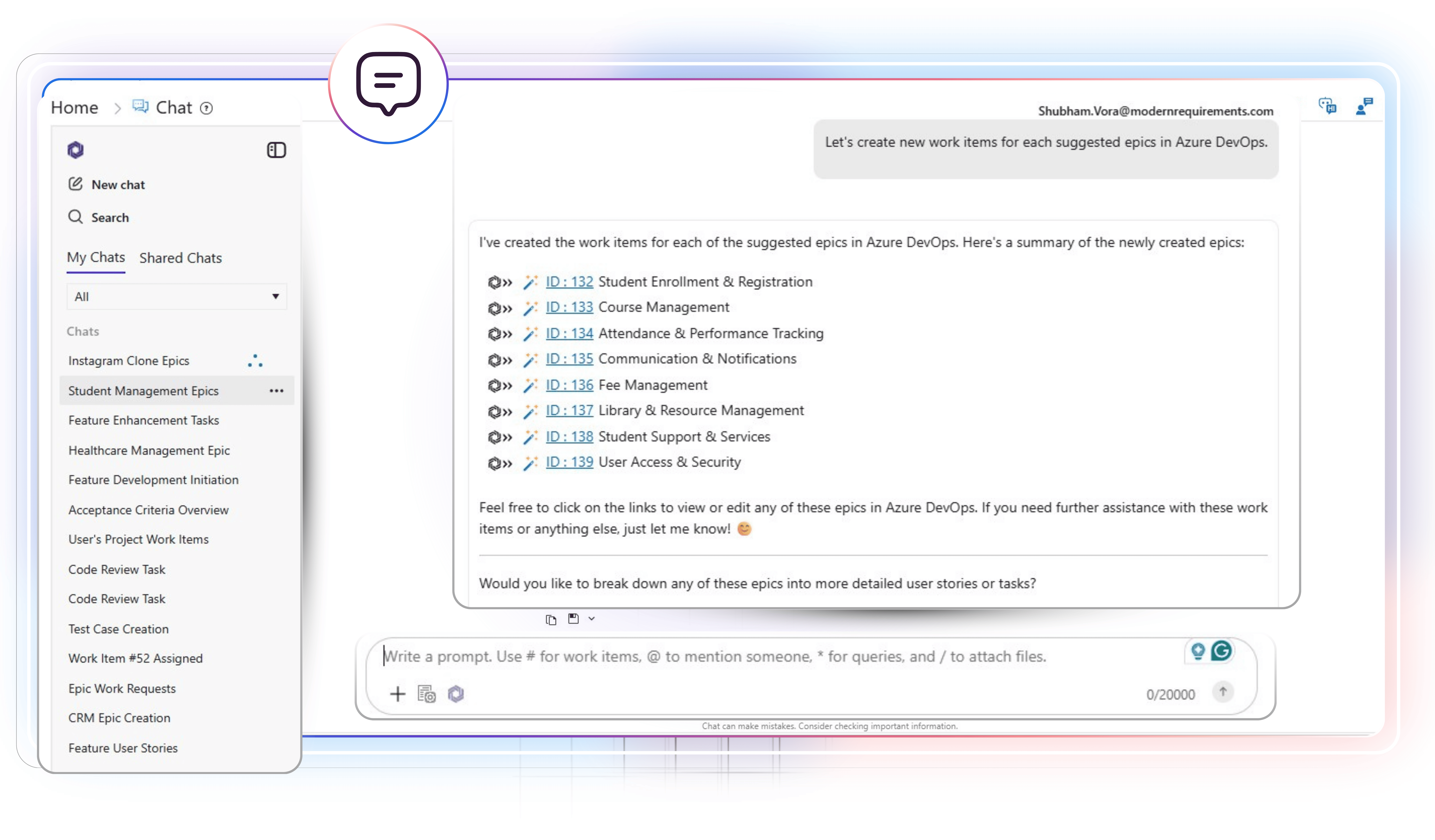
Interact with Azure work items using natural language
Type a prompt in plain English to list all required Azure work items. Then you may ask follow-up questions, create a workflow diagram based on multiple requirements, generate pseudocode or test scripts, or update work items using an AI.