


























Impact Assessment

AI-Powered Impact Assessment Inside Azure DevOps

Use AI to understand the ripple effect of every change to stay ahead of project risks.

Trusted by the world’s leading businesses

The old way vs. the new way for change analysis

The old way

New Way with Copilot4DevOps

What is Impact Assessment in Copilot4DevOps?

Copilot4DevOps’ Impact Assessment feature helps teams proactively manage change by automatically analyzing how a proposed change to one work item might ripple through a project. You can describe the changes you want to make in particular Azure work items in plain text, and Copilot4DevOps uses AI to generate a clear report showcasing which other work items of projects may be affected.

Copilot4DevOps provides an in-depth impact explanation with tasks to perform to resolve the impact before making changes. It also provides an impact rating on a scale of 1 to 5 for each impacted work item. The best part is that it allows exporting the final impact explanation report as a Microsoft Word or PDF file for sharing or documentation.

Role-based view

Here is how different job roles are using the Convert module within Azure DevOps

Product Owner

Use impact assessment to check which Azure backlog items will be affected by a planned feature change. Update priorities and sprint plans using the AI report to prevent dependency conflicts.

Business Analyst

Perform an AI impact assessment to review how a requirement update affects linked user stories and acceptance criteria. Use the generated report to align stakeholders before finalizing scope or traceability changes.

Developer

Perform an impact assessment on Azure work items to find dependent modules or APIs linked to work items they’re updating.

Technical Writers

Trace documents that may need to change after particular features or requirements change using an AI.

Test Engineer / QA Engineer

Use AI impact assessment to see which test cases, scripts, or automation paths may fail after a change. Update test coverage and link new test tasks directly in Azure DevOps.

Security and Compliance Officer

Run an impact assessment inside Azure DevOps to reveal how a change affects policies, data privacy, or access control rules. Add mitigation tasks directly to ensure compliance remains intact after the update.

Project Manager

Assess how changes in specific requirements affect the project schedule and budget directly within Azure DevOps. Export the AI-generated impact assessment report during the planning meeting to reconsider budgets and the project timeline.

System Architects

Perform an impact assessment within Azure DevOps to understand how a design or architecture change impacts downstream components. Identify services needing redesign or configuration updates before development begins.

SRE Engineer

Run an AI impact assessment to know how deployment and configuration updates can affect current production services.

Release Manager

Use impact assessment to confirm that all linked items are ready for release. Review the generated report to verify no dependent feature or test is left unaddressed.

Core capabilities

Two smart ways to run Impact Assessment using an AI in Azure DevOps

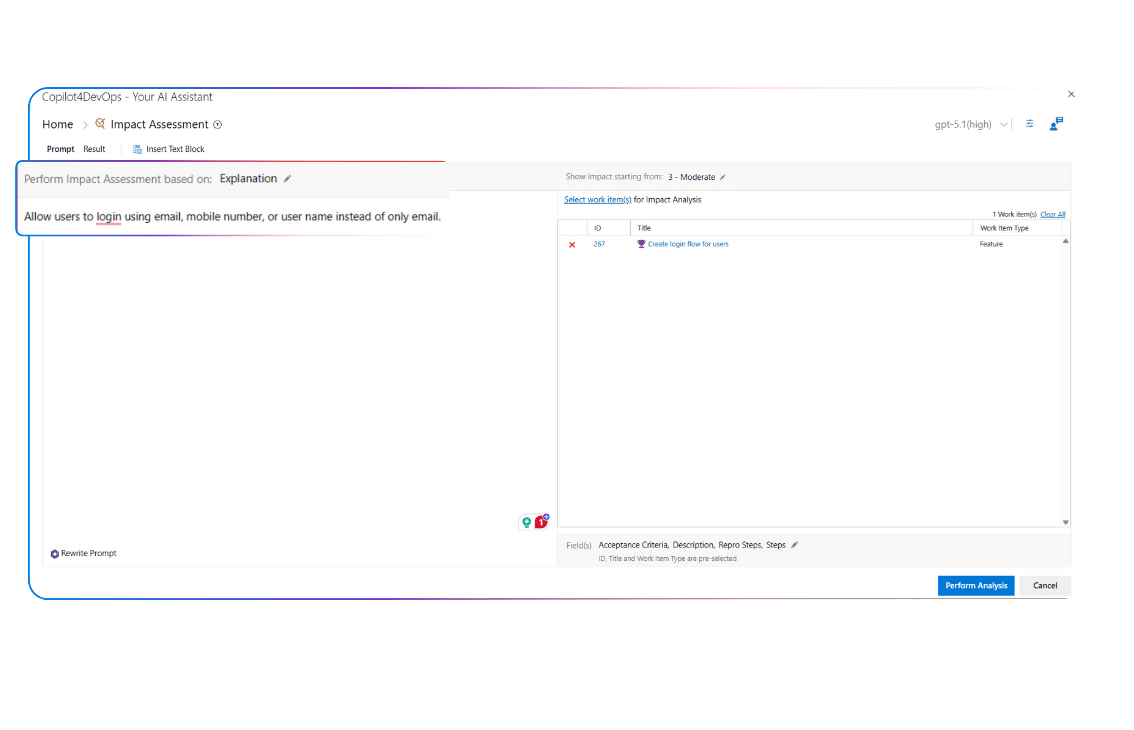
The “Change Explanation” method

You explain the change in text format, then select particular Azure work items either through an Azure query or manually to analyze the change impact on them.

AI analyzes only selected and dependent work items at multiple levels. For example, if you have selected any epic, it also analyzes associated features, user stories, test cases, and other related work items.

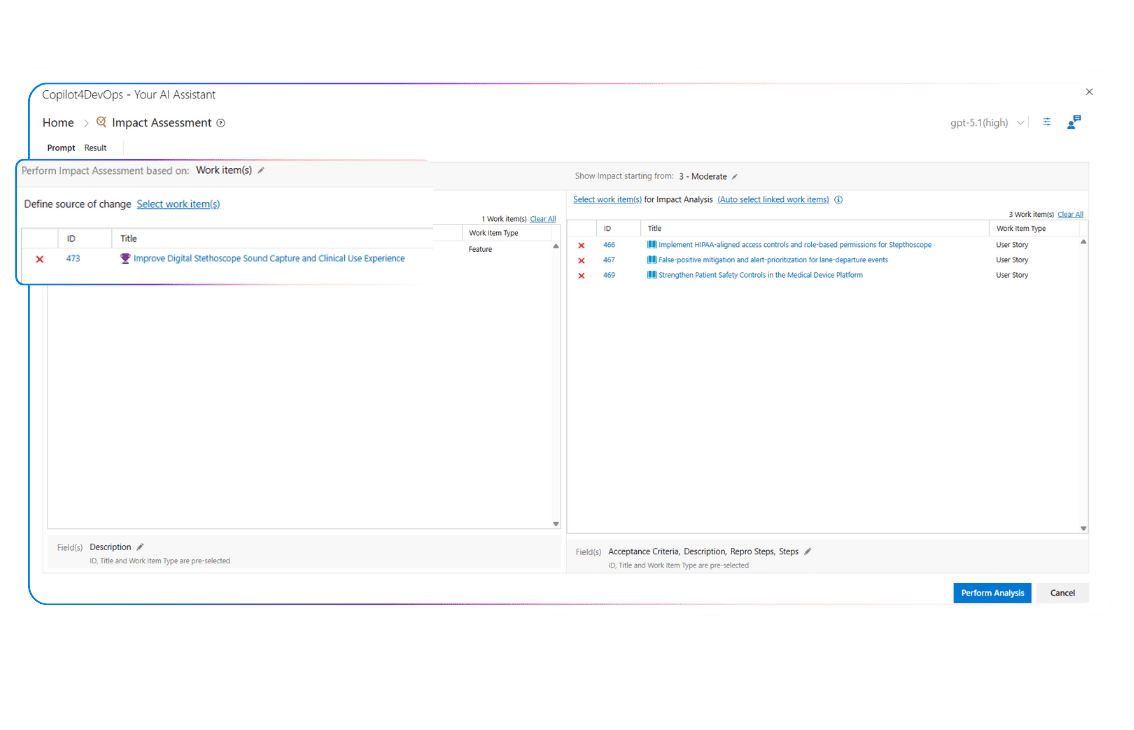
The “Work Item Comparison” method

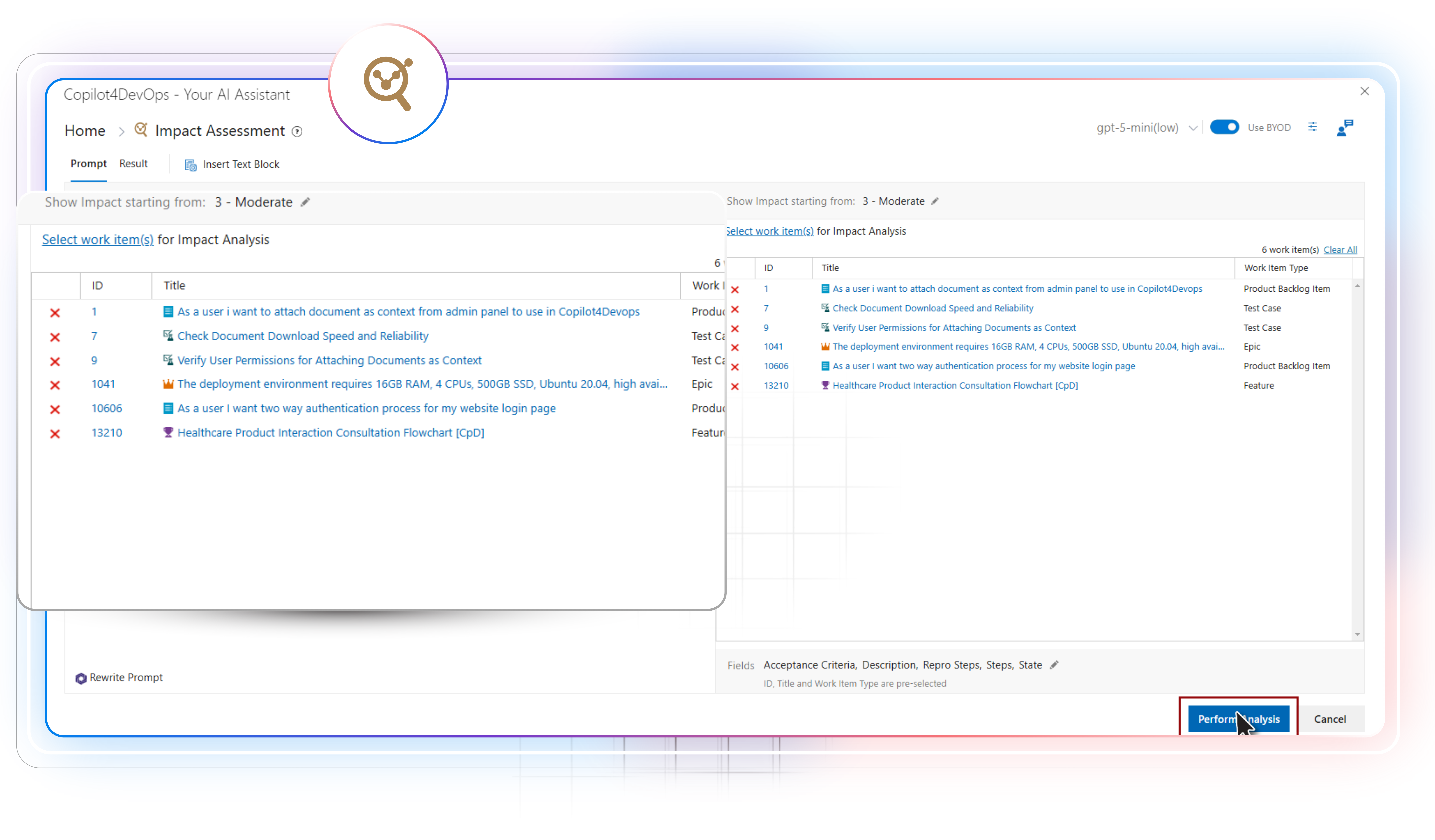
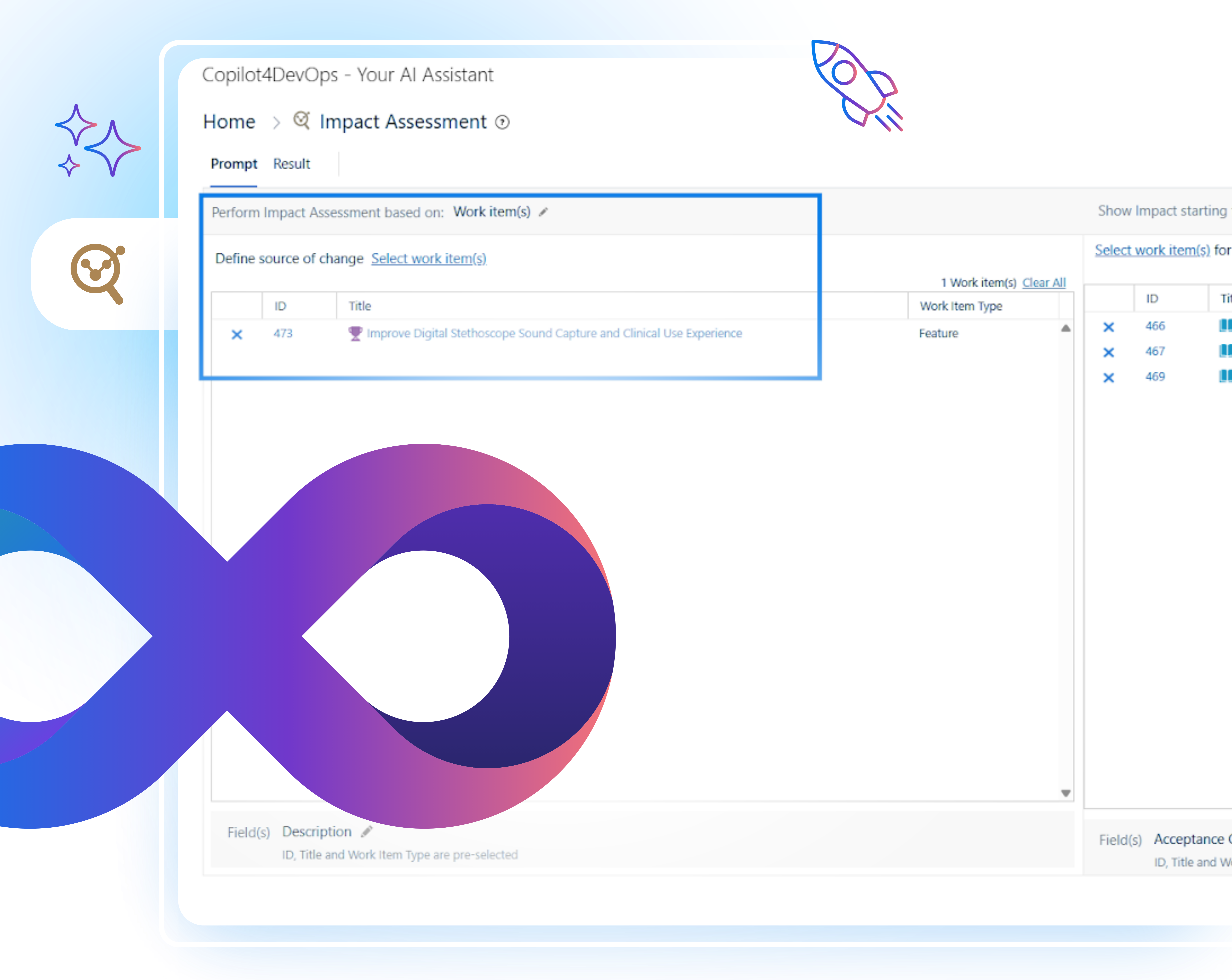
In this mode, instead of writing a change note, you just select the work items on the left that are being changed and auto-select related work items on the right to perform an AI impact assessment.

How teams use SOP/Document Generator in the real world

Why teams prefer the SOP/Document Generator of Copilot4DevOps

Change Impact Analysis

Reduces the change impact analysis time by 95%.

Early Visibility

Teams get early visibility into the change’s impact.

Track Dependencies

No need to track dependencies between work items manually.

Multi-Level Dependency Tracking

Offers multi-level dependency tracking, which is useful in larger projects.

Rework

Lowers rework by 75%.

Informed Decisions

Helps in making informed decisions during the change implementation.

FAQ

Your Questions are Answered Here

Can I limit which fields the tool reads when it runs an analysis?

Yes, it gives an option to select the work item fields, including title, description, status, acceptance criteria, etc., to include in the analysis.

AI takes only a few seconds to assess the impacts of changes on existing Azure work items.

You can use Azure queries to pull work items from different projects and add them to the impact assessment. But you need to ensure that you have permission to read work items from target projects.

Copilot4DevOps offers two plans: Plus and Ultimate, both of which include the Impact Assessment feature.

Generally, you can either export the document in Microsoft Word or PDF format.

Generally, you can either export the document in Microsoft Word or PDF format.

Yes, Copilot4DevOps allows exporting the impact report in Microsoft Word or PDF format. Then, you can share it with your team members.

The tool runs only on demand and when you execute it. It doesn’t offer a recurring impact checks option.

Yes, Copilot4DevOps is SOC Type II certified, which means it doesn’t control your data or use it to train its models. Also, all your data is managed within your Azure workspace and not shared with external users.

Start predicting change impact with AI

Assess work item dependencies before change hits your sprint, plan fixes early, and keep your Azure backlog stable through every update.

Want to Learn More?

Explore Relevant Features