
Tutorials and webinars to know more about our features

Calculate the ROI of Copilot4DevOps

Clear, easy-to-understand information about our product

Stay on top of trends related to AI and DevOps

Tutorials and webinars to know more about our features

Calculate the ROI of Copilot4DevOps

Clear, easy-to-understand information about our product

Stay on top of trends related to AI and DevOps
Use AI to create multiple UI prototypes directly from Azure DevOps work items and validate design choices through A/B testing.
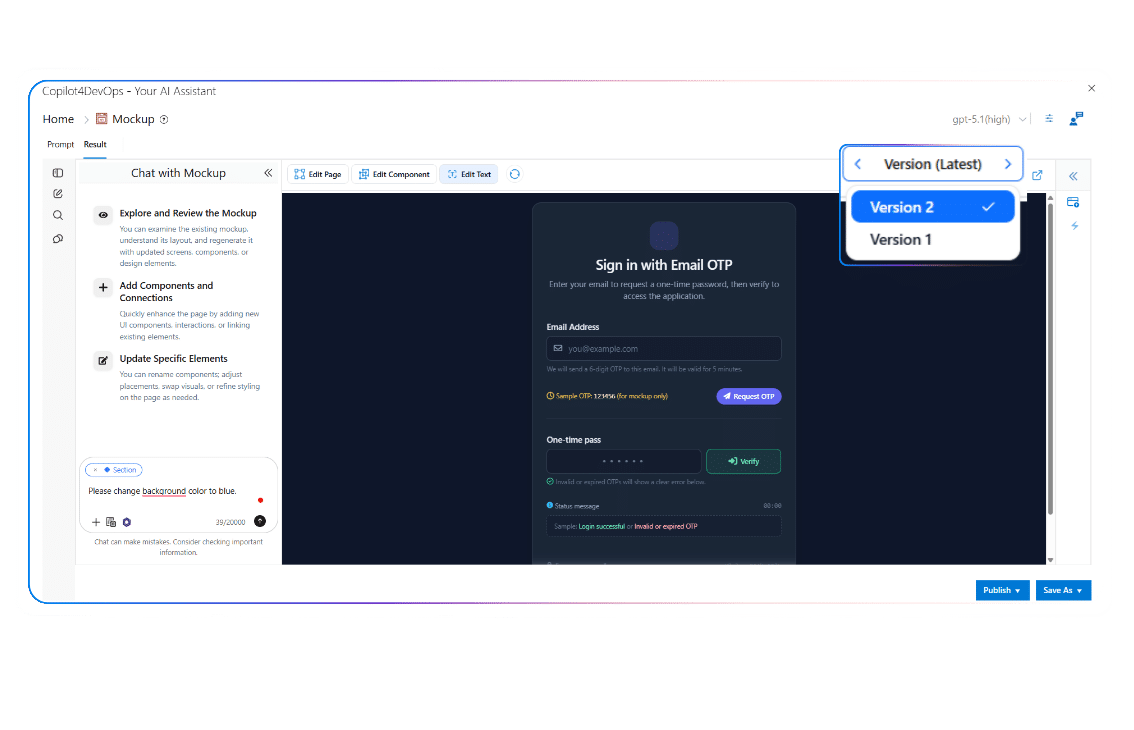
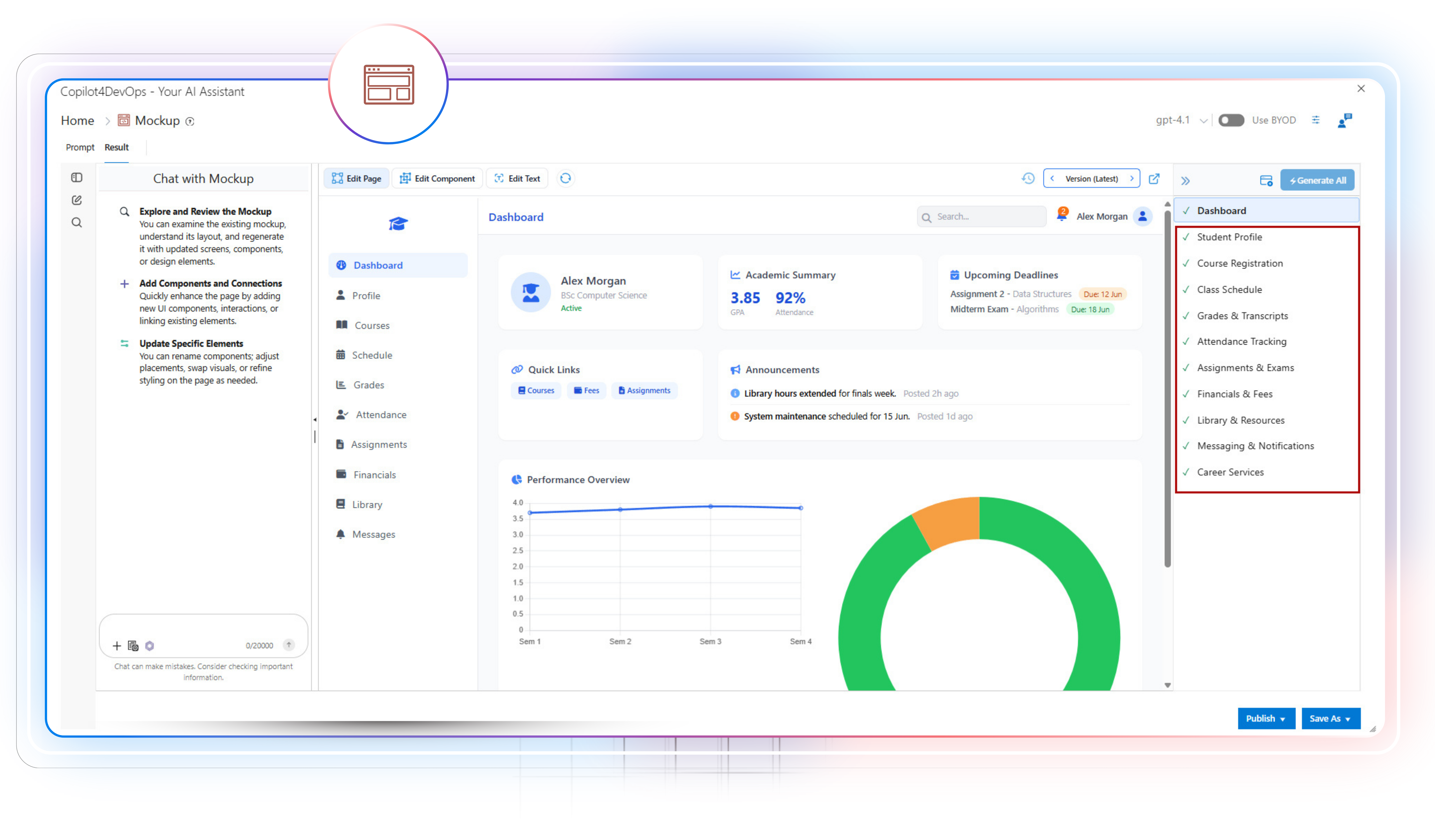
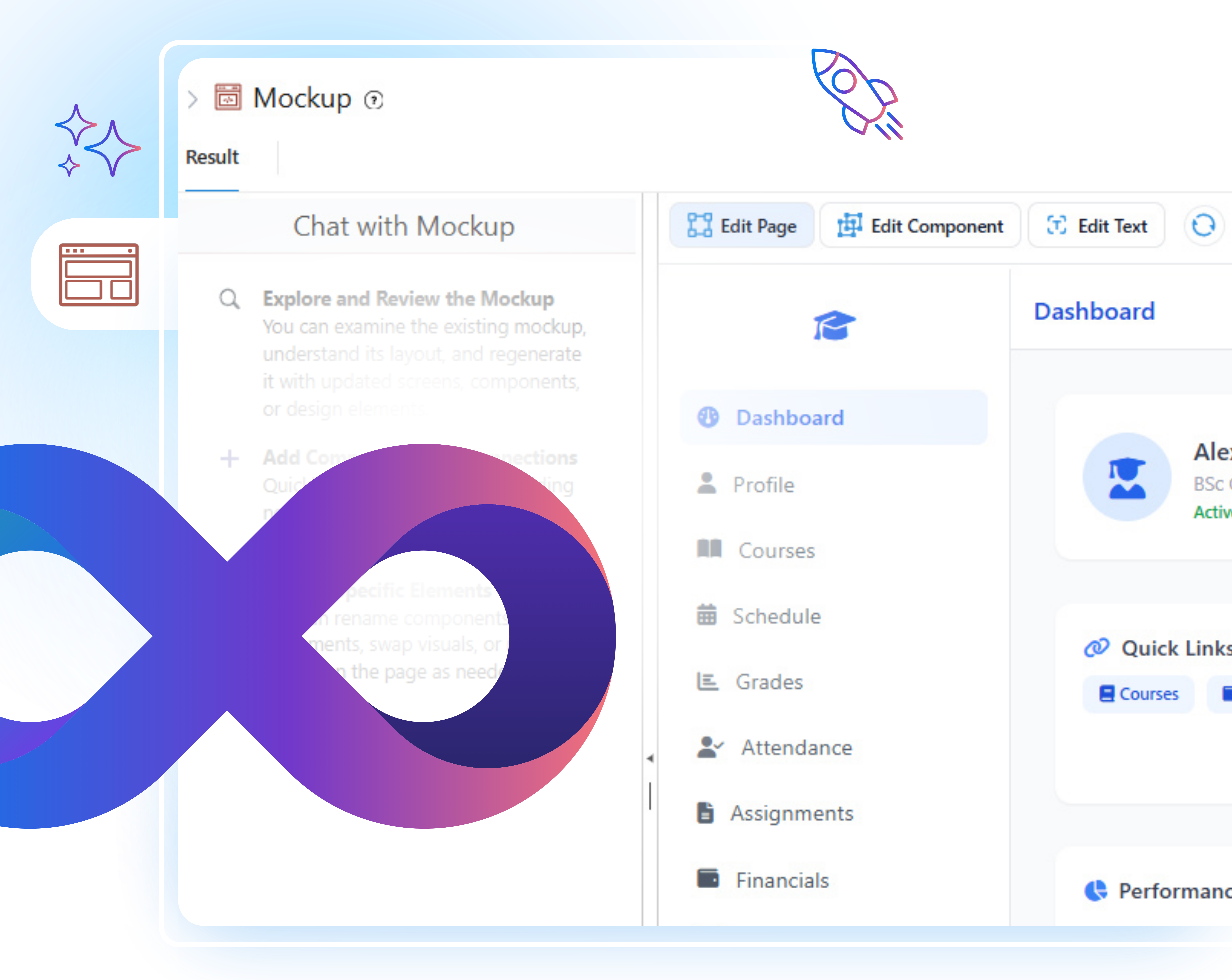
Mockup feature of Copilot4DevOps helps teams in turning ADO requirements into clear UI prototypes using AI. It takes existing requirements or external files, such as PDFs and images, as a reference, analzes its content, and generates a UI wireframe.
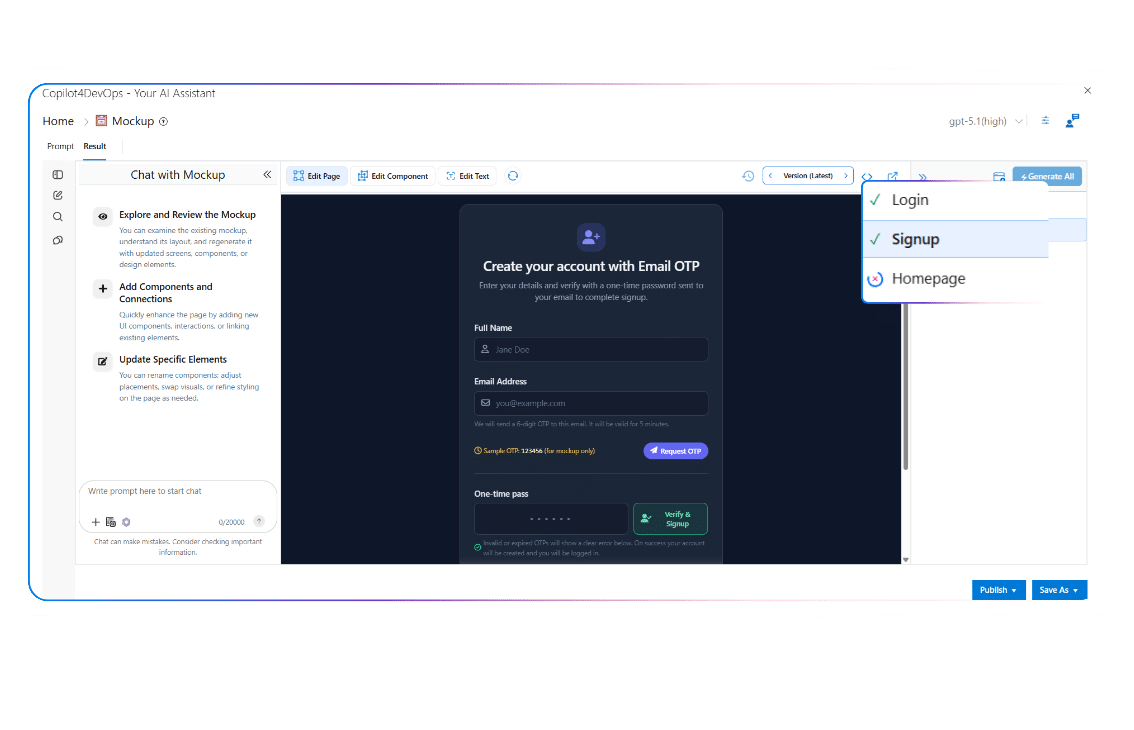
Use AI to create UI mockups from ADO work items, and then refine mockups using natural language instructions if required. With this, designers don’t need to start from scratch.
Generate UI wireframes from user stories to review scope early, compare multiple options, and confirm priorities before any development starts, all within Azure DevOps.
Use the AI mockup generator to understand the UI intent of work items, review layouts, states, and components before any coding starts. This simplifies the product development and reduces back and forth during implementation.
Generate multiple mockups using an AI and perform A/B testing to analyze which one will work best for end users.
During sprint planning or backlog grooming, make changes to existing mockups using an AI, and share with development teams by attaching them to ADO work items to implement new changes.
Translate requirements into visual screens using AI and referenced work items. Validate fields, rules, and flows with stakeholders, and keep every change traceable to Azure DevOps.
Review versioned mockups linked to requirements for audit readiness. Track who changed what and when, supporting regulated delivery without storing designs outside Azure DevOps.
Review AI-generated mockups to understand data needs, validations, and user actions. Align APIs and logic with UI behavior early using designs linked to Azure DevOps items.
Review interactive mockups instead of reading long requirements. See how features will work, give clear feedback, and approve designs faster within the Azure DevOps flow.
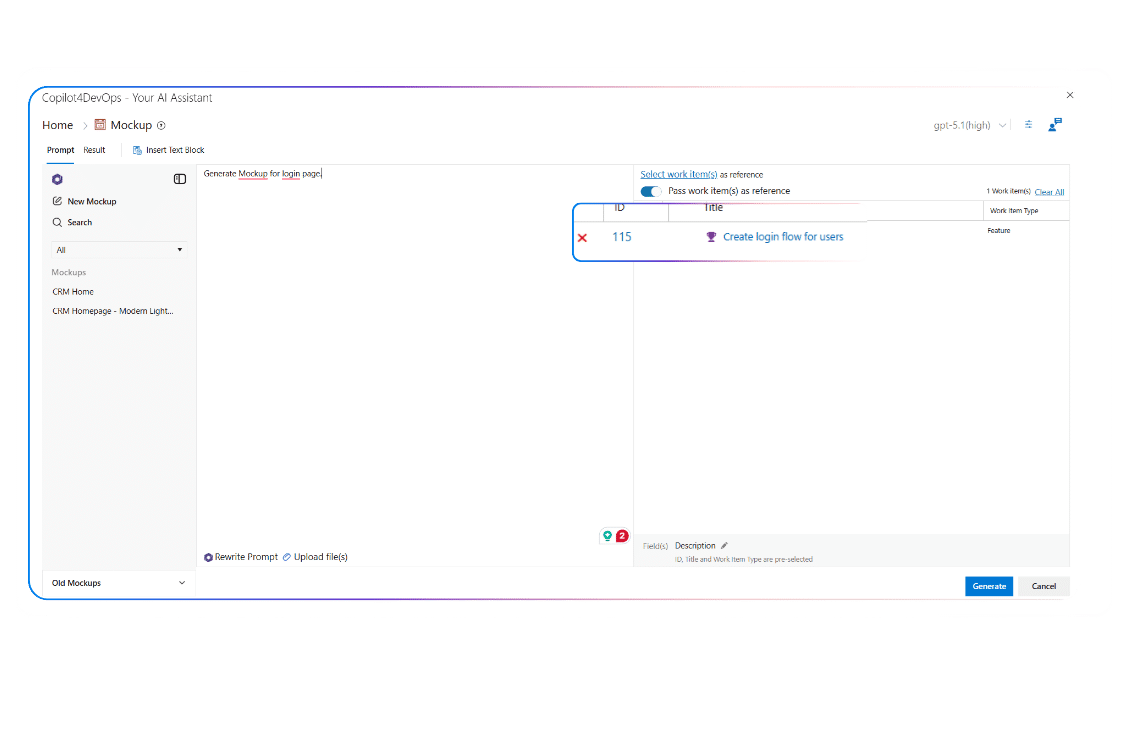
Want to generate UI wireframes that reflect real requirements?
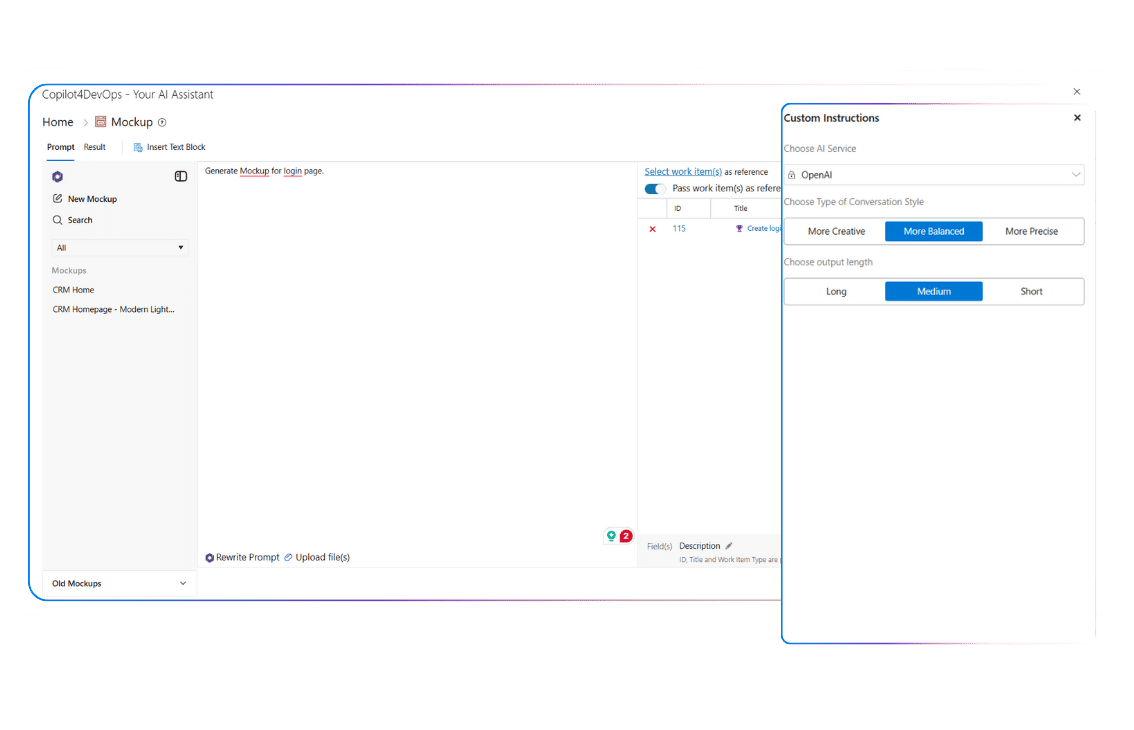
Pass existing ADO work items as a reference, and press “Generate.” Then, AI automatically analyzes the work item title, description, and other fields and generates a UI mockup that aligns with actual requirements.
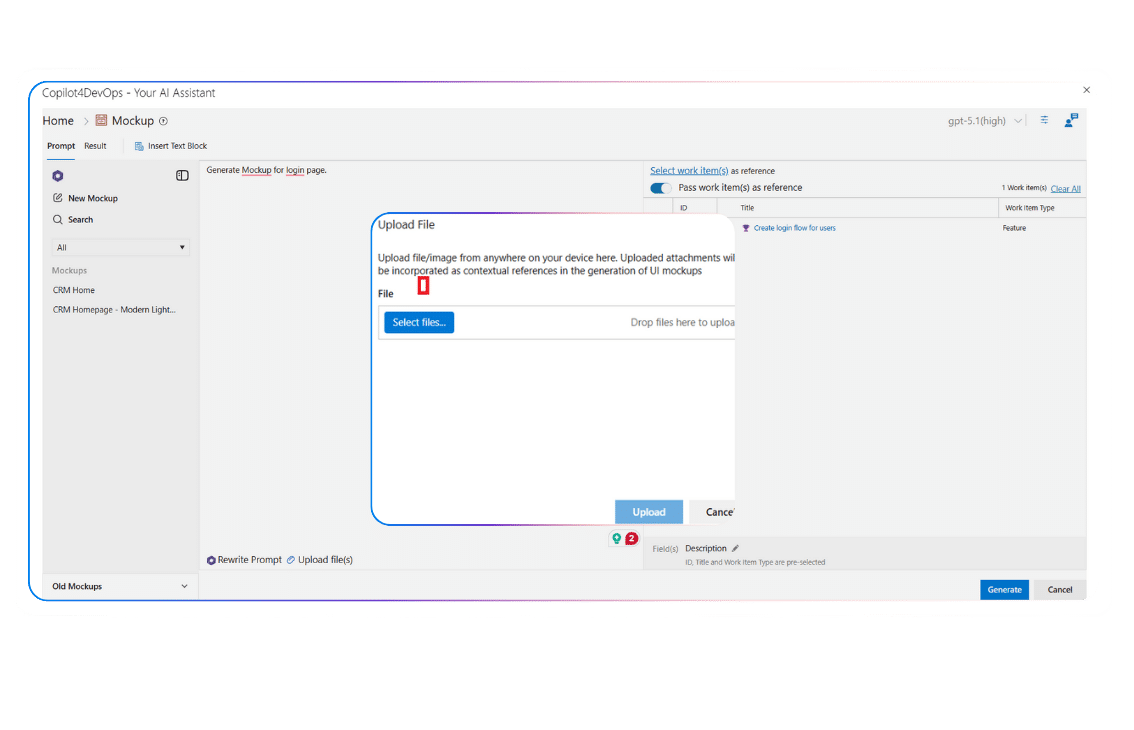
Do you already have documents, screenshots, or old designs that should guide the mockup?
The file upload feature lets you attach different types of files for reference while generating the mockup. This allows teams to reuse existing designs, bring legacy screens into DevOps, and create UI views with better context.
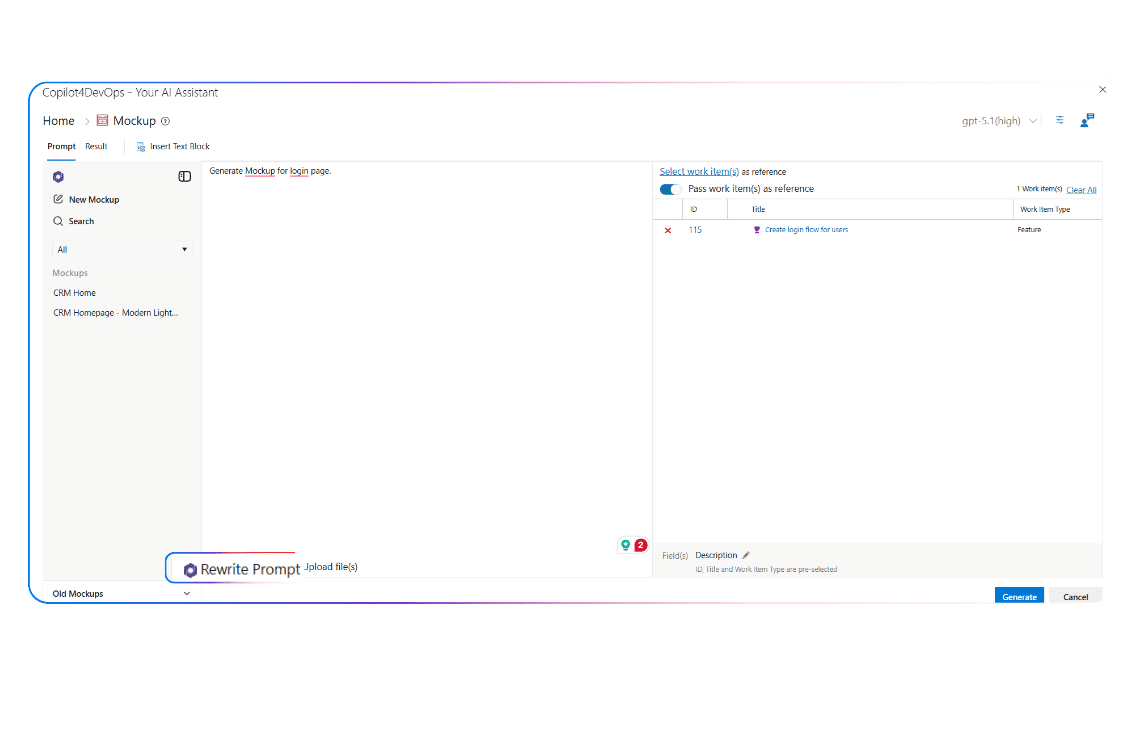
Would you like to enhance the prompt to generate a better mockup?
The Rewrite Prompt feature refines the prompt instruction with a single click using an AI. This helps in generating accurate and consistent mockups without deeper knowledge of prompting.
Want to generate mockups that follow your organization’s styling?
Insert custom instructions about color theme, font style, heading style, page structure, etc. So the final result matches your functional needs.
Need to access previously generated mockups?
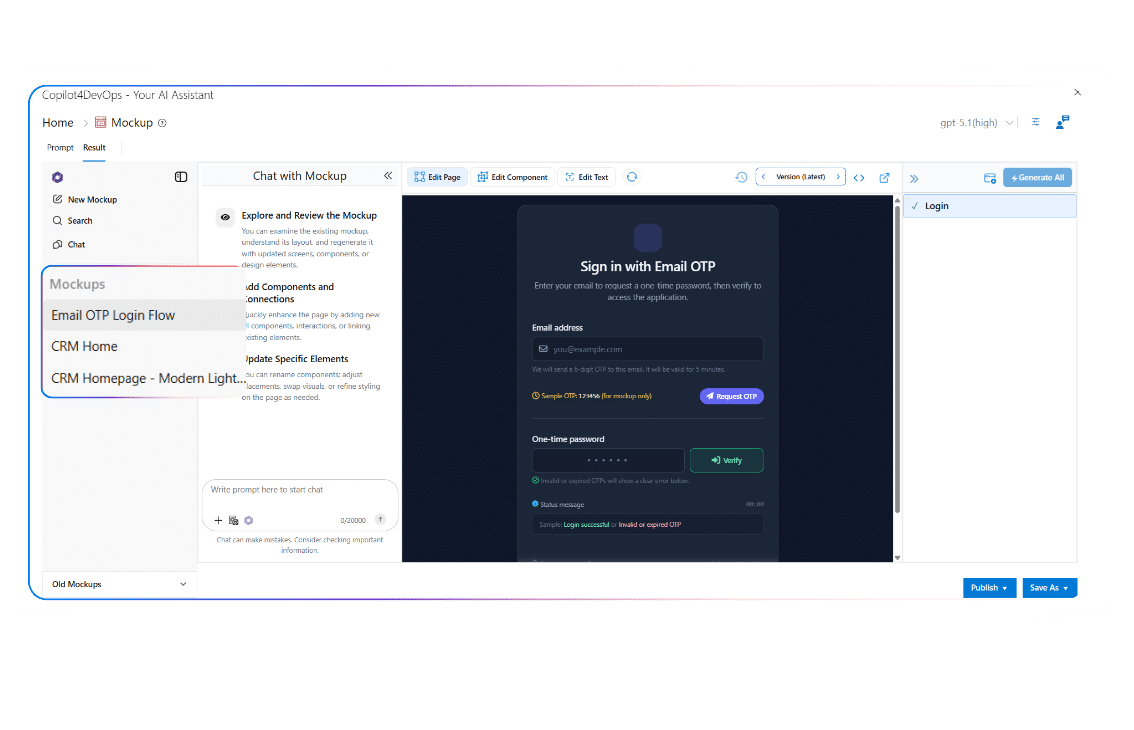
You can access previously generated mockups from the left panel. It allows you to reopen, review, and continue working from past designs without losing earlier work.
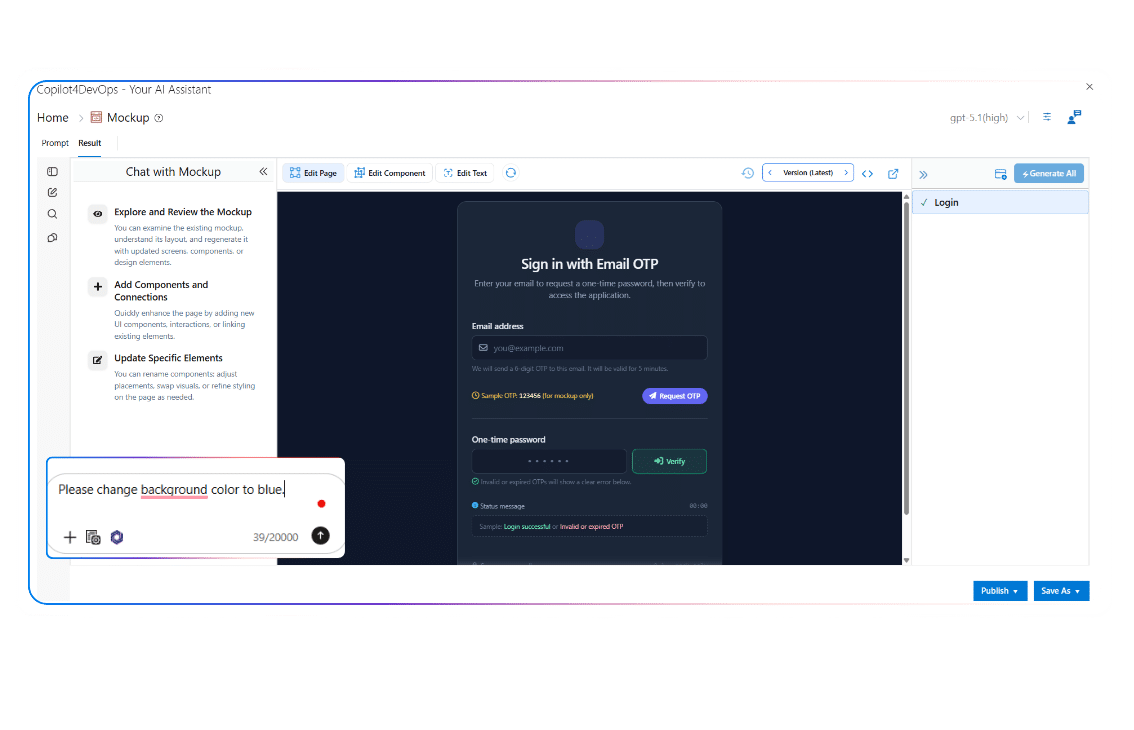
Want to make changes in mockups without rebuilding them from scratch?
AI chat allows you to:
Need to track how the mockup has changed?
Mockup module automatically creates a new version when you make any changes to the UI wireframe. Later, you can visit the previous version, review the changes, and revert to it if required.
Want to generate UI wireframes for multiple web pages at once?
Multi-page generation creates several connected pages in one run. This helps visualize complete user journeys instead of isolated screens.
Need to connect mockups with existing work items?
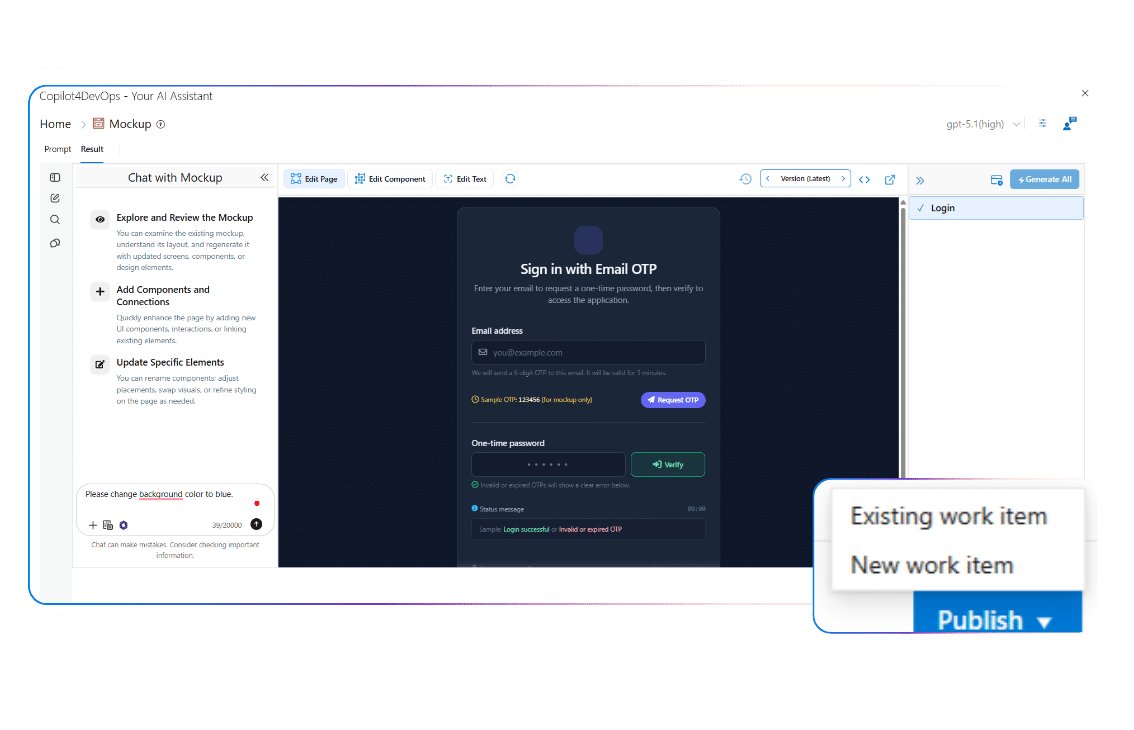
You can publish mockups to existing work items or create new ones and publish them into them with a single click. This keeps the UI design part of the same workflow as planning and development.
Do you need to share mockups outside the Azure DevOps workspace?
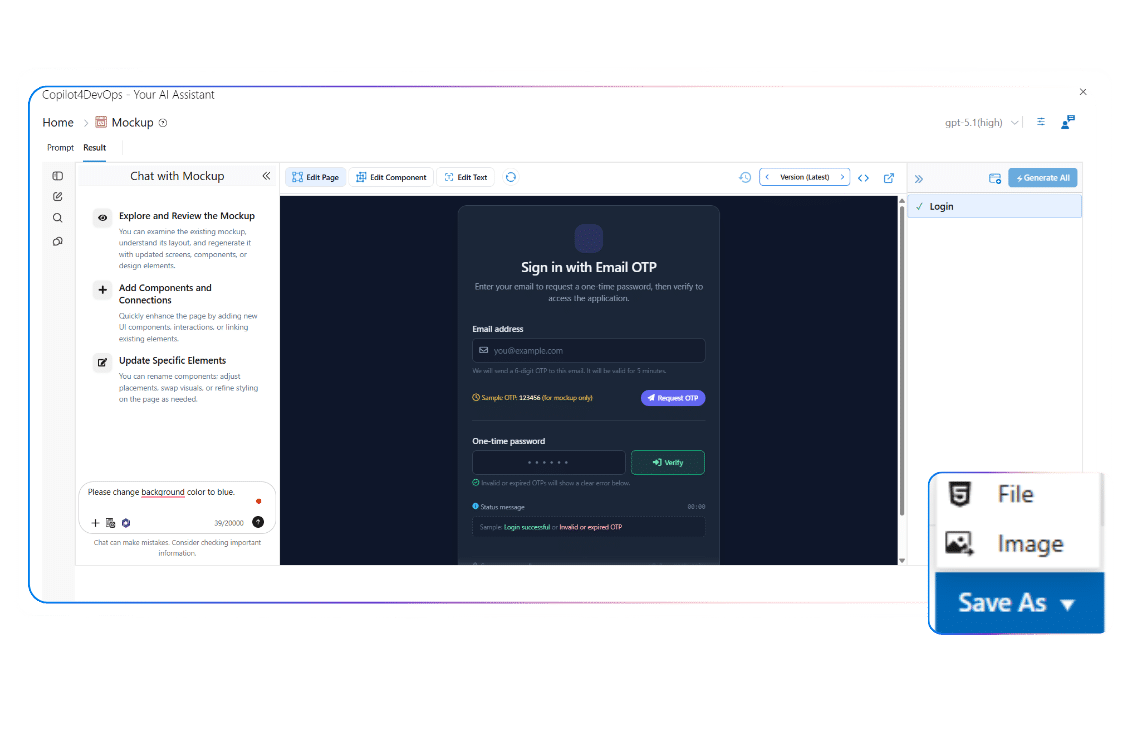
Explore mockups in PDF or PNG format and share with team members, stakeholders, reviewers, etc., who are not part of your team.
Yes, the Mockup module is a part of Copilot4DevOps, which works directly inside your Azure DevOps project. With this, you don’t need to switch between multiple tools to generate UI prototypes, and generated mockups stay linked to related ADO work items.
No. Copilot4DevOps is SOC Type II certified, which means it doesn’t send users’ data to any third-party service providers or use it to train our own models.
Each generated mockup has a version history. So, audit teams can review how the mockup is changed during audits and inspections.
Yes. Copilot4DevOps generates mockups in such a way that it follows required compliances based on the industry in which you are working. So, it can be used in any regulated industry.
If requirements change after the mockup is created, you can use AI to update a specific part or the entire mockup by providing natural-language instructions.
Mockup module is to create early prototypes to get approval from stakeholders and align each team member on the same UI requirements. However, designers must be required to make changes to the mock-up and make final decisions.
We talked with our multiple clients, and they told us that Mockup modules save them 90% of the time in getting design approvals.
Mockup feature is included in the Copilot4DevOps Ultimate plan but not in the Plus plan.
If AI generates an incorrect mockup that doesn’t align with your requirements, you can use the AI chat feature and ask it to regenerate a mockup that aligns with your requirements. You can properly instruct it on what to change and what to keep the same.
Yes. The tool supports multi-page generation to represent complete user flows and journeys.
Teams can start using mockups during the early planning stage to prepare UI wireframes for testing and to avoid misunderstandings later in development.
Generate UI mockups directly from ADO work items and give stakeholders a clear view of features without long documents or repeated clarification cycles.
AI to generate documents from ADO work items
Create well-structured technical documents, SOPs, or PRDs based on ADO work items’ descriptions. Documents can include a TOC, multiple sections and subsections, diagrams, and an interactive UI.
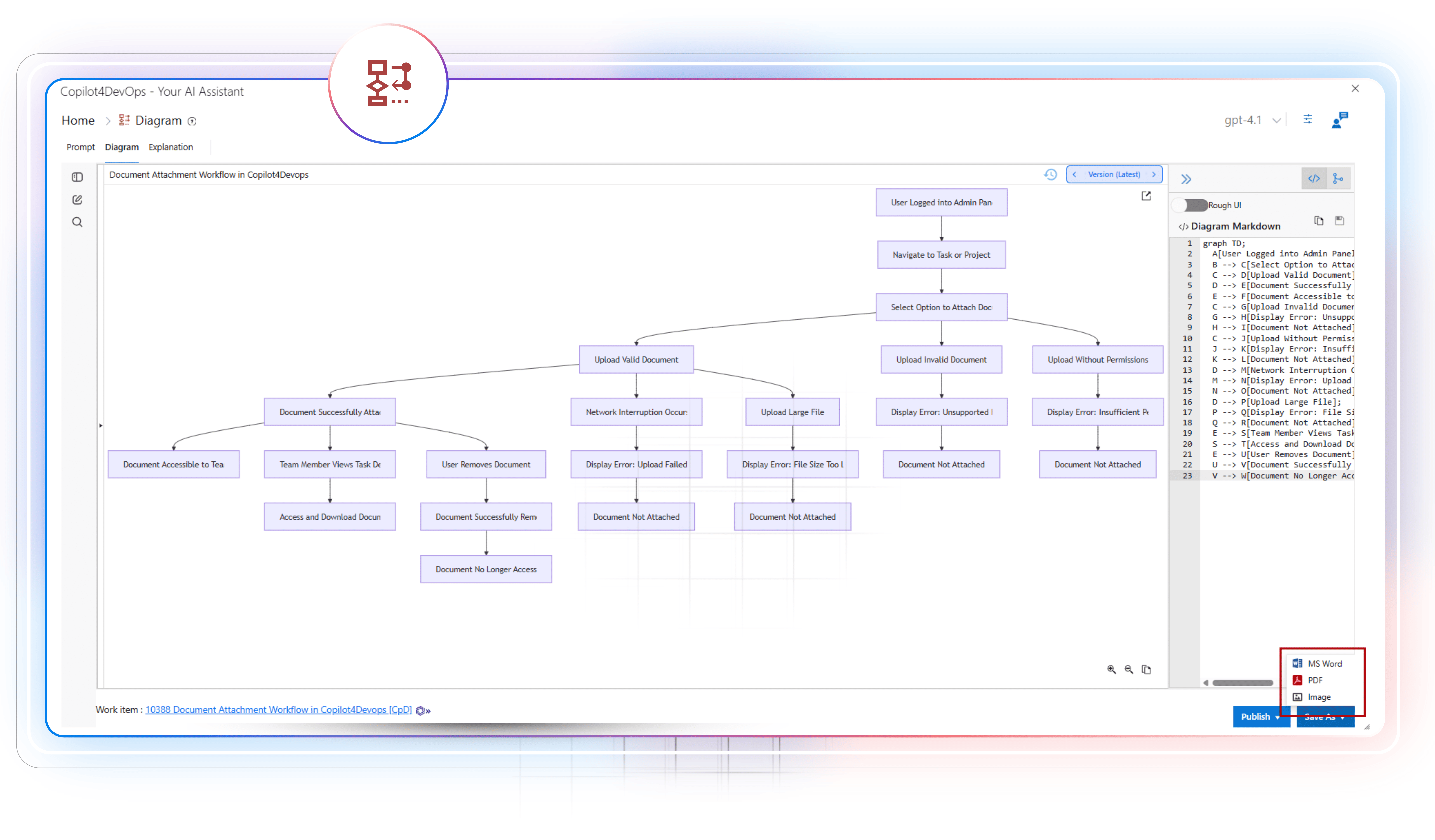
AI to generate requirements diagrams
Generate different types of diagrams within seconds to clearly visualize the requirements flow directly within your Azure DevOps workspace. Then, you might use Generate to prepare a code based on the diagram flow.
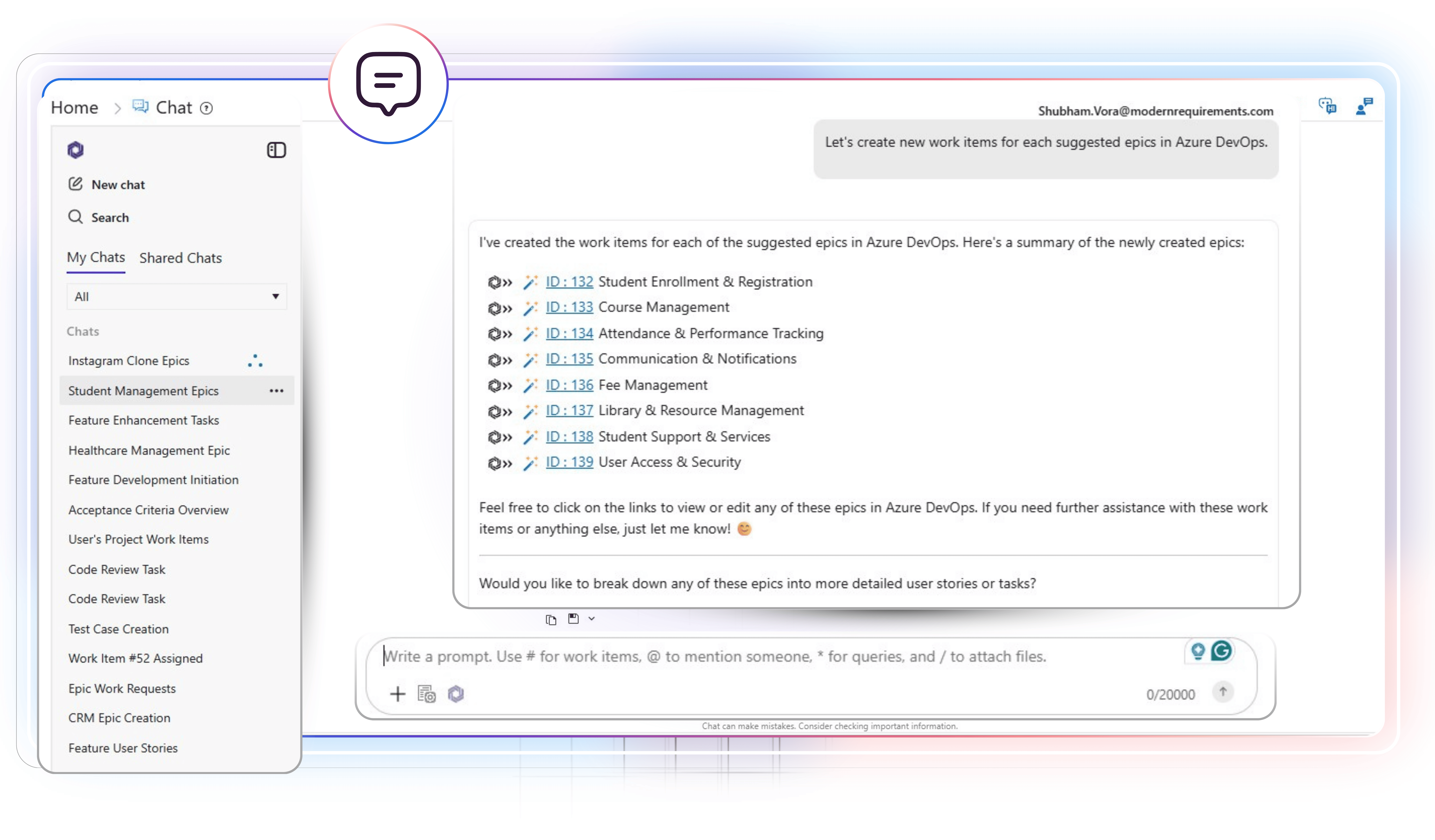
Interact with Azure work items using natural language
Type a prompt in plain English to list all required Azure work items. Then you may ask follow-up questions, create a workflow diagram based on multiple requirements, generate pseudocode or test scripts, or update work items using an AI.